

Utilities Windows
Veyon for Windows
Monitor classroom computers, share a screen and assist learners remotely with Veyon, a free open-source classroom management application for Windows.
- Operating system
- Windows 10 and 11, as listed in the publisher's administrator manual
- Architecture
- x64 (64-bit)
- Download package
- EXE installer
This link selects the win64 package. The publisher offers a separate win32 installer. Administrative privileges and network configuration are required.
Link checked · Download guidance
What is Veyon?
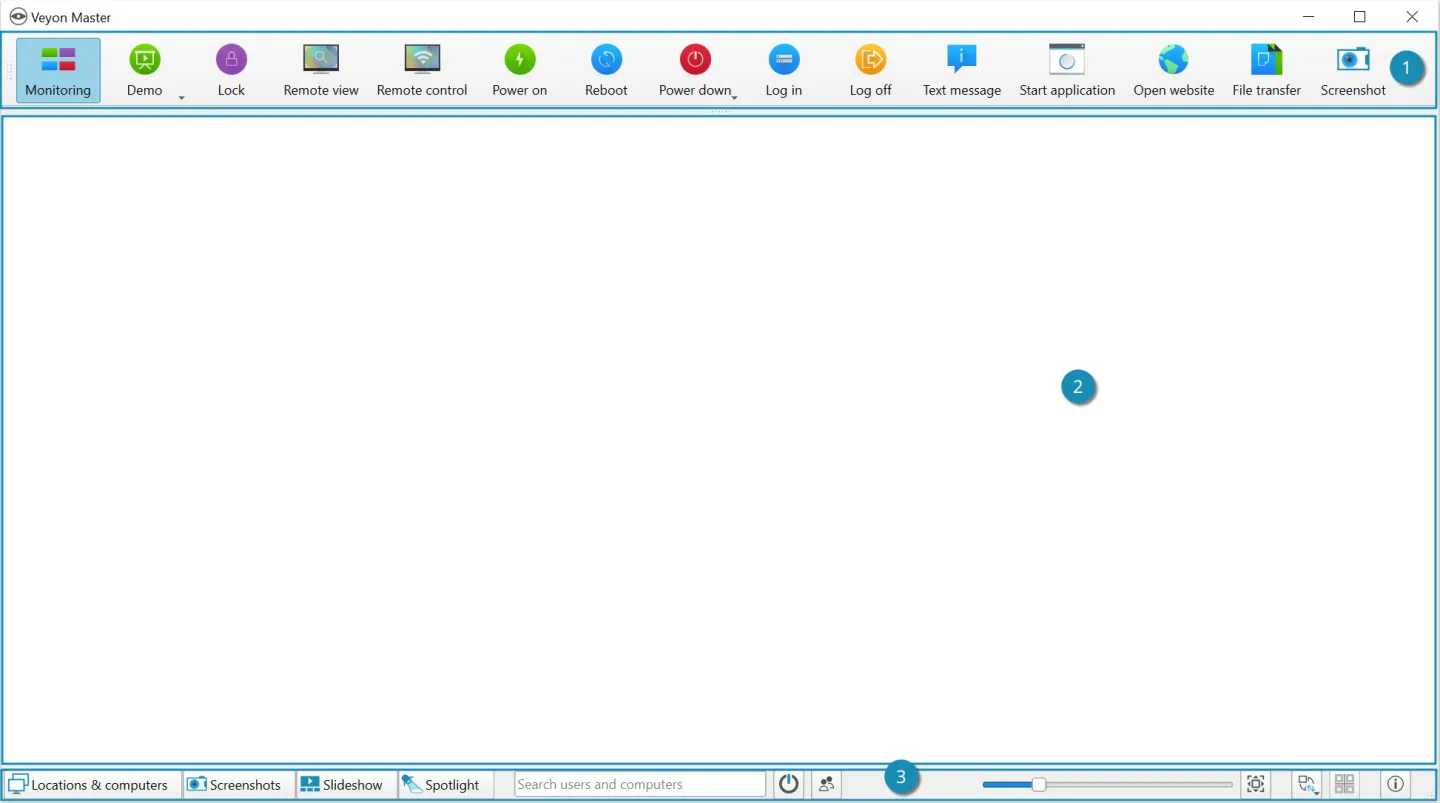
Veyon gives teachers and trainers a central view of computers in a classroom or training environment. Veyon Master displays connected workstations as tiles, with tools for viewing or controlling an individual computer, broadcasting a screen, sending messages and temporarily locking screens during an explanation. It also supports opening websites, starting applications and transferring teaching materials to selected computers.
This entry links to the publisher's Windows 64-bit installer for Veyon 4.11.4. Deployment needs administrative installation and a TCP/IP network connecting the computers; Veyon Configurator provides the setup controls. The publisher documents Windows 10 and 11 support and offers a separate 32-bit package.
The GPLv2 core is free, but not every extension is included: Internet Access Control, Screen Recorder and Network Discovery are commercial add-ons. The screenshot comes from the publisher's 4.10.4 documentation and shows the Veyon Master interface with an empty monitoring area, rather than a live classroom or a capture of this release.
What it offers
- View connected computers together in Veyon Master's tiled monitoring interface.
- View or control an individual workstation remotely to assist a learner.
- Broadcast a screen in a full-screen or windowed demonstration.
- Send text messages, lock screens, open websites and start applications on selected computers.
- Transfer files and manage workstation logins, restarts and shutdowns centrally.
Good to know
- Windows installation requires administrative privileges, and participating computers must be connected through a TCP/IP-compatible network.
- Internet Access Control, Screen Recorder and Network Discovery are commercial add-ons, not included free-core features.
Product images
Sources
References used for this listing. Retrieval dates do not indicate hands-on testing.
- Veyon - Download — normal browser observation ↗Retrieved
- Veyon publisher repository — purpose, core features and license ↗Retrieved
- Download Veyon — publisher release and Windows packages ↗Retrieved
- Veyon — core classroom features and separate extensions ↗Retrieved
- Veyon — free core and commercial add-ons ↗Retrieved
- Veyon Administrator Manual — installation and requirements ↗Retrieved
- Introduction — Veyon 4.10.4 documentation and interface screenshot ↗Retrieved
More in utilities
View category ↗
1.1.1.1 with WARP 2026.8.2115.0
Encrypt traffic from your Mac to Cloudflare’s network with WARP, or use DNS-only mode for encrypted DNS queries to the 1.1.1.1 resolver.
1.1.1.1 with WARP 2026.8.2115.0
Encrypt traffic between your Windows PC and Cloudflare, or use encrypted DNS only, with the free 1.1.1.1 with WARP app.

3uTools 9.12.005
Manage iPhone and iPad photos, music, apps and backups from Windows with 3uTools, a free utility that also includes device checks and firmware flashing tools.