
Development Windows
Virtual Serial Ports Emulator
Create virtual COM ports, share serial connections between applications and route serial traffic over TCP or UDP with Eterlogic's VSPE for Windows. The selected x64 edition requires a paid license for full use.
- Operating system
- Windows 10 and Windows 11; publisher also lists Windows Server 2019/2022
- Architecture
- x64 (selected download); separate x86 and ARM64 packages
- Download package
- ZIP archive containing an MSI installer
x64 requires a paid license for full use. Legacy Windows 7/8 x64 have publisher-reported driver-signature incompatibility.
Link checked · Download guidance
What is Virtual Serial Ports Emulator?
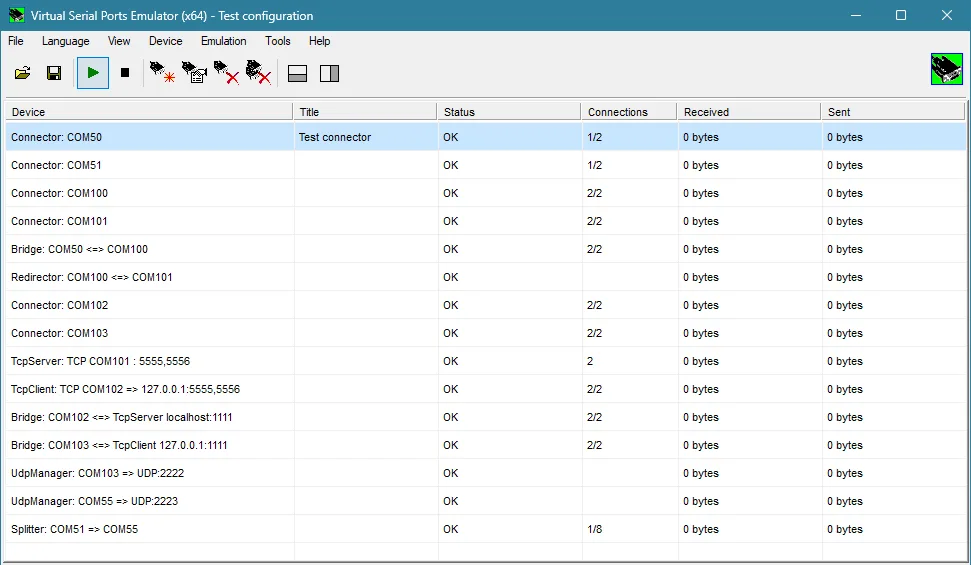
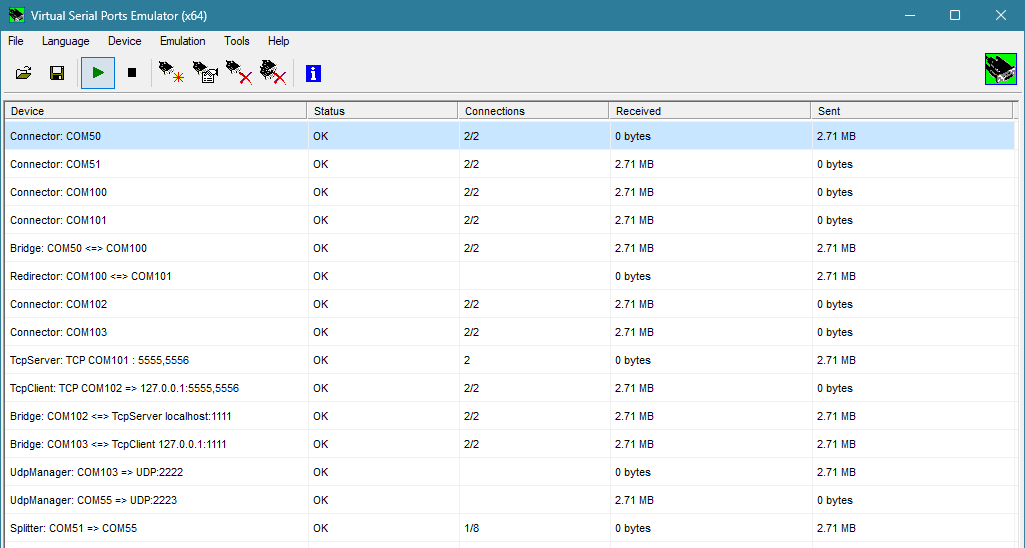
Virtual Serial Ports Emulator (VSPE) helps developers and engineers connect and debug applications that use serial ports. A Virtual Pair connects two virtual COM ports; a Connector lets two applications exchange data through one virtual port. For an existing physical port, a Splitter connects multiple virtual ports so several applications can share it.
VSPE also routes serial traffic over TCP or UDP and provides bridges between supported data streams. Its monitoring tool displays traffic through user-mode devices, while the terminal sends and receives serial or TCP data. These tools suit examining a serial-data path without treating every connection as a separate physical cable.
This download is the publisher's released 1.5.8.489 x64 ZIP containing an MSI installer, not the separately listed beta or ARM64 package. Windows 10 and 11 are listed by the publisher. The x64 edition requires a license for full use: unregistered evaluation cannot load configurations, is limited to five devices and has restricted command-line support. The free exception applies to the x86 edition running on 32-bit Windows, not this x64 download.
What it offers
- Create connected virtual COM-port pairs or a Connector that two applications can open to exchange data.
- Share an existing serial port with several applications through a Virtual Splitter.
- Route serial traffic over TCP or UDP and connect supported data streams with Bridge devices.
- Inspect user-mode device traffic with the monitoring tool and send or receive serial or TCP data with the terminal.
Good to know
- The selected x64 edition requires a paid license for full use; free use is limited to the x86 edition on 32-bit Windows.
- Unregistered evaluation cannot load configuration files, supports at most five devices and has limited command-line support.
- The publisher reports driver-signature incompatibility on legacy Windows 7 x64 and Windows 8 x64; do not assume this build supports those systems.
Product images
Sources
References used for this listing. Retrieval dates do not indicate hands-on testing.
More in development
View category ↗
010 Editor 17.0
Inspect and edit binary files on Mac with 010 Editor, a paid text and hex editor with Binary Templates, file comparison and a 30-day trial.
010 Editor 17.0
Inspect and edit binary files with 010 Editor for Windows, a text and hex editor with Binary Templates, file comparison and scripting. Includes a 30-day trial.
10x Editor
Edit and navigate C++ projects on Windows with a built-in parser, workspace search and Visual Studio project support. A paid license is required after the 30-day trial.