

Utilities macOS
VirtualBox for macOS
Create and manage virtual machines on your Mac with Oracle VirtualBox. This download is the Apple Silicon edition; Intel Macs use a separate package.
- Operating system
- macOS 13 Ventura, 14 Sonoma, 15 Sequoia and 26 Tahoe
- Architecture
- Apple Silicon (Arm64)
- Download package
- DMG disk image
This download is for Apple Silicon. Oracle provides a separate Intel Mac package. Arm hosts require Arm-based guest operating systems.
Link checked · Download guidance
What is VirtualBox?
VirtualBox runs guest operating systems in virtual machines alongside your Mac applications. It suits trying a Linux environment, investigating a software configuration or keeping separate development setups without dedicating a physical computer to each one. VirtualBox Manager provides graphical controls, while VBoxManage offers command-line control of VM settings and operations.
You can allocate memory and processors to each VM, import or export appliances in OVF format and take snapshots before changing a setup. Snapshots let you return to an earlier VM state when an experiment needs to be reversed. Running multiple guests still uses the Mac's available memory and storage.
This entry links to the macOS Apple Silicon Arm64 DMG for version 7.2.22. Oracle also offers a separate Intel Mac package. On Apple Silicon, guests must be Arm-based: this is not a way to run an x86 guest operating system on an Arm Mac. Oracle lists Arm64 Windows 11 and several Arm Linux distributions as guest options.
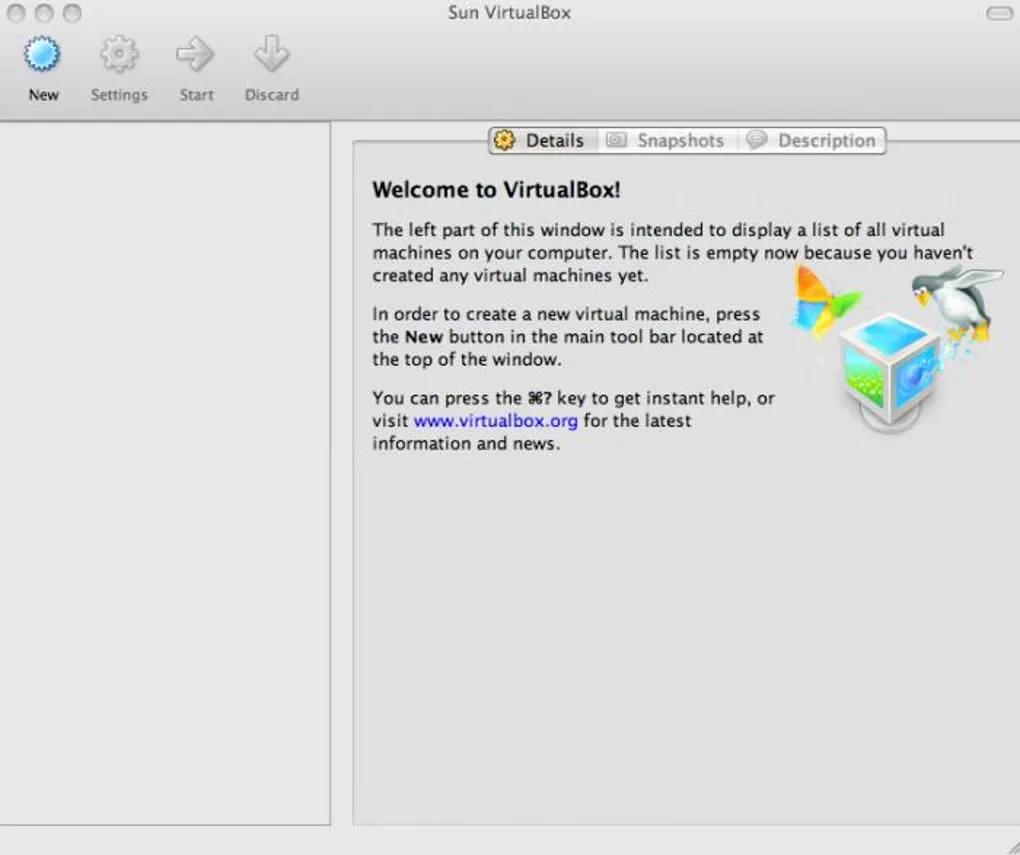
The base application is free and open source under GPLv3. The optional Extension Pack has separate licensing, so its personal and educational terms should not be confused with the base package's license. The screenshot below is a historical Mac gallery image showing the Sun VirtualBox manager, not the current 7.2 interface.
What it offers
- Create and run multiple virtual machines alongside existing Mac applications.
- Configure VM resources through VirtualBox Manager or the VBoxManage command line.
- Take and restore VM snapshots before changing a guest environment.
- Import and export virtual appliances using Open Virtualization Format (OVF).
- Run supported Arm64 Linux and Windows 11 guests on Apple Silicon Macs.
Good to know
- Apple Silicon hosts require Arm-based guests; x86 guest operating systems are not supported on Arm hosts.
- The linked DMG is for Apple Silicon, not Intel Macs; Intel hosts require Oracle's separate macOS package.
- Unattended guest OS installation is not available on Arm hosts.
- The optional Extension Pack is separately licensed; its personal and educational license excludes commercial use.
Product images
Sources
References used for this listing. Retrieval dates do not indicate hands-on testing.
- VirtualBox for Mac - Download — discovery and historical screenshot gallery ↗Retrieved
- Oracle VirtualBox — product purpose and release announcement ↗Retrieved
- Oracle VirtualBox — platform packages and licensing ↗Retrieved
- Oracle VirtualBox User Guide — choosing a package and Arm host limitations ↗Retrieved
- Oracle VirtualBox User Guide — purpose, features and guest platform combinations ↗Retrieved
More in utilities
View category ↗
1.1.1.1 with WARP 2026.8.2115.0
Encrypt traffic from your Mac to Cloudflare’s network with WARP, or use DNS-only mode for encrypted DNS queries to the 1.1.1.1 resolver.
1.1.1.1 with WARP 2026.8.2115.0
Encrypt traffic between your Windows PC and Cloudflare, or use encrypted DNS only, with the free 1.1.1.1 with WARP app.

3uTools 9.12.005
Manage iPhone and iPad photos, music, apps and backups from Windows with 3uTools, a free utility that also includes device checks and firmware flashing tools.