
Development macOS
Visual Studio Code for macOS
Edit source code, work in split editors and use an integrated terminal with Microsoft’s free code editor for Mac. This download is the Universal ZIP for Intel and Apple silicon.
- Operating system
- macOS versions receiving Apple security updates
- Architecture
- Universal: Intel x64 and Apple silicon (Arm64)
- Download package
- ZIP archive
This verified link serves VSCode-darwin-universal.zip, not a DMG. Separate architecture-specific builds are available. Publisher support policy typically covers the current macOS release and two previous versions.
Link checked · Download guidance
What is Visual Studio Code?
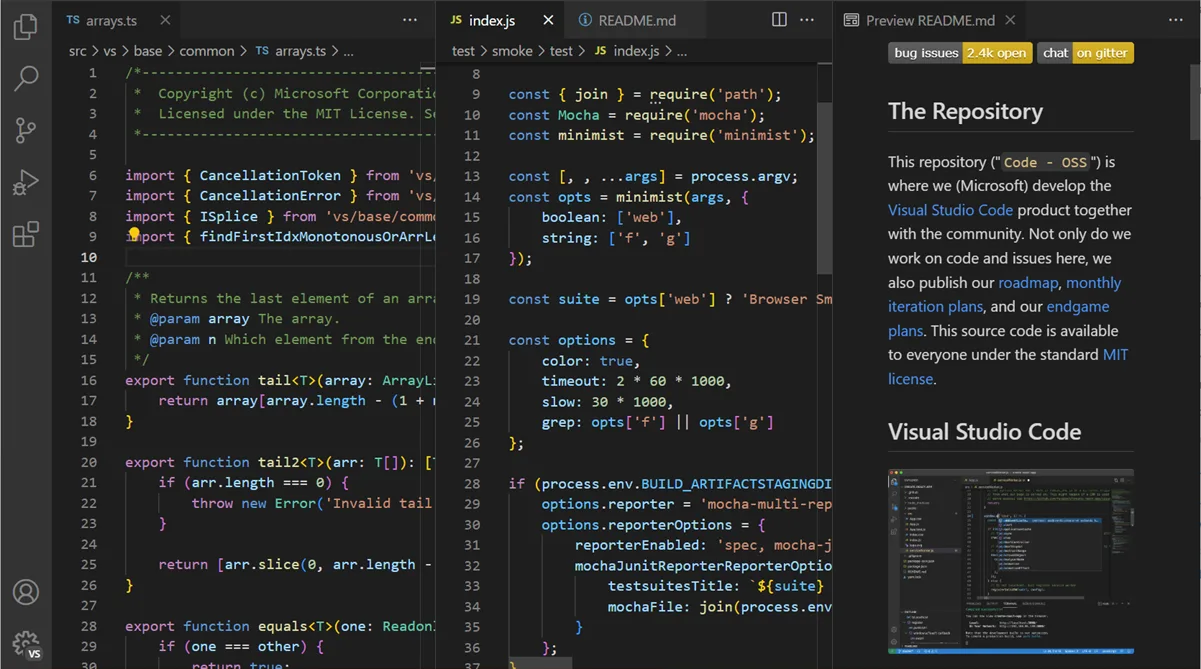
Visual Studio Code is a source-code editor for working with individual files or project folders on a Mac. It combines file navigation, tabbed and side-by-side editors, code completion, an integrated terminal and debugging tools. Built-in JavaScript and TypeScript language services provide a starting point; extensions add language support, themes, formatters and debuggers for other workflows.
It is an editor that integrates with your development tools, not a complete preconfigured toolchain. Git must be installed separately for Git-based source control, and other projects can require their own runtimes, compilers or extensions. You do not need an account for the core editor; GitHub Copilot services have separate account, plan and usage conditions.
The linked file is Microsoft’s Universal ZIP archive, containing support for Intel and Apple silicon. It is not the disk-image package described in the publisher’s main Mac setup guide. Microsoft also offers separate architecture-specific downloads. Check the publisher’s current macOS support policy before downloading for an older Mac.
What it offers
- Open files or project folders and arrange multiple editors side by side.
- Use built-in JavaScript and TypeScript language services and the Node.js debugger.
- Run shell commands in the integrated terminal.
- Add languages, themes, formatters and debuggers through extensions.
- Use integrated Git source-control views when Git is installed separately.
Good to know
- Git, language runtimes and compilers may need separate installation; the editor does not include a complete toolchain for every language.
- GitHub Copilot services require separate account and plan conditions; free editor use does not imply unlimited AI usage.
- Publisher support follows macOS versions receiving Apple security updates; older macOS releases can lose updates.
Product images
Sources
References used for this listing. Retrieval dates do not indicate hands-on testing.
- Visual Studio Code for Mac - Download ↗Retrieved
- Installing Visual Studio Code on macOS ↗Retrieved
- Additional components and tools ↗Retrieved
- User interface ↗Retrieved
- Requirements for Visual Studio Code ↗Retrieved
- Visual Studio Code FAQ ↗Retrieved
- License - Visual Studio Code ↗Retrieved
More in development
View category ↗
010 Editor 17.0
Inspect and edit binary files on Mac with 010 Editor, a paid text and hex editor with Binary Templates, file comparison and a 30-day trial.
010 Editor 17.0
Inspect and edit binary files with 010 Editor for Windows, a text and hex editor with Binary Templates, file comparison and scripting. Includes a 30-day trial.
10x Editor
Edit and navigate C++ projects on Windows with a built-in parser, workspace search and Visual Studio project support. A paid license is required after the 30-day trial.