
Development Windows
Visual Studio Code for Windows
Edit source code, search project files and work in an integrated terminal with Visual Studio Code, Microsoft's free code editor for Windows.
- Operating system
- Windows 10 or 11 (64-bit)
- Architecture
- x64
- Download package
- EXE User Installer
Installs for the current Windows account without administrator permissions. Arm64 and machine-wide installers are separate downloads.
Link checked · Download guidance
What is Visual Studio Code?
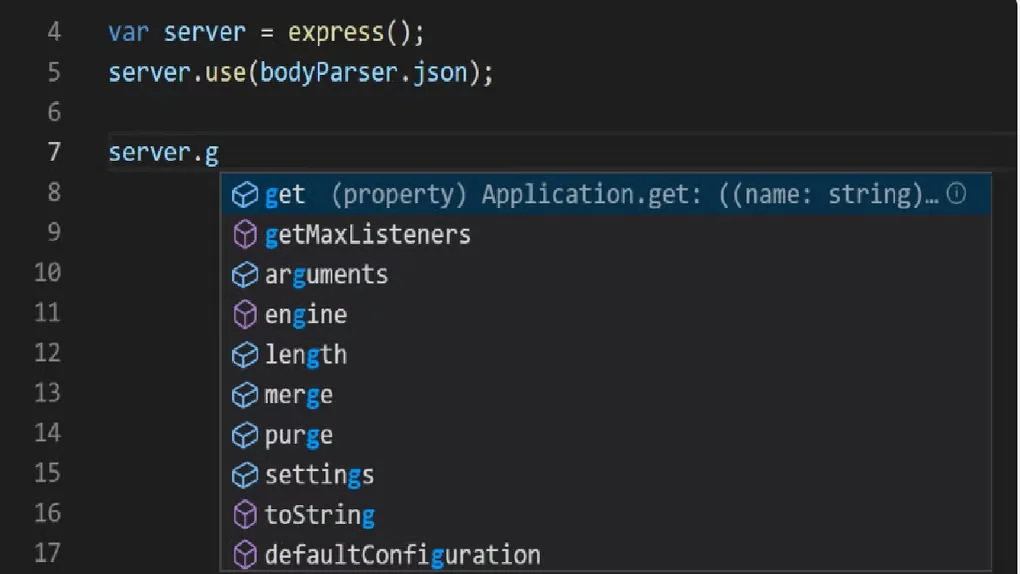
Visual Studio Code brings file editing, project search, a terminal and debugging into one workspace. It suits working on a folder of source files while keeping command-line tools close to the editor. The base installation includes JavaScript and TypeScript language services and a Node.js debugger; extensions add other language tools and workflows.
The linked EXE is the x64 User Installer for Windows 10 or 11. It installs for your Windows account without administrator permissions, rather than making a machine-wide installation. Microsoft offers separate Arm64, System Installer and ZIP packages.
VS Code is not a complete language toolchain. Install Git separately to use its Git integration, and add the runtimes, compilers or extensions your project needs. The downloaded Microsoft product uses Microsoft Software License Terms; its source code is available separately under the MIT license.
What it offers
- Edit files and search across a project from the same workspace.
- Use an integrated terminal alongside source-control and debugging views.
- Start with built-in JavaScript and TypeScript language services and a Node.js debugger.
- Add language support and other editor capabilities through extensions.
Good to know
- Git, language runtimes and compilers are separate components; installing the editor alone does not provide every project's build and run tools.
- Updates are disabled when a User setup installation runs as Administrator.
Product images
Sources
References used for this listing. Retrieval dates do not indicate hands-on testing.
- Visual Studio Code — official downloads ↗Retrieved
- Installing Visual Studio Code on Windows ↗Retrieved
- Visual Studio Code — additional components and tools ↗Retrieved
- Getting started with Visual Studio Code ↗Retrieved
- Microsoft Visual Studio Code — license terms ↗Retrieved
- Microsoft update service — Windows x64 User Installer metadata ↗Retrieved
- Visual Studio Code — icons and names usage guidelines ↗Retrieved
- Visual Studio Code for Windows — Softonic screenshot gallery ↗Retrieved
More in development
View category ↗
010 Editor 17.0
Inspect and edit binary files on Mac with 010 Editor, a paid text and hex editor with Binary Templates, file comparison and a 30-day trial.
010 Editor 17.0
Inspect and edit binary files with 010 Editor for Windows, a text and hex editor with Binary Templates, file comparison and scripting. Includes a 30-day trial.
10x Editor
Edit and navigate C++ projects on Windows with a built-in parser, workspace search and Visual Studio project support. A paid license is required after the 30-day trial.