

Development Windows
Visustin for Windows
Turn source code into flow charts or UML Activity Diagrams with Visustin for Windows. The free demo lets you view charts but disables printing, saving and exporting.
What is Visustin?
Visustin converts source code into flow charts so developers and technical writers can follow branches, loops and jumps without drawing each step manually. It can also display code as UML Activity Diagrams. Aivosto lists 49 supported programming languages, including C/C++, Java, Python, JavaScript, PureBasic and several legacy languages.
Use it to examine a routine's control flow or prepare code documentation. The publisher lists version 8.09 as the Windows demo download. That demo does not print, save or export charts, so it is an evaluation tool rather than a free way to produce documentation files. Paid Standard adds printing and saving; Pro adds the chart editor, Visio export and bulk charting.
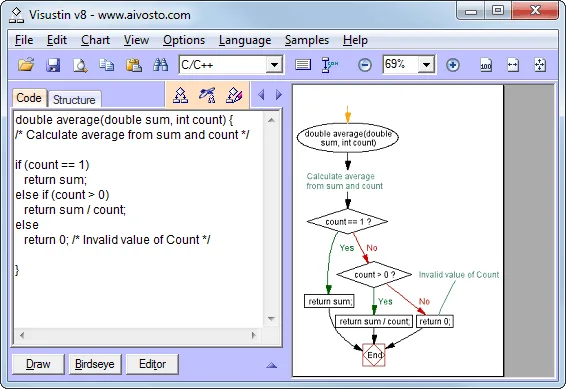
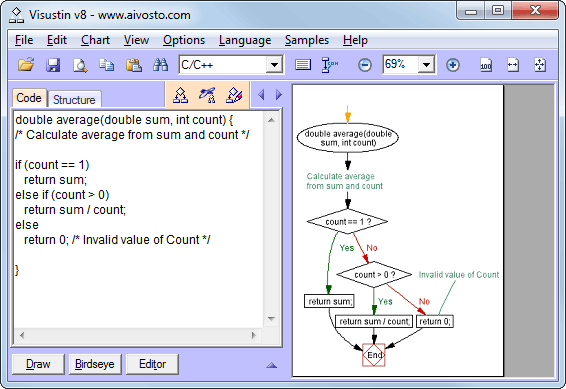
Check the publisher's language-version table before relying on it for newer syntax. The v8 page names baselines such as C++14, Java 8 and Python 3.5.2, not support for every subsequent language revision. The screenshot is Aivosto's published Visustin v8 interface, not a fresh capture of an installed copy.
What it offers
- Generate flow charts automatically from source-code conditions, loops and jumps.
- Switch between flow charts and UML Activity Diagrams.
- Work with 49 publisher-listed programming languages, including modern and legacy language families.
- Paid Pro Edition adds manual chart editing, Visio export and bulk flowchart generation.
Good to know
- The free demo disables Print, Save and Export; a paid license is needed for those output functions.
- The chart editor, Visio export and bulk charting require Pro Edition, not Standard.
- The publisher documents older language-version baselines; support for newer syntax is not established by that list.
Product images
Sources
References used for this listing. Retrieval dates do not indicate hands-on testing.
More in development
View category ↗
010 Editor 17.0
Inspect and edit binary files on Mac with 010 Editor, a paid text and hex editor with Binary Templates, file comparison and a 30-day trial.
010 Editor 17.0
Inspect and edit binary files with 010 Editor for Windows, a text and hex editor with Binary Templates, file comparison and scripting. Includes a 30-day trial.
10x Editor
Edit and navigate C++ projects on Windows with a built-in parser, workspace search and Visual Studio project support. A paid license is required after the 30-day trial.