
Utilities Windows
VoiceAttack
Control Windows games and applications with custom voice commands, keyboard and mouse macros, and spoken responses. The free trial allows one profile with up to 20 commands.
- Operating system
- Windows 10 and Windows 11
- Architecture
- 64-bit
- Download package
- EXE installer
Publisher labels the standalone stable installer 64-bit. Its homepage also lists older Windows versions; the linked Steam v2 listing specifies Windows 10 minimum and Windows 10/11 recommended.
Link checked · Download guidance
What is VoiceAttack?
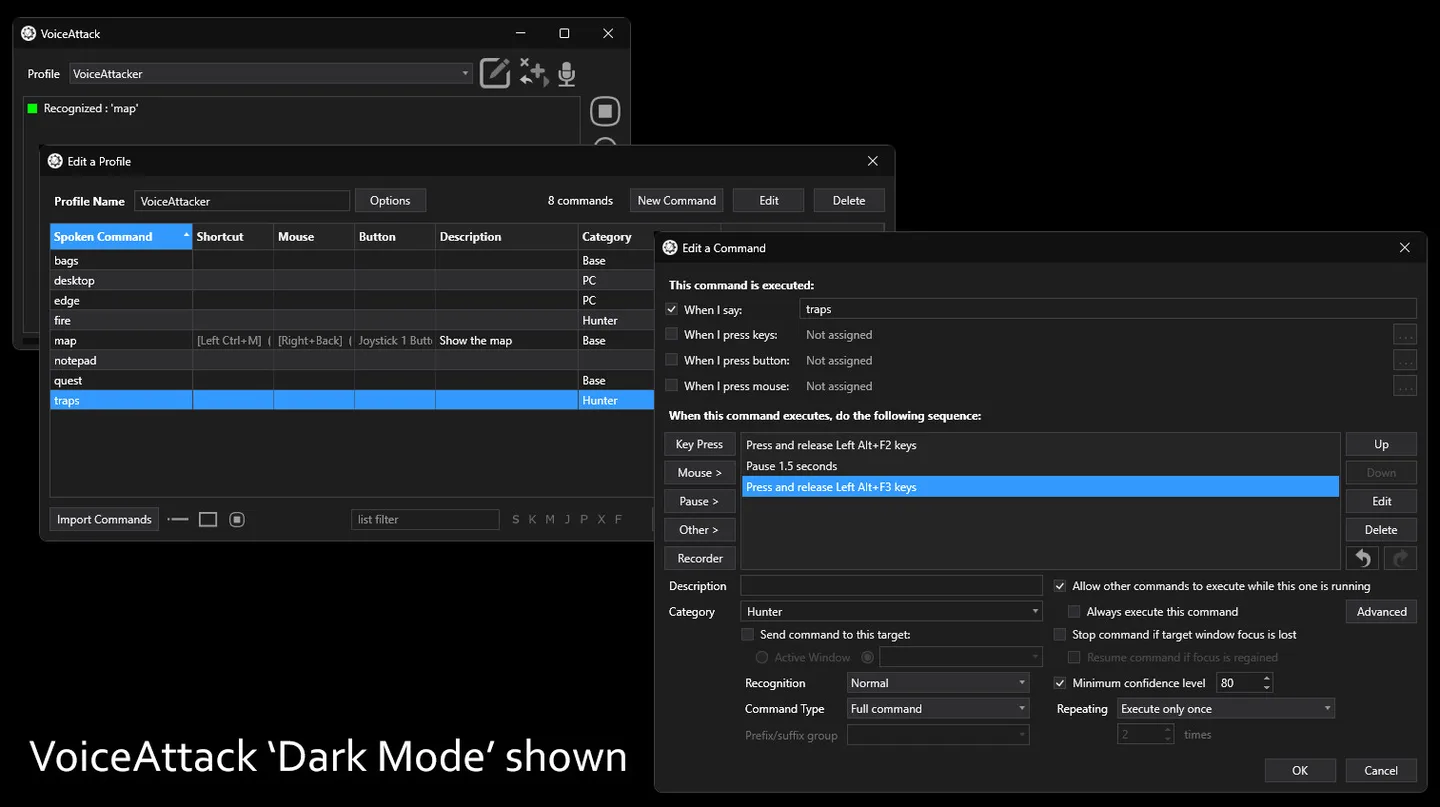
VoiceAttack turns spoken phrases into actions in Windows games and applications. Create a command to send a key press, click the mouse or launch an application, then combine actions into a macro when a single shortcut is not enough. Profiles let you organize commands for different uses.
Commands can also respond with text-to-speech or sound playback, and you can trigger them with keyboard shortcuts, mouse buttons or joystick buttons instead of speech. For more involved sequences, VoiceAttack provides loops, variables, control statements, tokens and a plugin interface.
The linked publisher installer is the stable 64-bit v2.2 release, not the separately advertised beta. VoiceAttack is paid software with a free trial limited to one profile and 20 commands; a registration key removes those limits. Game input is not universally automatic: the publisher documents cases where you need to adjust key-hold timing, switch between Standard and DirectX input, or choose the correct target window.
What it offers
- Create custom voice commands to control Windows games and applications.
- Combine keyboard input, mouse clicks and application launching in command macros.
- Trigger commands with keyboard shortcuts, mouse buttons or joystick buttons.
- Add text-to-speech responses and sound playback to commands.
- Build more complex actions using loops, variables, control statements, tokens and plugins.
Good to know
- The free trial is limited to one profile with up to 20 commands; removing these limits requires a purchased registration key.
- Some games require manual adjustments to key-press timing, input mode or the target window before commands produce the intended action.
Product images
Sources
References used for this listing. Retrieval dates do not indicate hands-on testing.
More in utilities
View category ↗
1.1.1.1 with WARP 2026.8.2115.0
Encrypt traffic from your Mac to Cloudflare’s network with WARP, or use DNS-only mode for encrypted DNS queries to the 1.1.1.1 resolver.
1.1.1.1 with WARP 2026.8.2115.0
Encrypt traffic between your Windows PC and Cloudflare, or use encrypted DNS only, with the free 1.1.1.1 with WARP app.

3uTools 9.12.005
Manage iPhone and iPad photos, music, apps and backups from Windows with 3uTools, a free utility that also includes device checks and firmware flashing tools.