
Development Windows
VRChat Creator Companion
Create and manage Unity projects for VRChat avatars and worlds, update SDK packages, and keep project backups with VRChat Creator Companion for Windows.
- Operating system
- Windows 10 and 11; publisher getting-started guide qualifies Windows 11 testing
- Architecture
- 64-bit, as listed by the publisher
- Download package
- EXE installer
Requires Unity Hub, a VRChat-compatible Unity Editor and an internet connection. The Mac/Linux CLI is not the full Windows GUI.
Link checked · Download guidance
What is VRChat Creator Companion?
VRChat Creator Companion (VCC) organizes the Unity projects used to make VRChat avatars and worlds. It creates projects from templates, manages VRChat SDK packages through the VRChat Package Manager, and helps add existing projects to one list. It is a creation workflow tool, not the VRChat game client or a replacement for the Unity Editor.
Use it to prepare an avatar or world project, open that project in Unity, and manage its packages. Official and community package repositories provide additional tools and assets. The project backup command saves a ZIP archive, with a configurable backup location.
Unity Hub and a VRChat-compatible Unity Editor are required; VCC helps locate or install them. Uploading worlds and avatars also requires a VRChat account. Do not import the old VRCSDK3 legacy SDK packages into a VCC-managed project: the publisher warns that doing so may break it. The overview lists 64-bit Windows 10 and 11, but the getting-started guide still qualifies Windows 11 as not fully tested.
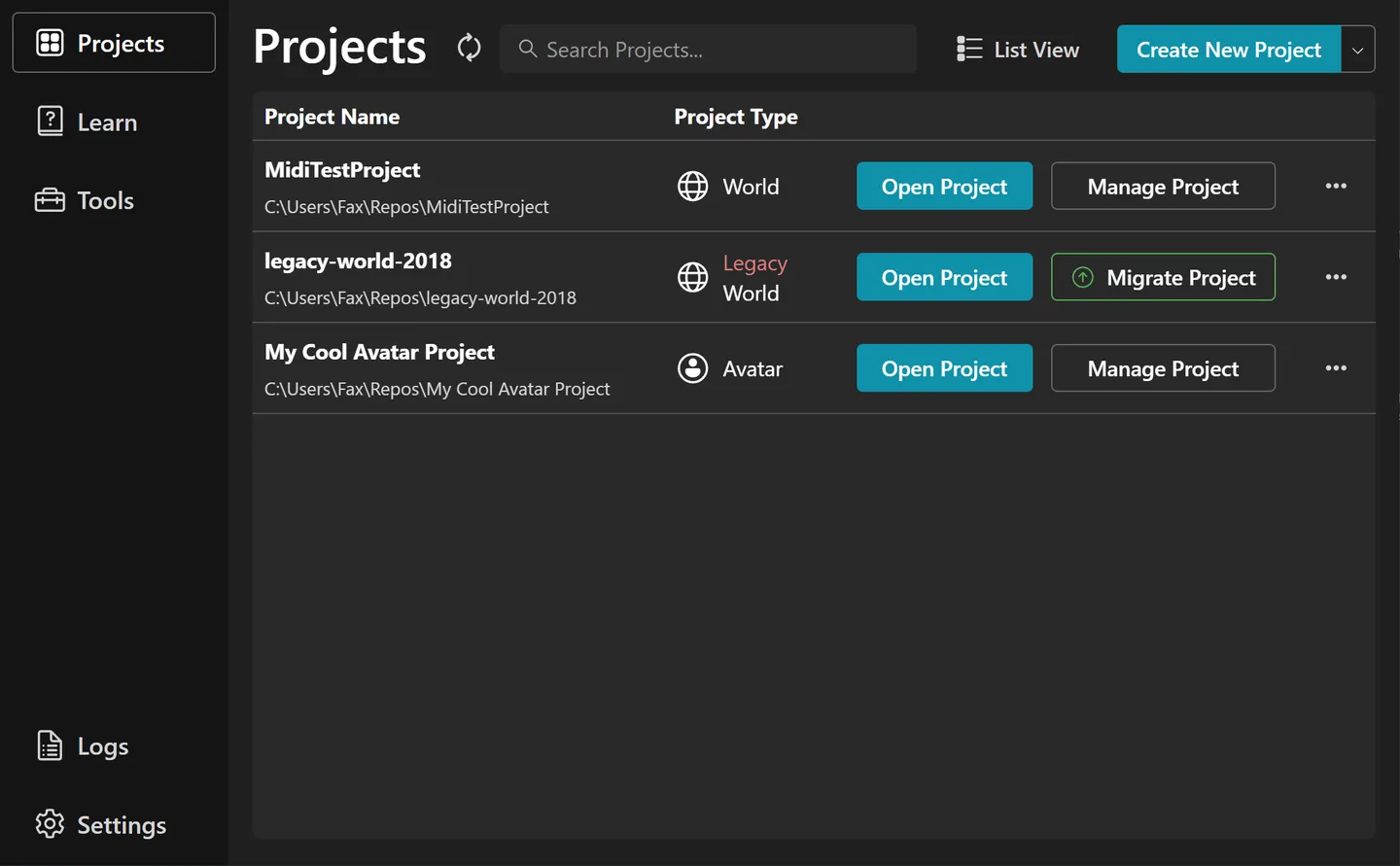
The publisher download endpoint resolved to the 2.4.5 Windows installer when its headers were checked. The screenshot is the publisher repository's Projects-view illustration, not a fresh installation or a claim that every current screen looks identical.
What it offers
- Create Unity projects for VRChat avatars and worlds from project templates.
- Manage VRChat SDK packages through the VRChat Package Manager.
- Add existing projects to a project list and open them in Unity.
- Access official and community package repositories.
- Save project backups as ZIP archives with a configurable backup folder.
Good to know
- Requires Unity Hub and a supported Unity Editor; it does not replace Unity for editing content.
- Uploading worlds and avatars requires a VRChat account.
- Importing the old VRCSDK3 legacy SDK packages into a VCC-managed project may break the project.
- Publisher documentation is inconsistent about Windows 11: the overview lists support, while the getting-started guide says it is not fully tested.
Product images
Sources
References used for this listing. Retrieval dates do not indicate hands-on testing.
- Creator Companion | VRChat Creator Companion ↗Retrieved
- Getting Started | VRChat Creator Companion ↗Retrieved
- Frequently Asked Questions | VRChat Creator Companion ↗Retrieved
- Release 2.4.5 | VRChat Creator Companion ↗Retrieved
- vrchat-community/creator-companion — publisher repository README ↗Retrieved
- Terms of Service — VRChat ↗Retrieved
More in development
View category ↗

010 Editor 17.0
Inspect and edit binary files on Mac with 010 Editor, a paid text and hex editor with Binary Templates, file comparison and a 30-day trial.
010 Editor 17.0
Inspect and edit binary files with 010 Editor for Windows, a text and hex editor with Binary Templates, file comparison and scripting. Includes a 30-day trial.
10x Editor
Edit and navigate C++ projects on Windows with a built-in parser, workspace search and Visual Studio project support. A paid license is required after the 30-day trial.