
Utilities Windows
WatchMe
Track time across tasks with named timers, countdowns and notes in WatchMe, a free Windows utility with optional donation-unlocked Pro features.
- Operating system
- Windows 10 or Windows 11
- Architecture
- Not specified by the publisher
- Download package
- ZIP archive containing an executable
Requires .NET Framework 4.7.2 or higher. Publisher instructs users to extract the archive and copy the executable; no installer is provided.
Link checked · Download guidance
What is WatchMe?
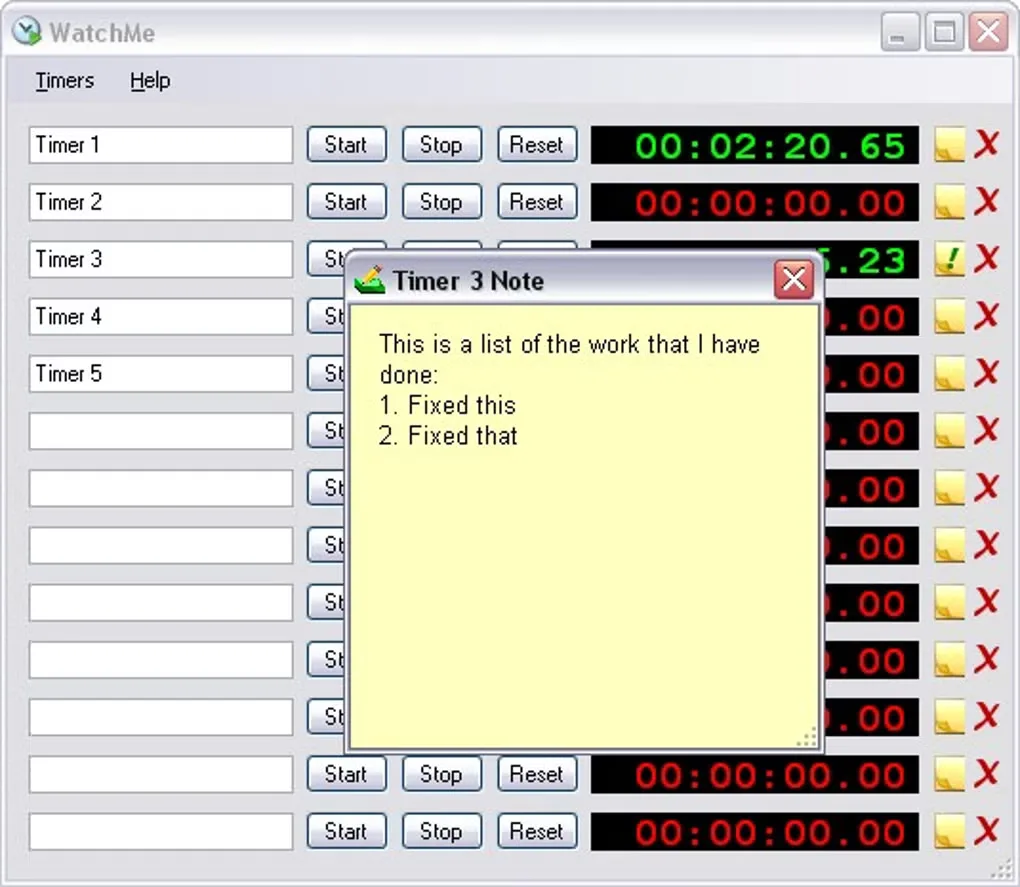
WatchMe keeps separate clocks for the tasks you work on. Name each timer, start or stop it as you switch jobs, and attach notes describing the work. Multiple timers can run together, or you can configure single-timer operation when you want to record one task at a time. Tabs group related timers, countdowns and counters.
Time displays include fractions of an hour for transferring figures into timesheets, and timer data can be exported to CSV or XML. Countdown controls handle a set duration rather than elapsed time. The Focus Light is a visual indicator based on task switches, not an independent measurement of attention.
The publisher distributes WatchMe as a ZIP archive containing an executable rather than an installer. Its download page identifies version 2.8.0, released March 22, 2024, and requires Windows 10 or 11 with .NET Framework 4.7.2 or later. Advanced options such as formatted clipboard copying, timer templates and countdown automation require a donation-unlocked Pro key. The gallery image illustrates an older WatchMe interface.
What it offers
- Track several named elapsed-time timers, with notes for each task.
- Use separate countdowns and tally counters, organized into tabs.
- Display time in hours, minutes and seconds or fractions of an hour.
- Export timers and tabs to CSV or XML for use in other applications.
- Configure timer alerts and a Focus Light based on task switching.
Good to know
- Requires Windows 10 or 11 and Microsoft .NET Framework 4.7.2 or higher.
- Formatted clipboard copying, templates, moving time between timers and countdown automation require a Pro key obtained by donating.
- Pro keys are issued manually; the publisher says delivery may take a day or so.
Product images
Sources
References used for this listing. Retrieval dates do not indicate hands-on testing.
- Download WatchMe | Flamebrain Technologies - Home of WatchMe ↗Retrieved
- FAQs | Flamebrain Technologies - Home of WatchMe ↗Retrieved
- Go Pro? | Flamebrain Technologies - Home of WatchMe ↗Retrieved
- WatchMe Release Notes | Flamebrain Technologies - Home of WatchMe ↗Retrieved
- WatchMe - Download ↗Retrieved
More in utilities
View category ↗
1.1.1.1 with WARP 2026.8.2115.0
Encrypt traffic from your Mac to Cloudflare’s network with WARP, or use DNS-only mode for encrypted DNS queries to the 1.1.1.1 resolver.
1.1.1.1 with WARP 2026.8.2115.0
Encrypt traffic between your Windows PC and Cloudflare, or use encrypted DNS only, with the free 1.1.1.1 with WARP app.

3uTools 9.12.005
Manage iPhone and iPad photos, music, apps and backups from Windows with 3uTools, a free utility that also includes device checks and firmware flashing tools.