

Development Windows
webOS Dev Manager for Windows
Manage apps on a developer-mode-enabled or rooted LG webOS TV from Windows. webOS Dev Manager adds devices, installs TV apps and provides file and terminal tools without the LG SDK or IDE.
- Operating system
- Windows 10 or newer
- Architecture
- x64
- Download package
- MSI installer
Requires a developer-mode-enabled or rooted webOS TV. Separate x86 MSI; no Windows ARM64 package listed. Windows 7/8/8.1 support dropped.
Link checked · Download guidance
What is webOS Dev Manager?
webOS Dev Manager connects a Windows PC to a developer-mode-enabled or rooted webOS TV so you can install and manage TV applications through a desktop interface. It is a companion for working with the TV, not an application that runs on webOS itself. The publisher says you do not need to install the LG SDK or IDE, and devices can be added without using the command line.
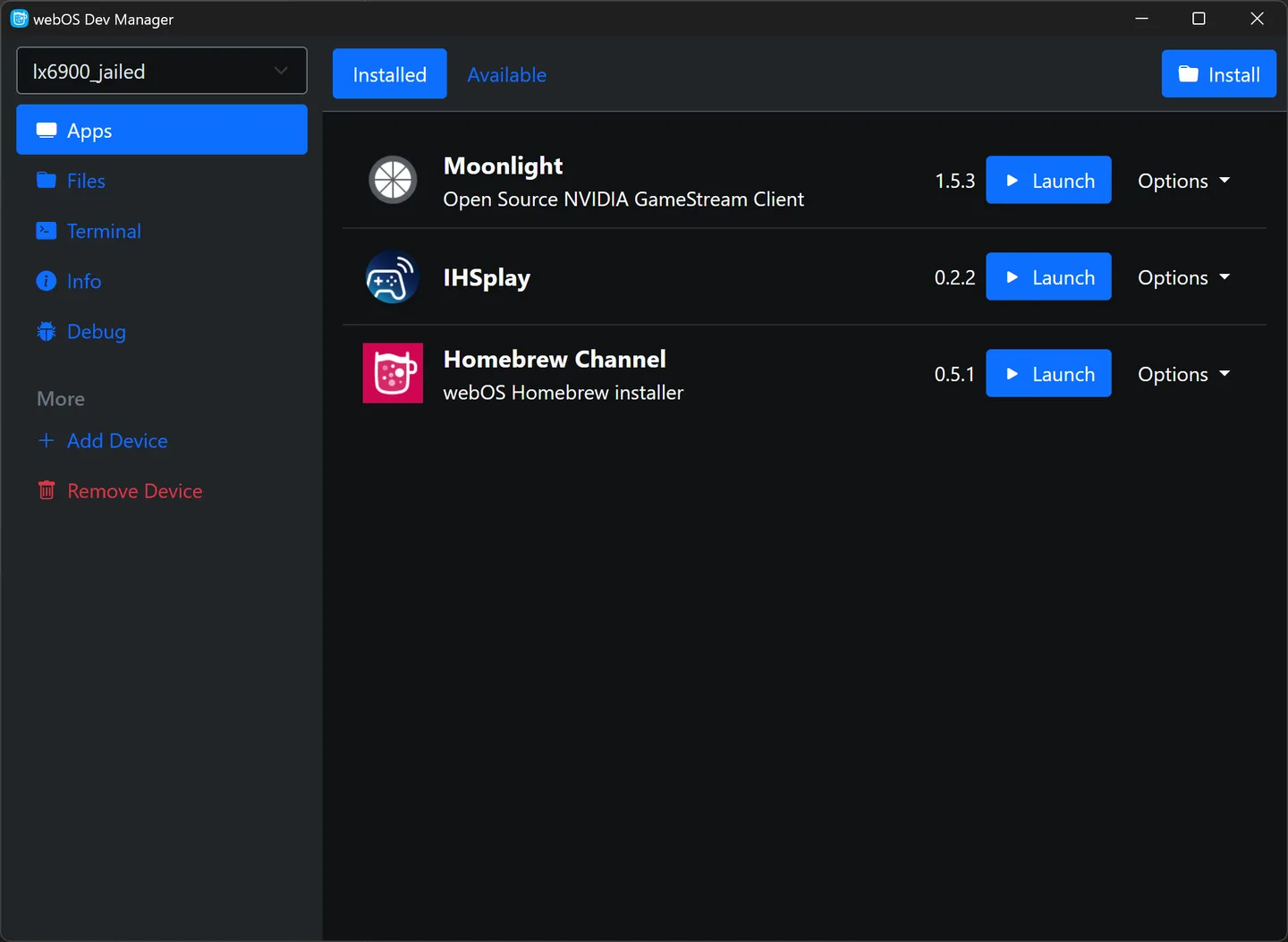
The app brings installed applications, file management, a built-in terminal and device information into one interface. Its configuration is compatible with ares-cli, and its dark mode follows the system preference. The publisher's screenshot shows an installed-app list with launch and options controls; it is an illustrative publisher image, not proof of the downloaded version's exact appearance.
A TV must already have developer mode enabled or be rooted; this manager is not a replacement for that prerequisite. The linked package is the Windows x64 MSI for version 1.99.20. The publisher lists Windows 10 or newer for current Windows packages, offers a separate x86 installer and marks Windows 7, 8 and 8.1 support as dropped.
What it offers
- Add a webOS TV through the graphical interface without using the command line.
- Install TV applications without installing the LG SDK or IDE.
- Manage installed apps and access file-management, terminal and device-information views.
- Use configuration compatible with ares-cli and a dark mode that follows system preferences.
Good to know
- Requires a developer-mode-enabled or rooted webOS TV before it can manage the device.
- Current Windows packages require Windows 10 or newer; Windows 7, 8 and 8.1 support is dropped.
- This download is the x64 MSI; x86 is a separate package and the publisher lists no Windows ARM64 installer.
Product images
Sources
References used for this listing. Retrieval dates do not indicate hands-on testing.
More in development
View category ↗

010 Editor 17.0
Inspect and edit binary files on Mac with 010 Editor, a paid text and hex editor with Binary Templates, file comparison and a 30-day trial.
010 Editor 17.0
Inspect and edit binary files with 010 Editor for Windows, a text and hex editor with Binary Templates, file comparison and scripting. Includes a 30-day trial.
10x Editor
Edit and navigate C++ projects on Windows with a built-in parser, workspace search and Visual Studio project support. A paid license is required after the 30-day trial.