

Development Windows
Website 2 APK Builder for Windows
Turn a website URL or local HTML files into an Android app with this Windows builder. Customize the app’s icon and splash screen; the free edition creates seven-day trial apps.
- Operating system
- Windows 7 SP1, 8, 8.1, 10 and 11 (publisher-listed)
- Architecture
- Not specified by publisher
- Download package
- EXE installer
Requires Microsoft .NET Framework 4.8 or later; publisher says Java is no longer required. Windows is the authoring platform; Android is the output target.
Link checked · Download guidance
What is Website 2 APK Builder?
Website 2 APK Builder is a Windows authoring tool for turning an existing website or a folder of HTML content into an Android app. It is the desktop builder, not an Android app to install on your phone. Start from a web URL for online content or local HTML files for an offline project, then configure the title, icon, splash screen and app permissions.
The publisher offers a free edition for trying the workflow, but the apps it creates have a seven-day trial and a 100 MB size limit. Paid Pro and Material Plus plans include Android App Bundle (AAB) output, custom keystores and custom package and version settings. Firebase push notifications, the navigation drawer designer, pull-to-refresh and deep-linking are listed under Material Plus rather than the basic Pro plan.
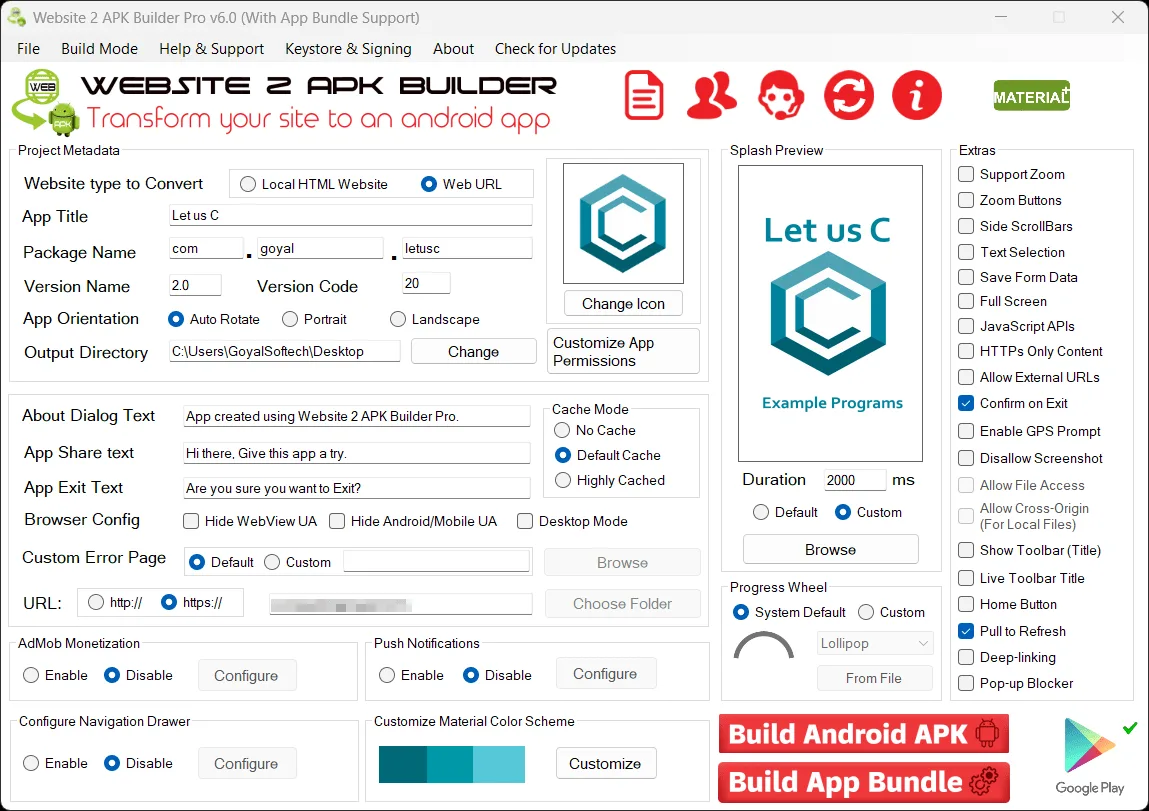
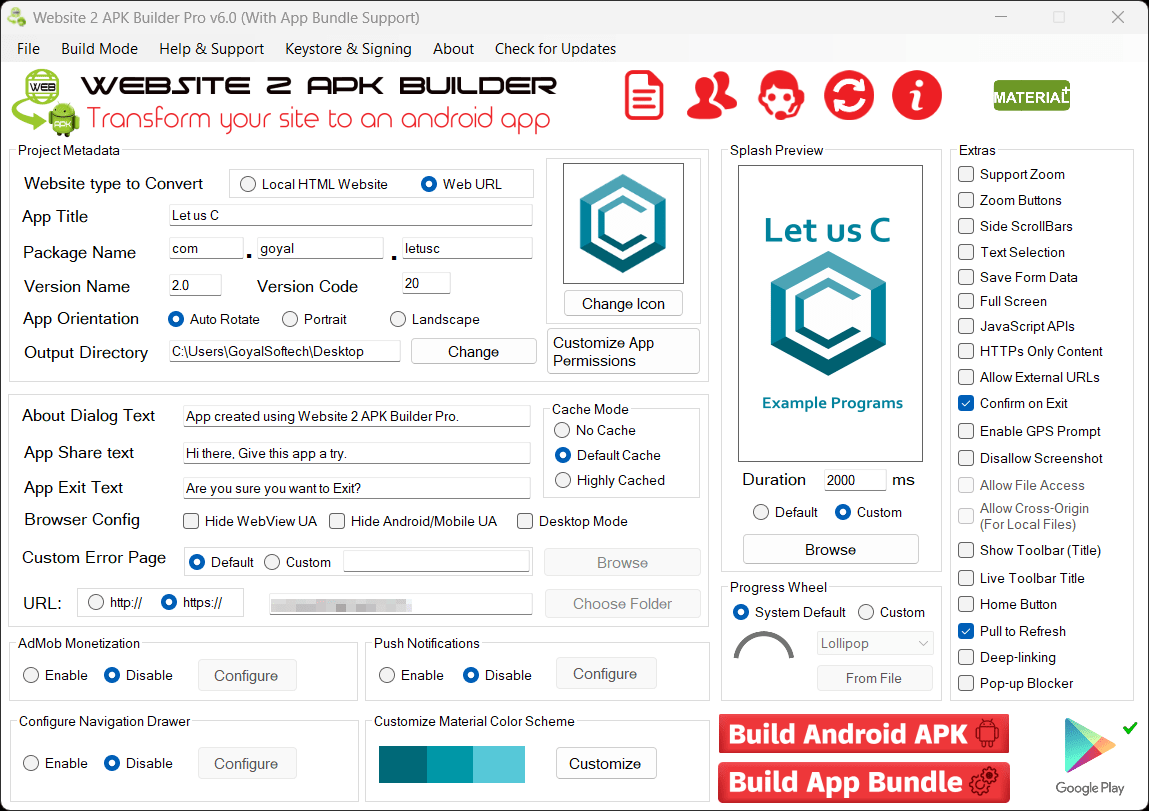
The publisher catalog lists version 6.2 and requires Microsoft .NET Framework 4.8 or later. The screenshot below is the publisher’s v6.0 interface illustration, not a capture of the 6.2 release. Check the edition limits before choosing this tool for a production app.
What it offers
- Build an Android app from a website URL or local HTML content.
- Customize the application icon, splash screen and requested app permissions.
- Use native JavaScript APIs to connect web content with supported Android functions.
- Paid Pro and Material Plus editions add AAB output, custom keystores, and custom package and version settings.
- Material Plus adds Firebase push notifications, a navigation drawer designer, pull-to-refresh and deep-linking.
Good to know
- Apps created with the free edition have a seven-day trial and a 100 MB size limit.
- AAB output and custom signing are paid-edition features; push notifications and navigation drawer design require Material Plus.
- The Windows builder requires Microsoft .NET Framework 4.8 or later.
Product images
Sources
References used for this listing. Retrieval dates do not indicate hands-on testing.
More in development
View category ↗
010 Editor 17.0
Inspect and edit binary files on Mac with 010 Editor, a paid text and hex editor with Binary Templates, file comparison and a 30-day trial.
010 Editor 17.0
Inspect and edit binary files with 010 Editor for Windows, a text and hex editor with Binary Templates, file comparison and scripting. Includes a 30-day trial.
10x Editor
Edit and navigate C++ projects on Windows with a built-in parser, workspace search and Visual Studio project support. A paid license is required after the 30-day trial.