

Development macOS
WezTerm for macOS
Run shells and terminal tools in tabs, panes and windows with WezTerm, a free, open-source terminal emulator and multiplexer for macOS.
- Operating system
- macOS; publisher expects Mojave and newer to work
- Architecture
- Universal binary for Apple Silicon and Intel
- Download package
- ZIP archive containing WezTerm.app
Publisher says the package is built on Big Sur and should run on Mojave; earlier macOS versions are untested. This entry links the named release, not the separate nightly package.
Link checked · Download guidance
What is WezTerm?
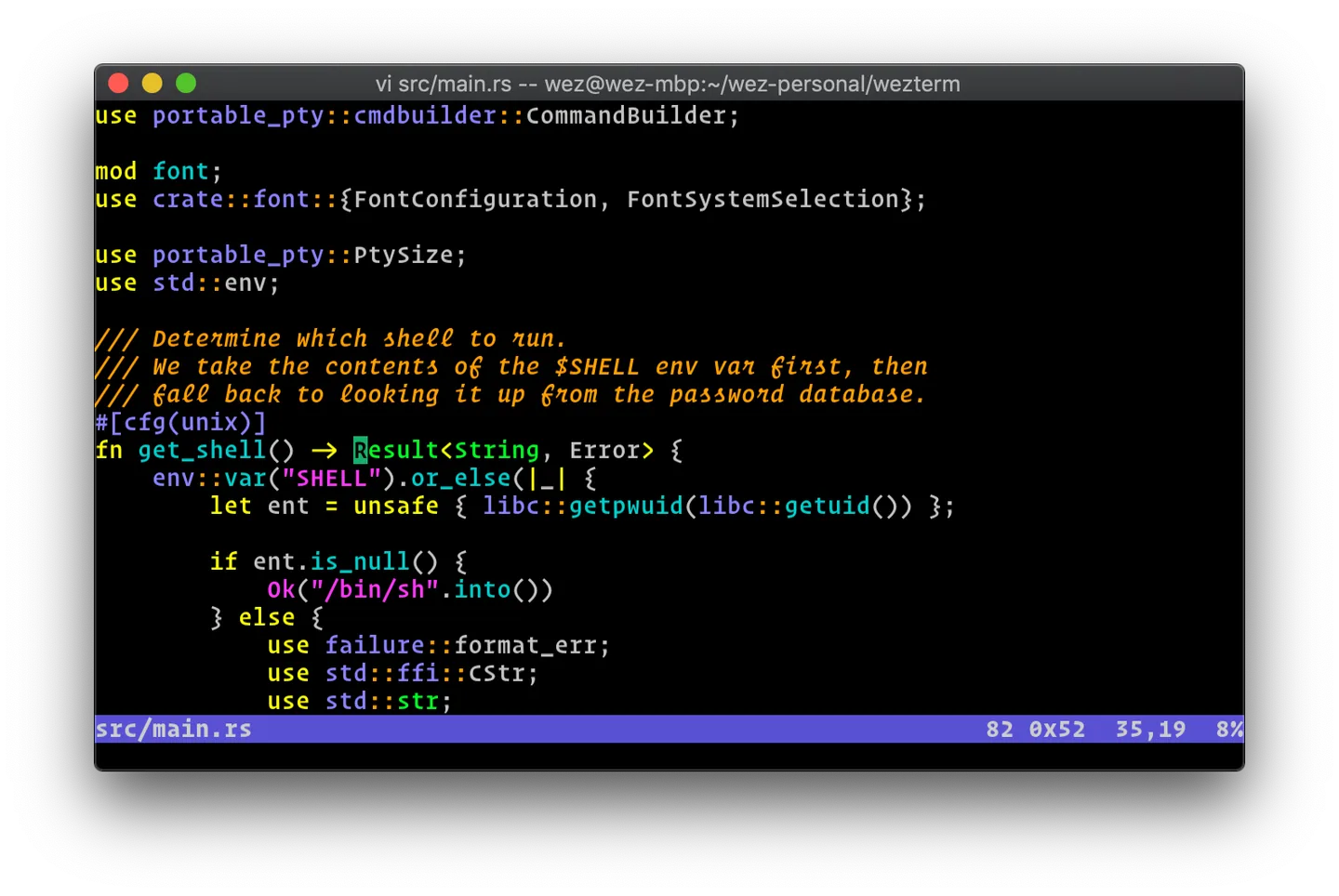
WezTerm brings shell sessions and terminal applications into a configurable macOS terminal. Its built-in multiplexer organizes work across panes, tabs and windows on local and remote hosts. Font ligatures, color emoji, font fallback and true-color output support code and other text-heavy terminal work.
The linked publisher release is a ZIP containing WezTerm.app, with a Universal binary for both Apple Silicon and Intel Macs. The publisher describes compatibility with macOS Mojave and newer as expected rather than a guarantee; earlier macOS versions are untested. Customizing fonts, colors or window geometry involves editing a Lua configuration file, so tailoring the setup requires working with configuration code.
What it offers
- Organize terminal sessions in panes, tabs and windows on local and remote hosts.
- Display font ligatures, color emoji and fallback fonts with true-color output.
- Use terminal hyperlinks and configurable color schemes.
- Set fonts, colors and window geometry in a Lua configuration file.
Good to know
- Customizing the documented settings requires editing a Lua configuration file.
- Compatibility with Mojave and newer is described as expected by the publisher; earlier macOS releases are untested.
Product images
Sources
References used for this listing. Retrieval dates do not indicate hands-on testing.
More in development
View category ↗
010 Editor 17.0
Inspect and edit binary files on Mac with 010 Editor, a paid text and hex editor with Binary Templates, file comparison and a 30-day trial.
010 Editor 17.0
Inspect and edit binary files with 010 Editor for Windows, a text and hex editor with Binary Templates, file comparison and scripting. Includes a 30-day trial.
10x Editor
Edit and navigate C++ projects on Windows with a built-in parser, workspace search and Visual Studio project support. A paid license is required after the 30-day trial.