
Utilities Windows
WifiInfoView for Windows
Inspect nearby Wi-Fi networks, compare signal strength and channels, and export access-point details with NirSoft's portable Windows Wi-Fi scanner.
- Operating system
- Windows Vista, 7, 8, 10, 11 and Windows Server 2008
- Architecture
- x64; separate 32-bit package available
- Download package
- ZIP archive; portable executable
Selected download is the 64-bit build. Requires a compatible wireless adapter and driver. Windows 11 24H2 onward requires Location services and app/desktop-app location access enabled. Windows XP is not supported.
Link checked · Download guidance
What is WifiInfoView?
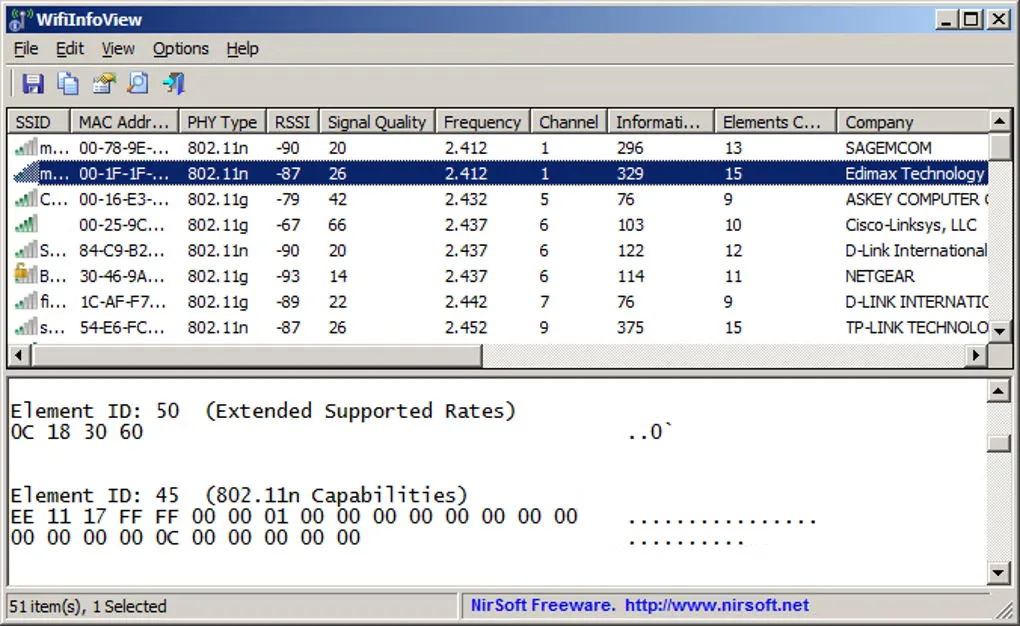
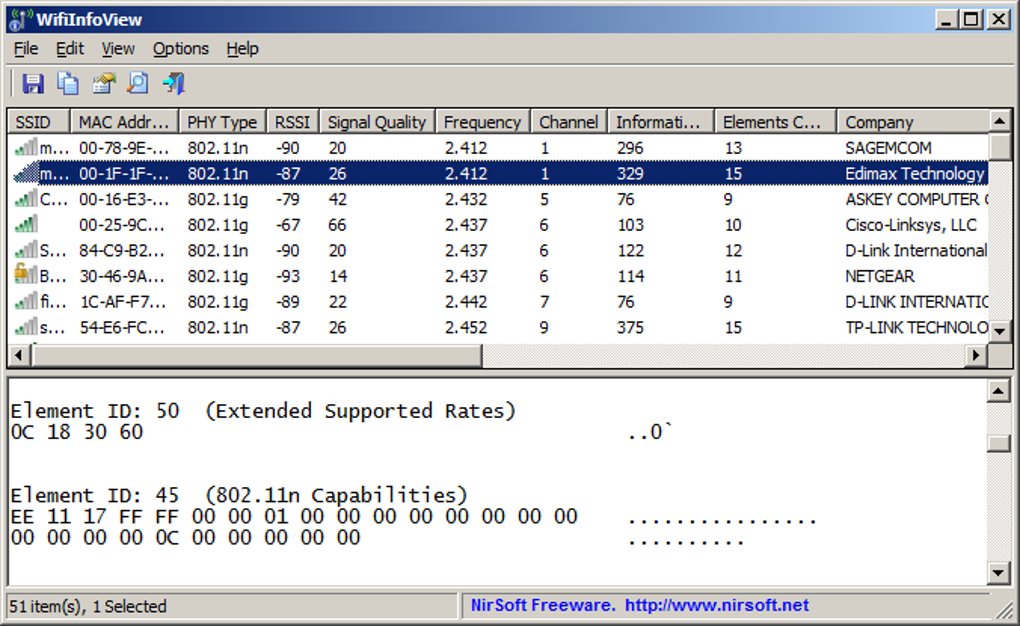
WifiInfoView lists nearby wireless networks with their SSIDs, MAC addresses, signal quality, RSSI, frequency and channel. Use it to compare the access points your Windows wireless adapter can see, or switch to a summary view to group networks by channel, manufacturer or signal quality. Selecting a network reveals its Wi-Fi information elements in a lower pane.
The utility runs without an installation process and can export network details as CSV, HTML, XML or JSON. It also exports selected access points to a PCAP file for analysis in Wireshark; the publisher describes this as one beacon frame per selected access point, not a continuous traffic capture.
Results depend on your wireless adapter and driver. A 5 GHz-capable adapter is required to see 5 GHz networks, and router names or models appear only when the router supplies them. On Windows 11 24H2 onward, location access must be enabled for WifiInfoView to read Wi-Fi information; otherwise it can report Error 5: Access is denied.
What it offers
- Inspect SSID, MAC address, RSSI, signal quality, frequency and channel for nearby wireless networks.
- Group detected networks in summary views, including channel, manufacturer and signal quality.
- View the selected access point's Wi-Fi information elements in hexadecimal form.
- Export network lists as CSV, HTML, XML or JSON through command-line options.
- Export one beacon frame per selected access point to PCAP for analysis in Wireshark.
Good to know
- Visible networks depend on the wireless adapter and driver; seeing 5 GHz networks requires a 5 GHz-capable adapter.
- Windows 11 24H2 onward requires location access; disabled permissions can cause Error 5: Access is denied.
- Router name and model details appear only when supplied by the router.
Product images
Sources
References used for this listing. Retrieval dates do not indicate hands-on testing.
More in utilities
View category ↗
1.1.1.1 with WARP 2026.8.2115.0
Encrypt traffic from your Mac to Cloudflare’s network with WARP, or use DNS-only mode for encrypted DNS queries to the 1.1.1.1 resolver.
1.1.1.1 with WARP 2026.8.2115.0
Encrypt traffic between your Windows PC and Cloudflare, or use encrypted DNS only, with the free 1.1.1.1 with WARP app.

3uTools 9.12.005
Manage iPhone and iPad photos, music, apps and backups from Windows with 3uTools, a free utility that also includes device checks and firmware flashing tools.