

Utilities Windows
WinDirStat for Windows
Find what is taking up disk space on Windows with WinDirStat, a free disk usage analyzer with file-size lists, treemaps and optional duplicate detection.
- Operating system
- Windows 7, 8, 8.1, 10 and 11
- Architecture
- x64 (Intel/AMD 64-bit)
- Download package
- MSI installer
This download is the x64 installer. Separate x86 and ARM64 installers and portable archives are available from the publisher.
Link checked · Download guidance
What is WinDirStat?
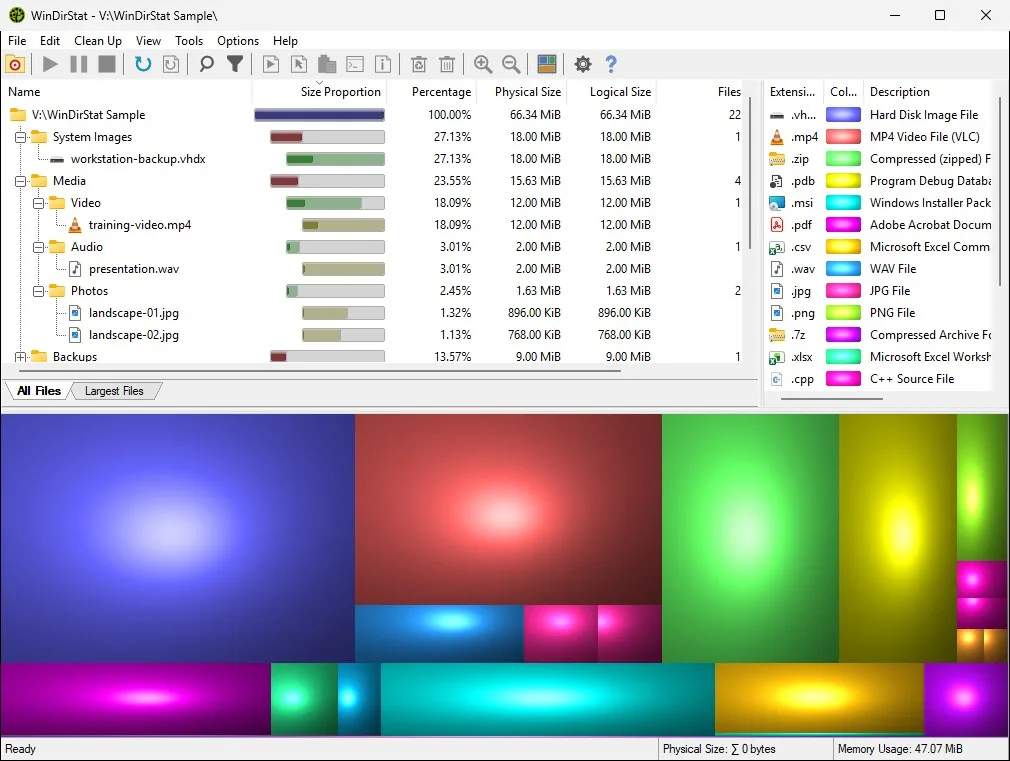
WinDirStat helps you investigate a full drive by showing which folders, files and file types occupy the space. Scan a drive or selected folders, sort the results by size, and select a file to locate it in the treemap. Each rectangle represents a file: its area indicates size and its color identifies the file type. Sunburst and flame-graph views provide alternative ways to explore the same scan.
Use the largest-files view to investigate big items, search the results by name, size or owner, and open items in Explorer before deciding what to remove. Scan snapshots can be saved as CSV or JSON and reopened later. Duplicate detection is optional and adds file reads; leave it off when you only need a space overview. If sparse hashing is enabled, sampled matches are only probable duplicates, not confirmation that every byte matches.
What it offers
- Scan multiple drives or folders together, including network shares and connected MTP devices.
- Explore sortable size lists, file-type statistics, treemaps, sunbursts and flame graphs.
- Search scanned files by name, size, item type or owner; optionally scan for duplicate content.
- Save and reopen CSV or JSON scan snapshots, with command-line report export available.
Good to know
- Duplicate detection adds file reads and scan time; it is optional rather than necessary for a disk-space overview.
- Sparse hashing samples parts of large files. Its probable-duplicate matches may differ elsewhere; disable sparse hashing and rescan before hardlink deduplication.
Product images
Sources
References used for this listing. Retrieval dates do not indicate hands-on testing.
- WinDirStat — official downloads ↗Retrieved
- WinDirStat — disk usage analysis for Windows ↗Retrieved
- WinDirStat 2.9.3 — publisher README, license and compatibility ↗Retrieved
- WinDirStat 2.9.3 — official release and installer links ↗Retrieved
- WinDirStat user guide — search, filters and duplicates ↗Retrieved
More in utilities
View category ↗
1.1.1.1 with WARP 2026.8.2115.0
Encrypt traffic from your Mac to Cloudflare’s network with WARP, or use DNS-only mode for encrypted DNS queries to the 1.1.1.1 resolver.
1.1.1.1 with WARP 2026.8.2115.0
Encrypt traffic between your Windows PC and Cloudflare, or use encrypted DNS only, with the free 1.1.1.1 with WARP app.

3uTools 9.12.005
Manage iPhone and iPad photos, music, apps and backups from Windows with 3uTools, a free utility that also includes device checks and firmware flashing tools.