

Development Windows
Windows Terminal for Windows
Run PowerShell, Command Prompt and WSL shells in tabs and split panes with Windows Terminal, Microsoft's customizable command-line host for Windows.
- Operating system
- Windows 10 version 2004 (build 19041) or later, including Windows 11
- Architecture
- Automatic architecture selection by the packaged distribution
- Download package
- MSIX bundle (stable channel)
Not Preview, Canary, the OEM preinstallation kit or a portable ZIP. Installation may need network access for dependencies.
Link checked · Download guidance
What is Windows Terminal?
Windows Terminal brings command-line sessions into one configurable Windows application. Use tabs to separate tasks, or split a window into panes to keep shells visible side by side. Profiles let you choose between Command Prompt, PowerShell and installed WSL distributions without treating them as the same shell.
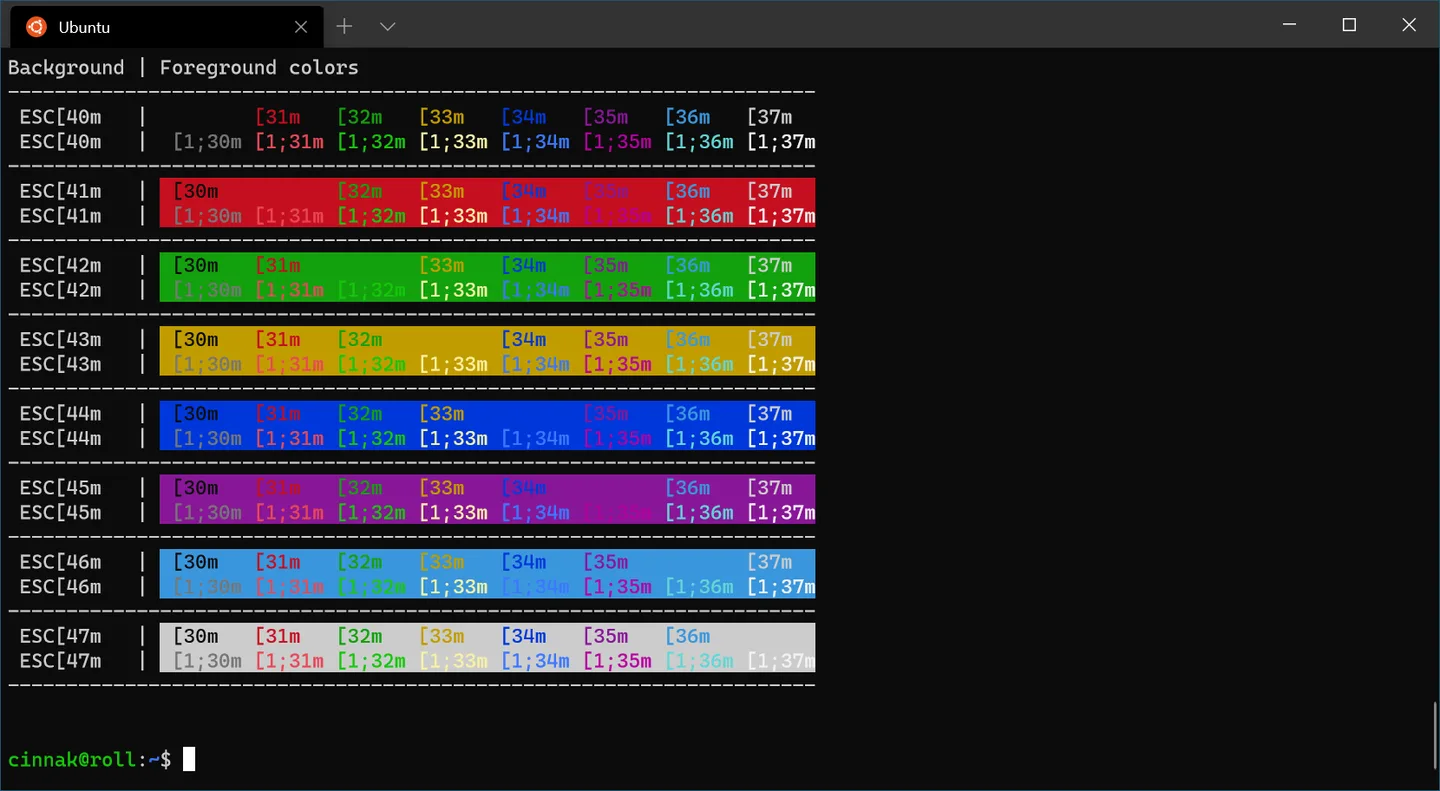
Customize color schemes, backgrounds and keyboard shortcuts to suit your workflow. Unicode and UTF-8 support help display multilingual text, while GPU-accelerated text rendering draws the terminal output. Terminal is the host for your command-line tools, not a replacement for the shells or WSL distributions themselves.
This entry links to Microsoft's stable 1.25.2733.0 MSIX bundle, not Preview, Canary or an architecture-specific portable ZIP. It requires Windows 10 version 2004 (build 19041) or later. Bundle installation may need network access to obtain dependency packages; Microsoft's repository also notes that older Windows 10 systems can need the VC++ v14 Desktop Framework Package. The packaged bundle does not support portable mode.
What it offers
- Organize command-line sessions in multiple tabs and split panes.
- Use profiles for PowerShell, Command Prompt and installed WSL distributions.
- Customize color schemes, backgrounds and keyboard shortcuts.
- Display Unicode and UTF-8 text with GPU-accelerated text rendering.
Good to know
- Requires Windows 10 version 2004 (build 19041) or later; older Windows releases are not supported.
- MSIX-bundle installation may need network access for dependency packages; older Windows 10 systems may require the VC++ v14 Desktop Framework Package.
- The linked packaged distribution does not support portable mode; portable use requires a separate unpackaged distribution.
Product images
Sources
References used for this listing. Retrieval dates do not indicate hands-on testing.
- Microsoft Windows Terminal repository — installing and running ↗Retrieved
- An overview on Windows Terminal | Microsoft Learn ↗Retrieved
- Windows Terminal v1.25.2733.0 — stable release ↗Retrieved
- Windows Terminal v1.25.2733.0 — publisher asset list ↗Retrieved
- Windows Terminal Distribution Types | Microsoft Learn ↗Retrieved
- Microsoft Windows Terminal — MIT License ↗Retrieved
- Windows Terminal Color Schemes | Microsoft Learn ↗Retrieved
More in development
View category ↗
010 Editor 17.0
Inspect and edit binary files on Mac with 010 Editor, a paid text and hex editor with Binary Templates, file comparison and a 30-day trial.
010 Editor 17.0
Inspect and edit binary files with 010 Editor for Windows, a text and hex editor with Binary Templates, file comparison and scripting. Includes a 30-day trial.
10x Editor
Edit and navigate C++ projects on Windows with a built-in parser, workspace search and Visual Studio project support. A paid license is required after the 30-day trial.