
Utilities Windows
WindowTop
Keep a window above other apps with WindowTop for Windows. It also offers transparency, window-switching Anchors and Pro picture-in-picture tools.
- Operating system
- Windows 10 version 2004 or later; Windows 11
- Architecture
- x64
- Download package
- EXE installer
Publisher also provides separate portable and native ARM64 builds. This entry links to the x64 setup package.
Link checked · Download guidance
What is WindowTop?
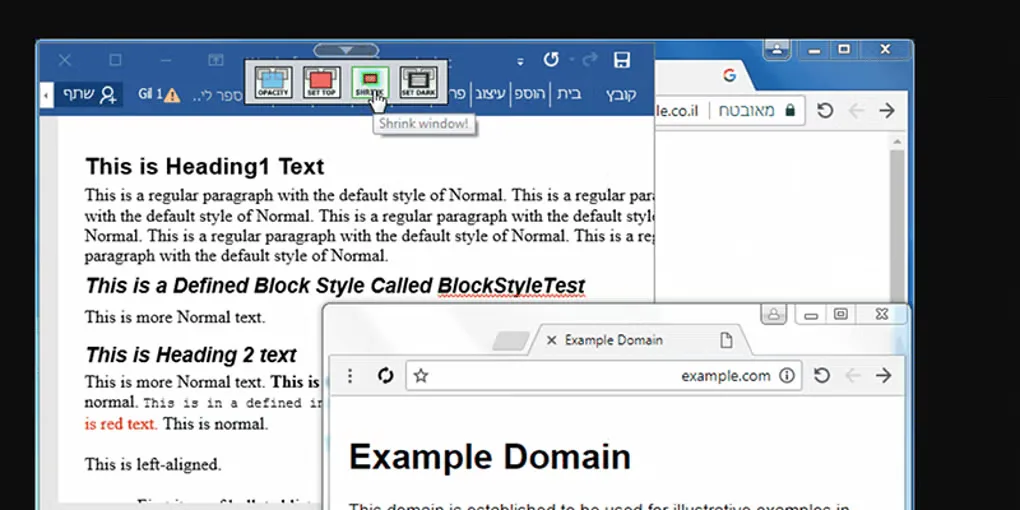
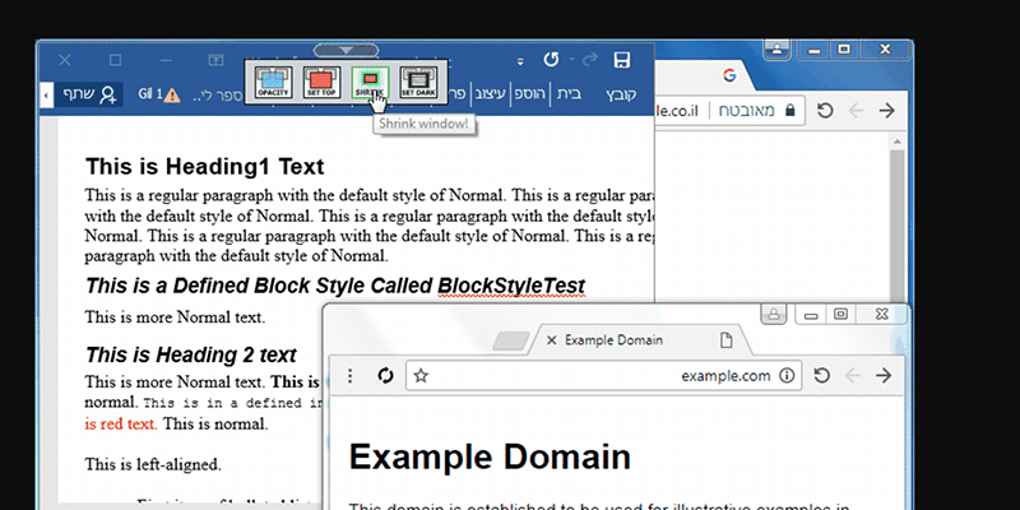
WindowTop helps keep reference material visible while you work in another application. Pin a window above the rest through its toolbar or a configurable hotkey, rather than repeatedly switching back to your notes or reference window. Anchors offer another approach: floating shortcuts that bring a background window into focus.
Its other tools change how windows appear and behave. Opacity controls let you see through a window, with click-through available for interacting with the content behind it. Picture-in-picture can turn a window into an interactive thumbnail and crop the view to a chosen area. These capabilities belong to the product's feature set, not an assurance that every feature is permanently free.
The linked download is the publisher's version 5.32.6 x64 EXE installer, not the separate portable or ARM64 package. The desktop edition has free functionality and paid Pro features; picture-in-picture requires Pro or an active trial. Publisher release notes describe an initial 30-day Pro trial and limited daily access afterward, with daily duration not guaranteed. Commercial use requires a purchased license.
What it offers
- Keep a selected window always on top using the toolbar or a configurable keyboard shortcut.
- Bring background windows into focus using floating Anchors.
- Adjust window opacity and use click-through to interact with content behind a transparent window.
- Use Pro picture-in-picture and cropping to keep an interactive window thumbnail visible.
Good to know
- Picture-in-picture requires Pro or an active trial; the free desktop edition does not permanently unlock every feature.
- After the initial 30-day Pro trial, daily Pro trial duration is limited and not guaranteed by the publisher.
- The publisher license requires a purchase for commercial use.
Product images
Sources
References used for this listing. Retrieval dates do not indicate hands-on testing.
More in utilities
View category ↗
1.1.1.1 with WARP 2026.8.2115.0
Encrypt traffic from your Mac to Cloudflare’s network with WARP, or use DNS-only mode for encrypted DNS queries to the 1.1.1.1 resolver.
1.1.1.1 with WARP 2026.8.2115.0
Encrypt traffic between your Windows PC and Cloudflare, or use encrypted DNS only, with the free 1.1.1.1 with WARP app.

3uTools 9.12.005
Manage iPhone and iPad photos, music, apps and backups from Windows with 3uTools, a free utility that also includes device checks and firmware flashing tools.