

Utilities Windows
WinFindr for Windows
Find files, folders and registry data, or search inside PDF and Word documents with WinFindr, a free Windows search tool available as a portable app.
Version 1.9 · Direct publisher file
Link checked · Download guidance
What is WinFindr?
WinFindr searches Windows files, folders, registry keys and registry entries from one interface without requiring an index. It can match filenames or look inside supported documents when you remember a phrase but not the document name. Combine search terms with AND or OR logic, use wildcards and regular expressions, or narrow a search by file type, size and attributes.
Document content search covers PDF, Word, Excel, PowerPoint, EPUB and supported OpenOffice and LibreOffice formats. WinFindr also searches inside ZIP and RAR archives. Natural search options can ignore accents or separators and match similar or similarly sounding words. Save frequently used searches, filter the results, or export a report as TXT, CSV or HTML.
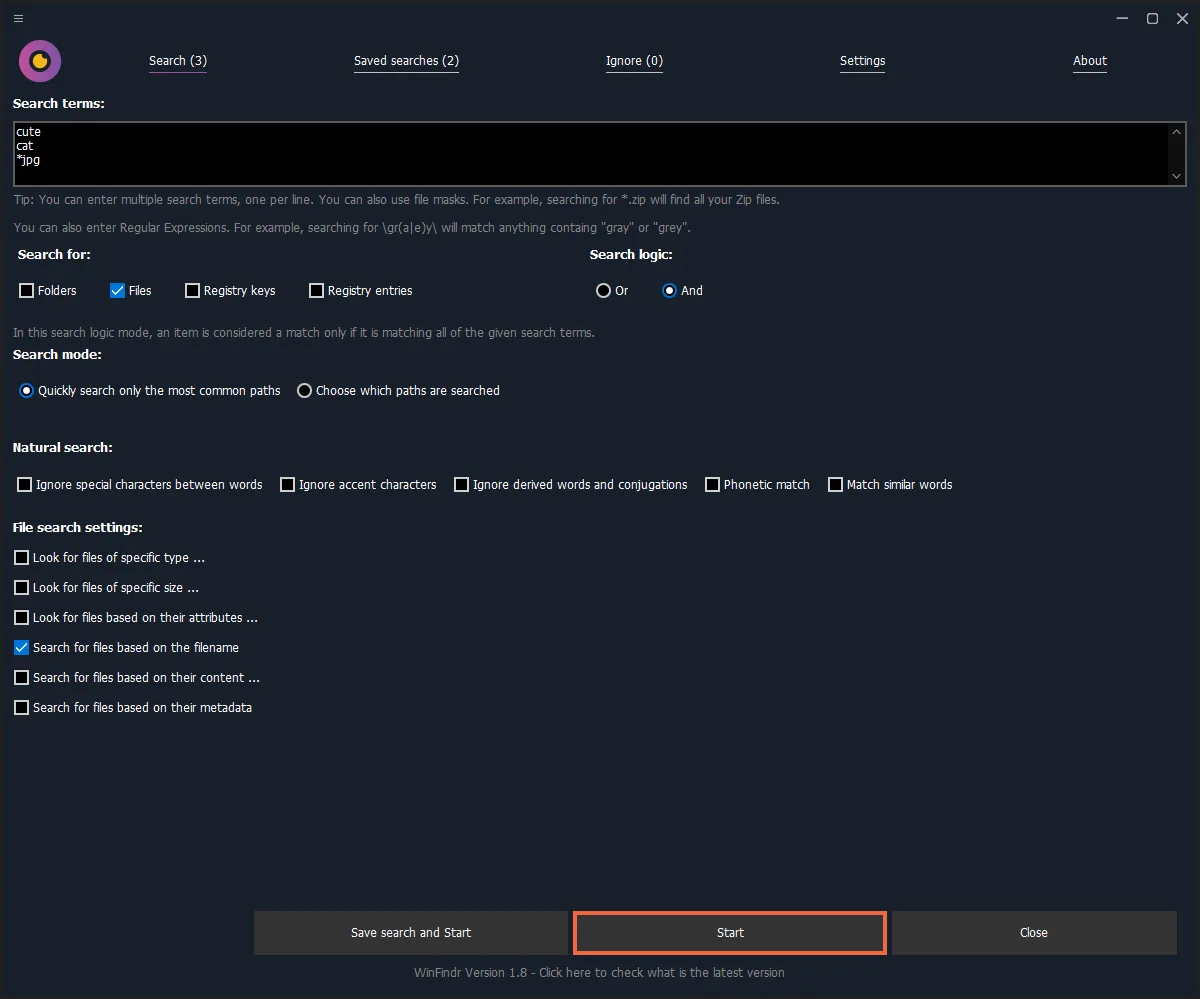
This entry links to the publisher's version 1.9 portable EXE in its official version archive; a setup package is also offered by the publisher. The free edition permits personal and commercial use. Pro adds enhanced command-line support and direct technical support. The publisher lists difficulty displaying thousands of results in the default result list and recommends the text-only view for those searches. The screenshot is the publisher's version 1.8 interface illustration, not a capture of version 1.9 running here.
What it offers
- Search files, folders, registry keys and registry entries with multiple terms, wildcards and regular expressions.
- Search content in supported PDF, Office, EPUB, OpenOffice and LibreOffice documents, and search within ZIP and RAR archives.
- Refine matches with file type, size and attribute filters, plus natural search options for accents, word forms and phonetic matching.
- Save searches, filter and sort results, export TXT, CSV or HTML reports, and compare saved reports.
Good to know
- The publisher reports that the default result list struggles with thousands of results; use its text-only result list for large searches.
- Very long result paths can overlap or clip in the interface, according to the version 1.9 known issues.
- Direct technical support is a Pro benefit; free-edition users are directed to the forum.
Product images
Sources
References used for this listing. Retrieval dates do not indicate hands-on testing.
- WinFindr - Free Windows File Search Tool ↗Retrieved
- WinFindr Features: Windows Document Search Tools ↗Retrieved
- WinFindr Changelog ↗Retrieved
- Why WinFindr Pro? Support, Command Line and Lifetime License ↗Retrieved
- WinFindr Legal Terms ↗Retrieved
- WinFindr Screenshots: File Search, Regex and Dark Mode ↗Retrieved
- Official WinFindr version 1.9 package catalog ↗Retrieved
More in utilities
View category ↗
1.1.1.1 with WARP 2026.8.2115.0
Encrypt traffic from your Mac to Cloudflare’s network with WARP, or use DNS-only mode for encrypted DNS queries to the 1.1.1.1 resolver.
1.1.1.1 with WARP 2026.8.2115.0
Encrypt traffic between your Windows PC and Cloudflare, or use encrypted DNS only, with the free 1.1.1.1 with WARP app.

3uTools 9.12.005
Manage iPhone and iPad photos, music, apps and backups from Windows with 3uTools, a free utility that also includes device checks and firmware flashing tools.