
Utilities Windows
Winlogbeat
Collect Windows event logs and send them to Elasticsearch or Logstash with Winlogbeat, an Elastic Stack shipper with configurable event channels and Kibana dashboards.
- Operating system
- Windows; consult Elastic's support matrix for supported releases
- Architecture
- x86_64 (64-bit)
- Download package
- ZIP archive
Configure winlogbeat.yml and the Elastic Stack destination. The publisher documents PowerShell setup and Windows service operation.
Link checked · Download guidance
What is Winlogbeat?
Winlogbeat collects Windows event logs for centralized search and analysis. Configure the channels you want to monitor in winlogbeat.yml, then send events to Elasticsearch or through Logstash for additional processing. Its default monitored logs are Application, Security and System, and it supports Elastic Common Schema for working with data across the Elastic Stack.
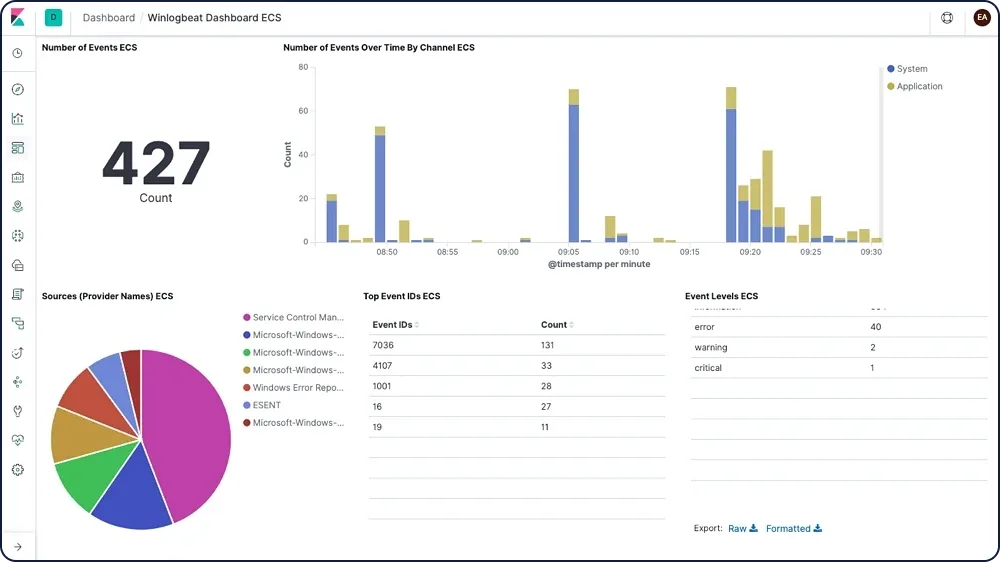
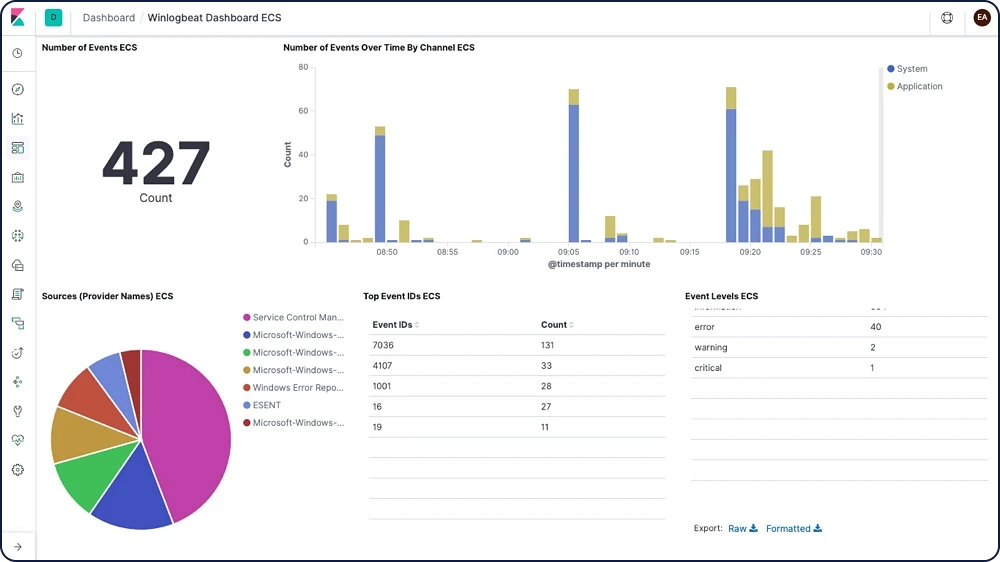
The publisher provides predefined assets for parsing and indexing events and sample Kibana dashboards for exploring them. Winlogbeat can spool events to disk during network interruptions and forward them when connectivity returns. The screenshot shows the publisher's Winlogbeat dashboard in Kibana, not a standalone Winlogbeat desktop interface.
This is a configurable log shipper rather than a self-contained event-log viewer. Elastic's documented workflow needs Elasticsearch for storage and search and Kibana for visualization; you must configure the destination and access permissions. The linked download is the Windows x86_64 ZIP distribution, governed by the Elastic License.
What it offers
- Read configurable Windows event-log channels, including Application, Security and System.
- Send events to Elasticsearch or Logstash for centralized processing and analysis.
- Use Elastic Common Schema with other Elastic Stack components.
- Load predefined parsing and indexing assets and sample Kibana dashboards.
- Spool events to disk during network interruptions and forward them when connectivity returns.
Good to know
- Not a standalone log viewer: the documented analysis workflow requires Elasticsearch and Kibana, with connection settings configured in winlogbeat.yml.
- Running as a non-Administrator local service account requires Log on as a service rights and membership in Event Log Readers.
Product images
Sources
References used for this listing. Retrieval dates do not indicate hands-on testing.
More in utilities
View category ↗
1.1.1.1 with WARP 2026.8.2115.0
Encrypt traffic from your Mac to Cloudflare’s network with WARP, or use DNS-only mode for encrypted DNS queries to the 1.1.1.1 resolver.
1.1.1.1 with WARP 2026.8.2115.0
Encrypt traffic between your Windows PC and Cloudflare, or use encrypted DNS only, with the free 1.1.1.1 with WARP app.

3uTools 9.12.005
Manage iPhone and iPad photos, music, apps and backups from Windows with 3uTools, a free utility that also includes device checks and firmware flashing tools.