

Utilities Windows
WinRAR for Windows
Create RAR and ZIP archives, unpack downloaded files and encrypt archives with WinRAR for Windows. The trial permits up to 40 days of use before a license is required.
- Operating system
- Windows 10 and Windows 11
- Architecture
- x64 (Intel/AMD 64-bit)
- Download package
- English EXE installer
WinRAR 7.23 x64 trial, not the 7.30 beta. Windows 11 support statement covers 7.01 and higher; ARM operation is described as emulation. A license is required after at most 40 days.
Link checked · Download guidance
What is WinRAR?
WinRAR packages files into RAR or ZIP archives and extracts files from archives you receive. It suits combining a folder for transfer, splitting an archive into volumes or opening formats such as 7Z, TAR and ISO without using a separate extractor for each one. A graphical interface handles interactive work; a command-line interface supports command-based workflows.
Archive creation and extraction support differ: RAR and ZIP are output formats, while formats such as 7Z are supported for unpacking. WinRAR also offers AES-256 archive encryption and self-extracting archives.
The linked package is the English WinRAR 7.23 x64 EXE installer for Windows, not the separately listed 7.30 beta. Windows 10 and Windows 11 compatibility is stated by the publisher. This is commercial trial software, not freeware: the license allows a maximum 40-day evaluation, after which continued use requires purchase.
Its distinctive tools include RAR recovery records and recovery volumes alongside multivolume archiving. Those capabilities are relevant when an archive needs to be split for transport or designed with recovery information in advance. They do not mean that any incomplete download or damaged archive can always be repaired.
What it offers
- Create and unpack RAR and ZIP archives.
- Extract additional formats including 7Z, CAB, TAR, GZ, ISO and XZ.
- Protect archives with AES-256 encryption.
- Create multivolume and self-extracting archives.
- Work through a graphical interface or the command line.
- Use RAR recovery records and recovery volumes for damaged-archive recovery workflows.
Good to know
- Continued use after the maximum 40-day trial requires a purchased license.
- Support for formats such as 7Z is extraction-only; create RAR or ZIP archives instead.
- RAR recovery capabilities do not establish that every damaged or incomplete archive can be repaired.
- The linked installer is x64, not a native ARM64 package; the publisher describes Windows 11 on ARM operation as emulation.
Choose the output format before creating an archive
WinRAR’s name refers to its native RAR format, but it can also create ZIP archives. Its broader format list is primarily about extraction: opening a 7Z, TAR, ISO or XZ file does not mean WinRAR can create all those formats. If a workflow specifically requires creating a 7z archive, this is not the output tool described by WinRAR’s publisher.
RAR-specific features include solid compression, multivolume archives and recovery records. ZIP is another supported output choice when that is the required archive format. Decide based on the archive you need to produce, rather than treating every file extension in the unpacking list as interchangeable.
Extract files to a deliberate destination
The publisher’s basic workflow is to open the RAR archive, select its contents and choose Extract To, followed by a destination path. Windows Explorer extraction commands are also available when shell integration was left enabled during installation. That gives both an inspect-first file-manager workflow and a direct context-menu workflow.
For a multipart RAR set, keep every volume in the same folder and begin extraction from the first volume. Files ending in part1.rar, part2.rar and subsequent numbers are parts of one archive sequence, not unrelated archives to unpack independently. Missing parts are a different problem from simply choosing the wrong extraction destination.
Distinguish recovery information from encryption
AES-256 encryption and recovery information serve different purposes. Encryption protects supported archives; recovery records and recovery volumes are described by the publisher as tools for reconstructing physically damaged archive data. Neither feature replaces the other, and the existence of a Repair command does not establish that every damaged archive can be restored.
Self-extracting archives and split volumes are available alongside these options. The publisher says the ability to create self-extracting files is included with a WinRAR license rather than sold as a separate add-on. A self-extracting archive is still an executable, not evidence that its contents are trustworthy. No application or archive payload was executed for this guide.
The download is a trial, not unlimited freeware
WinRAR’s license permits evaluation without charge for a maximum of 40 days. Continuing after that period requires a purchased license. A download button or evaluation-copy screenshot is not evidence of a perpetual free license, and the continued ability to open the program does not change the written license terms.
The EULA distinguishes home and business use. Home users may use their single-computer license on computers and mobile devices they own, while business use requires one license per computer or mobile device where the software is installed. Consult the full license for multi-user and network arrangements rather than assuming one purchase covers an organization.
Check the Windows architecture and release channel
The linked package is the official English WinRAR 7.23 x64 EXE installer. RARLAB lists release and beta channels separately; the presence of 7.30 beta assets does not make the selected 7.23 package a beta. The publisher states Windows 10 and Windows 11 compatibility, and its Windows 11 support statement covers WinRAR 7.01 and higher. These statements do not establish support for every older Windows version or an exact minimum Windows build number.
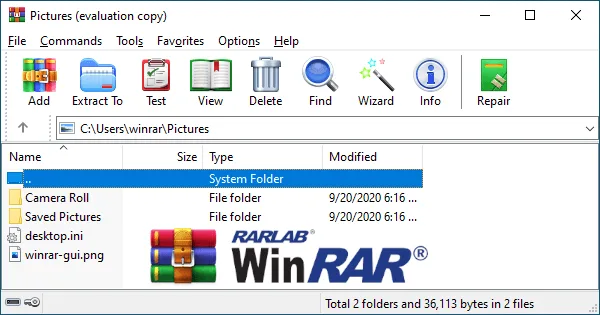
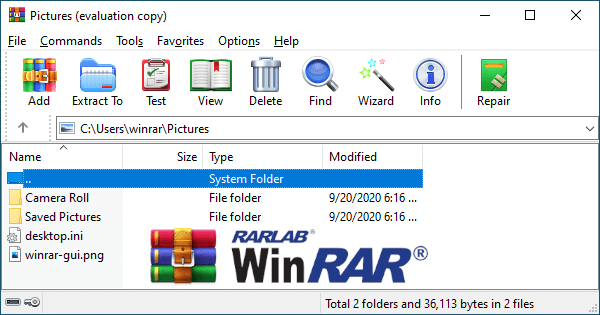
The Windows 11 statement describes operation on ARM through emulation. That is not a native ARM64 build of this x64 download. The screenshot shows a genuine WinRAR evaluation window with archive controls and a Pictures folder; it illustrates the interface, not a verified installation of the selected release or a performance test.
Understand shell integration before installing
The documented installation choice relevant to extraction is Shell integration. Leaving it enabled makes WinRAR extraction commands available from a RAR file’s Windows Explorer context menu. The separate application workflow remains opening the archive in WinRAR and using Extract To. This guide does not claim a specific installer screen sequence or default file-association setting.
If you do not accept the license terms, the EULA requires removing the software files from storage and ceasing use. Continuing beyond the 40-day evaluation without buying a license is not an alternative installation mode. No installation or removal was performed for this guide, and the cited pages do not establish a release-specific uninstall sequence or guarantee that removal reverses every shell or file-association change.
Consider 7-Zip when you need 7z creation or no paid license
7-Zip is a relevant alternative if the task is creating 7z archives or using an archiver without a registration or payment requirement. Its official site lists 7z and ZIP among packing and unpacking formats and describes the software as free and open source. It also lists AES-256 encryption in 7z and ZIP formats and separate x64, x86 and ARM64 Windows packages.
The distinction matters for RAR output: 7-Zip lists RAR as unpacking-only, while WinRAR creates RAR archives. Choose WinRAR for a workflow that requires RAR creation or its documented RAR recovery tools; consider 7-Zip for 7z creation or a free archive utility. This is a comparison of published capabilities and license terms, not a compression-speed or reliability benchmark.
Product images
Sources
References used for this listing. Retrieval dates do not indicate hands-on testing.
- RARLAB — WinRAR archive manager ↗Retrieved
- RARLAB — WinRAR and RAR downloads ↗Retrieved
- RARLAB — WinRAR benefits ↗Retrieved
- RAR and WinRAR end user license agreement ↗Retrieved
- WinRAR — official publisher product page ↗Retrieved
- RARLAB — RAR extraction and volume workflow ↗Retrieved
- RARLAB — recovery record and volume capabilities ↗Retrieved
- WinRAR — Windows 11 support statement ↗Retrieved
- RAR and WinRAR EULA — device licensing and cessation of use ↗Retrieved
- 7-Zip — official formats, licensing and Windows packages ↗Retrieved
More in utilities
View category ↗
1.1.1.1 with WARP 2026.8.2115.0
Encrypt traffic from your Mac to Cloudflare’s network with WARP, or use DNS-only mode for encrypted DNS queries to the 1.1.1.1 resolver.
1.1.1.1 with WARP 2026.8.2115.0
Encrypt traffic between your Windows PC and Cloudflare, or use encrypted DNS only, with the free 1.1.1.1 with WARP app.

3uTools 9.12.005
Manage iPhone and iPad photos, music, apps and backups from Windows with 3uTools, a free utility that also includes device checks and firmware flashing tools.