

Utilities Windows
WinScan2PDF for Windows
Scan paper documents into single- or multi-page PDF files with WinScan2PDF, a free portable Windows utility that uses an installed scanner.
- Operating system
- Windows 11, 10, 8.1 and 7; Windows Server versions also listed by publisher
- Architecture
- Publisher lists x86/32-bit and x64 Windows support; selected ZIP architecture is not specified in the PAD manifest
- Download package
- Portable ZIP archive
The linked archive is the publisher's primary WinScan2PDF.zip package. The package was not downloaded or executed; scanner compatibility depends on the device and driver.
Link checked · Download guidance
What is WinScan2PDF?
WinScan2PDF turns paper documents into PDF files through a scanner already installed on your Windows PC. It suits occasional jobs such as saving a signed form or combining several scanned pages into one file, without setting up a virtual PDF printer. Select the scanner source, scan your pages and save the resulting PDF.
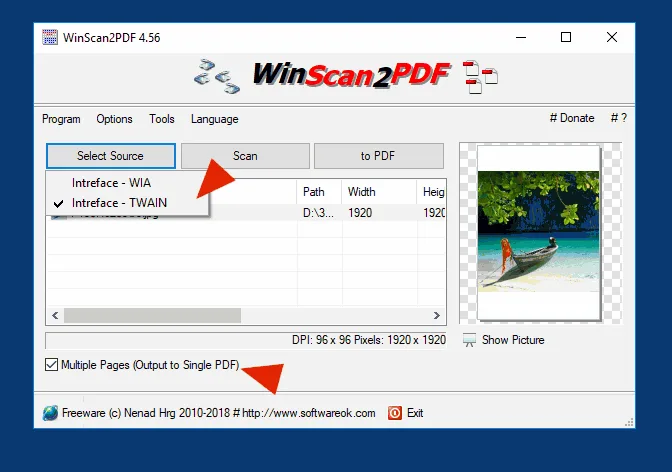
The application supports both TWAIN and WIA scanner interfaces. You can combine multiple pages, rotate scans before PDF creation, adjust PDF quality or save scans as JPEG files. Its portable format is useful when you want a scanning utility without a conventional installation.
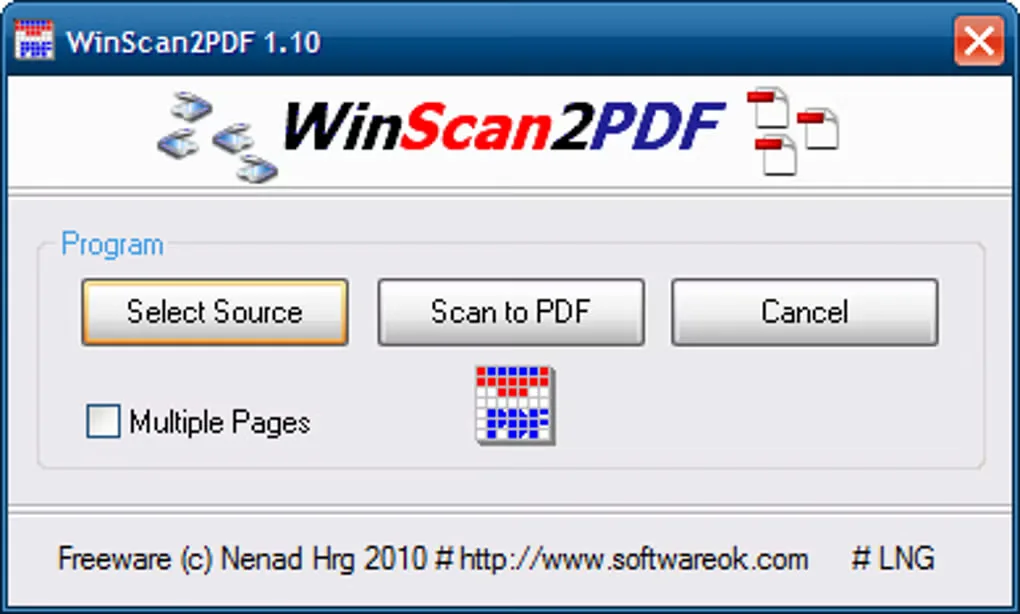
Scanner compatibility still depends on the device and its Windows driver. The publisher describes support for most scanners, not every model, and recommends original scanner drivers when problems occur. The screenshots below are historical publisher/source examples showing versions 4.56 and 1.10; they illustrate the workflow rather than the exact appearance of version 9.79.
What it offers
- Scan documents directly to PDF without a virtual PDF printer.
- Combine multiple scanned pages into one PDF file.
- Choose between TWAIN and WIA scanner interfaces.
- Rotate scans, adjust PDF quality and save scans as JPEG files.
- Use a portable Windows application with a multilingual interface.
Good to know
- An installed, compatible scanner and working Windows scanner driver are required; the publisher does not promise support for every scanner.
Product images
Sources
References used for this listing. Retrieval dates do not indicate hands-on testing.
- WinScan2PDF 9.79 — publisher product page ↗Retrieved
- WinScan2PDF — publisher PAD manifest ↗Retrieved
- WinScan2PDF — License Agreement ↗Retrieved
- Works WinScan2PDF, with all scanner? — publisher FAQ ↗Retrieved
- Create several PDF pages optionally with TWAIN or WIA! ↗Retrieved
- WinScan2PDF - Download — protected passive browser observation ↗Retrieved
More in utilities
View category ↗
1.1.1.1 with WARP 2026.8.2115.0
Encrypt traffic from your Mac to Cloudflare’s network with WARP, or use DNS-only mode for encrypted DNS queries to the 1.1.1.1 resolver.
1.1.1.1 with WARP 2026.8.2115.0
Encrypt traffic between your Windows PC and Cloudflare, or use encrypted DNS only, with the free 1.1.1.1 with WARP app.

3uTools 9.12.005
Manage iPhone and iPad photos, music, apps and backups from Windows with 3uTools, a free utility that also includes device checks and firmware flashing tools.