
Utilities Windows
WinSetView
Set consistent Windows File Explorer folder views with WinSetView, a free, open-source utility for choosing default layouts, columns and sorting by folder type.
Version 3.1.9 · Direct publisher file
Link checked · Download guidance
What is WinSetView?
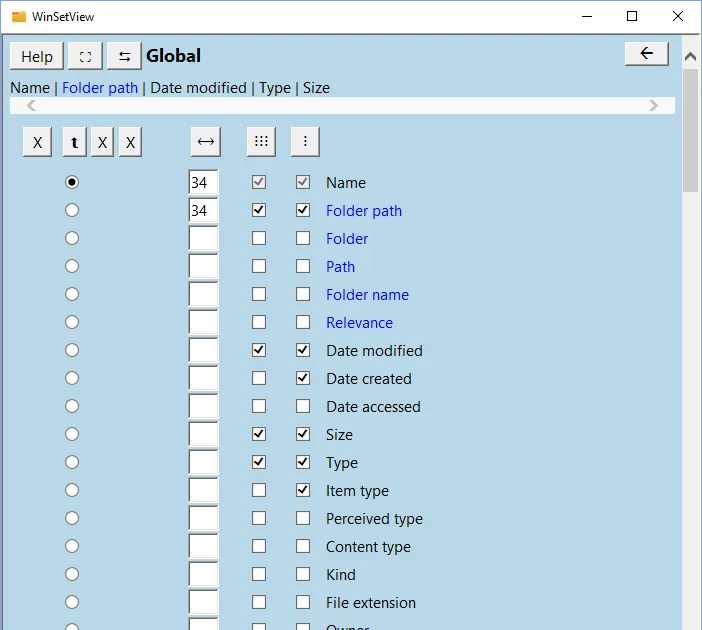
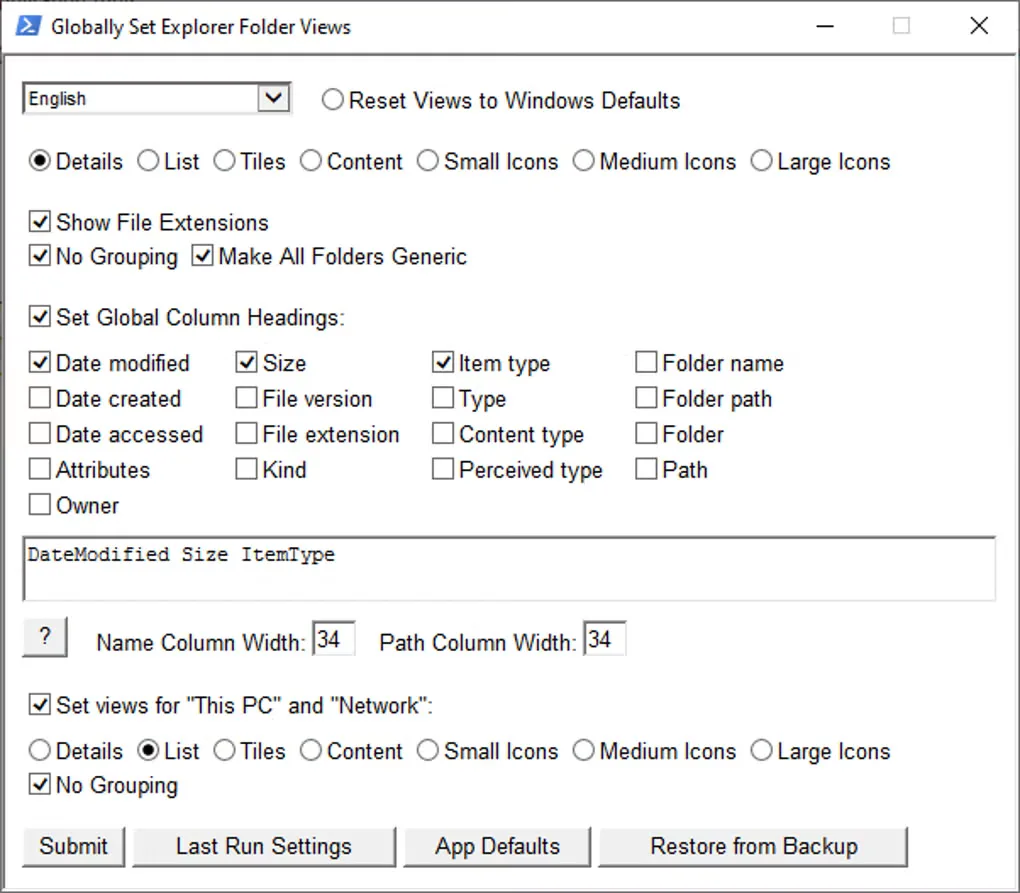
WinSetView configures the default folder views used by Windows File Explorer. Use it to make Details view consistent across folders, choose which columns appear and set their order, widths, grouping and sorting. Folder types can inherit the global settings or use different defaults, such as a separate view for pictures. It changes Explorer settings rather than replacing Explorer with a new file manager.
This is a broad reset of folder-view defaults, not a tool for preserving every individually customized folder. Applying new defaults clears existing folder views, and confirming Submit changes the registry and restarts Explorer. Finish any file-copy, move or delete operations before applying changes. Review Folder View Options and the optional Explorer Options before submitting.
The publisher lists Windows 7, 8, 10 and 11; its detailed requirements include Windows 7 SP1 or higher, .NET 4.8, PowerShell 2 or higher, MSHTML and JScript. The linked EXE installer requires administrator access. A separate portable ZIP is available from the publisher for users who do not want an installed application.
What it offers
- Apply a global default view or choose different defaults for individual folder types.
- Choose Details-view columns, their order and widths, plus grouping and sorting options.
- Configure Folder View Options and optionally apply Explorer Options.
- Back up folder views and use Restore to return to a saved configuration.
Good to know
- Applying new defaults clears existing per-folder view customizations; it does not selectively edit one folder.
- Confirming Submit changes registry settings and restarts Explorer; do not apply changes during Explorer file operations.
- Major Windows updates can remove the configured folder-view defaults, requiring WinSetView to be run again.
Product images
Sources
References used for this listing. Retrieval dates do not indicate hands-on testing.
- WinSetView — publisher quick start ↗Retrieved
- WinSetView — What to Expect ↗Retrieved
- WinSetView — System Requirements ↗Retrieved
- WinSetView — MIT License ↗Retrieved
- WinSetView - Download — protected passive browser observation ↗Retrieved
More in utilities
View category ↗
1.1.1.1 with WARP 2026.8.2115.0
Encrypt traffic from your Mac to Cloudflare’s network with WARP, or use DNS-only mode for encrypted DNS queries to the 1.1.1.1 resolver.
1.1.1.1 with WARP 2026.8.2115.0
Encrypt traffic between your Windows PC and Cloudflare, or use encrypted DNS only, with the free 1.1.1.1 with WARP app.

3uTools 9.12.005
Manage iPhone and iPad photos, music, apps and backups from Windows with 3uTools, a free utility that also includes device checks and firmware flashing tools.