

Utilities Windows
WinSSHTerm for Windows
Organize remote SSH sessions in tabs and split panes with WinSSHTerm, a free Windows interface for PuTTY with WinSCP file transfer and VcXsrv integration.
- Operating system
- Windows 11, 10, 8 and 7 (publisher-listed)
- Architecture
- x64
- Download package
- MSI installer
.NET Framework 4.0 or later required. Separate ARM64 and portable editions are available; this link selects the x64 installer.
Link checked · Download guidance
What is WinSSHTerm?
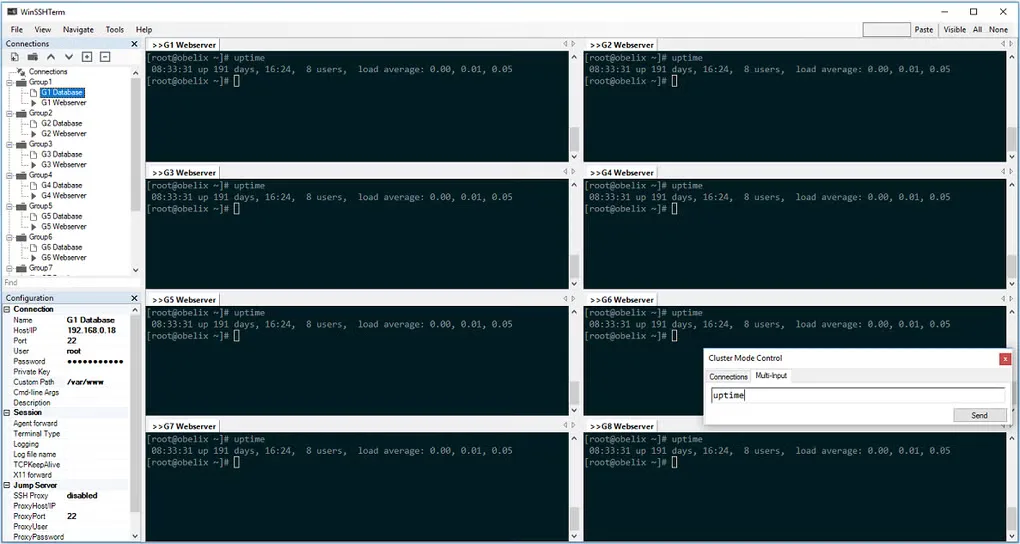
WinSSHTerm brings multiple remote SSH sessions into one Windows workspace. A connection tree, keyboard shortcuts, tabs and multiple windows help you switch between servers without managing a separate terminal window for each one. It works with PuTTY and adds integration with WinSCP for copying files and VcXsrv for running remote X applications.
This is a management interface around those tools, not a replacement for them. File transfer needs the portable WinSCP executable configured, and X applications need an installed, running X server. The publisher also requires .NET Framework 4.0 or later. The linked download is the x64 MSI installer for version 2.43.2; portable and ARM64 editions are separate package choices for the same application.
What it offers
- Manage remote SSH connections using folders, tabs and multiple windows.
- Switch between sessions with keyboard shortcuts and connection search.
- Open a WinSCP file-transfer session from a saved connection using Copy Files.
- Run remote X applications through the VcXsrv integration.
- Use connection groups, template variables and SSH jump-server/proxy support.
Good to know
- Depends on external tools: PuTTY provides terminal sessions, Copy Files requires portable WinSCP, and X applications require an installed and running X server.
- .NET Framework 4.0 or later is required.
Product images
Sources
References used for this listing. Retrieval dates do not indicate hands-on testing.
More in utilities
View category ↗
1.1.1.1 with WARP 2026.8.2115.0
Encrypt traffic from your Mac to Cloudflare’s network with WARP, or use DNS-only mode for encrypted DNS queries to the 1.1.1.1 resolver.
1.1.1.1 with WARP 2026.8.2115.0
Encrypt traffic between your Windows PC and Cloudflare, or use encrypted DNS only, with the free 1.1.1.1 with WARP app.

3uTools 9.12.005
Manage iPhone and iPad photos, music, apps and backups from Windows with 3uTools, a free utility that also includes device checks and firmware flashing tools.