
Utilities Windows
Winstep Xtreme
Organize a Windows desktop with configurable docks, tabbed shelves, menus and live widgets in Winstep Xtreme, a paid suite with a 30-day trial.
- Operating system
- Windows 7, 8, 10 and 11
- Architecture
- 32-bit and 64-bit Windows; publisher also states functionality on ARM Windows devices
- Download package
- ZIP archive
Publisher requirements: 150 MB free disk space and at least 800×600 display resolution. ARM functionality is stated without a native ARM package claim.
Link checked · Download guidance
What is Winstep Xtreme?
Winstep Xtreme combines application launching, desktop organization and system-information widgets for Windows. Use docks for frequently opened programs, tabbed shelves for shortcuts or folder contents, and configurable menus for less-used files and commands. Shared themes give the components a consistent appearance.
The suite brings together WorkShelf, which supplies docks, shelves, drawers and desktop modules, and NextSTART, which handles menus, hotspots and task management. Taskbar replacement is optional: you can keep the standard Windows taskbar and disable components you do not need. CPU, RAM, network and disk widgets provide system information, while multi-monitor layouts and per-monitor DPI support accommodate different display setups.
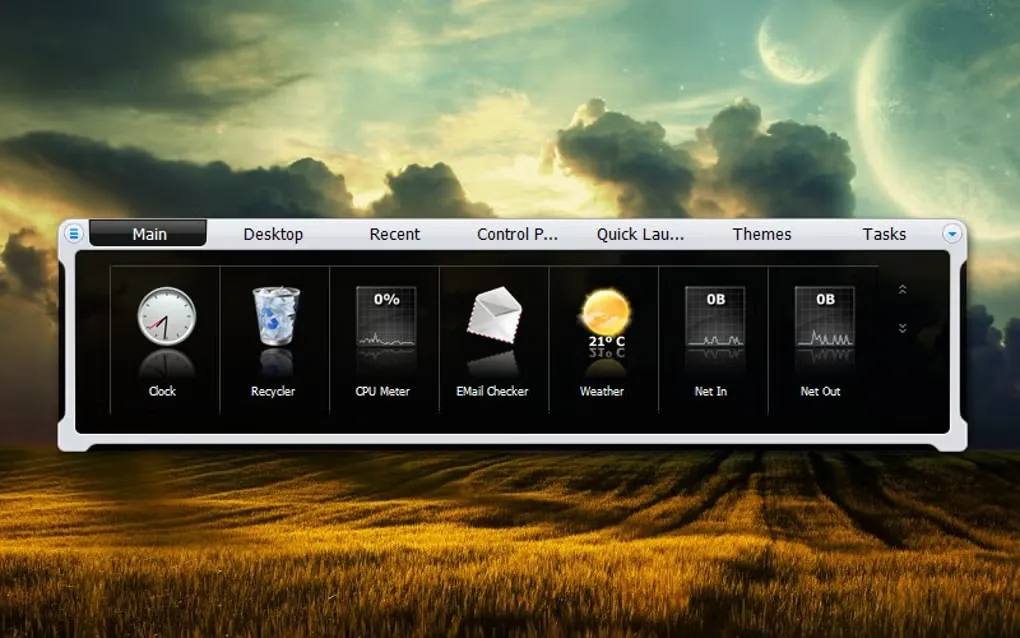
This download is the publisher's ZIP package for the fully functional 30-day trial, not a permanently free edition. The publisher lists version 26.9; the accompanying gallery image is an illustrative themed layout and does not establish the interface of that specific release. Some effects are operating-system dependent: the publisher restricts its built-in blur-behind effect to Windows 7.
What it offers
- Create multiple docks and sub-docks for applications, documents and commands.
- Use tabbed shelves, drawers and Grid Stacks to organize shortcuts or browse folder and system-location contents.
- Configure NextSTART menus, hotspots and task management, with optional Windows taskbar replacement.
- Display desktop widgets for CPU, RAM, network, disk, weather, clocks and other information.
- Share themes across components and configure layouts across monitors with per-monitor DPI support.
Good to know
- The fully functional free trial lasts 30 days; continued use requires a paid license.
- The publisher lists the built-in blur-behind effect as Windows 7 only; do not expect that effect on Windows 8 or later.
Product images
Sources
References used for this listing. Retrieval dates do not indicate hands-on testing.
More in utilities
View category ↗
1.1.1.1 with WARP 2026.8.2115.0
Encrypt traffic from your Mac to Cloudflare’s network with WARP, or use DNS-only mode for encrypted DNS queries to the 1.1.1.1 resolver.
1.1.1.1 with WARP 2026.8.2115.0
Encrypt traffic between your Windows PC and Cloudflare, or use encrypted DNS only, with the free 1.1.1.1 with WARP app.

3uTools 9.12.005
Manage iPhone and iPad photos, music, apps and backups from Windows with 3uTools, a free utility that also includes device checks and firmware flashing tools.