

Utilities Windows
WinZip for Windows
Create ZIP archives, extract formats such as RAR and 7z, and encrypt files with WinZip, a commercial Windows utility with a 21-day trial.
- Operating system
- Windows 10 and Windows 11
- Architecture
- 64-bit (publisher-listed; CPU family unspecified)
- Download package
- EXE trial installer
Windows trial installer; 21-day trial, then a paid license. Single-user licenses require an active internet connection.
Link checked · Download guidance
What is WinZip?
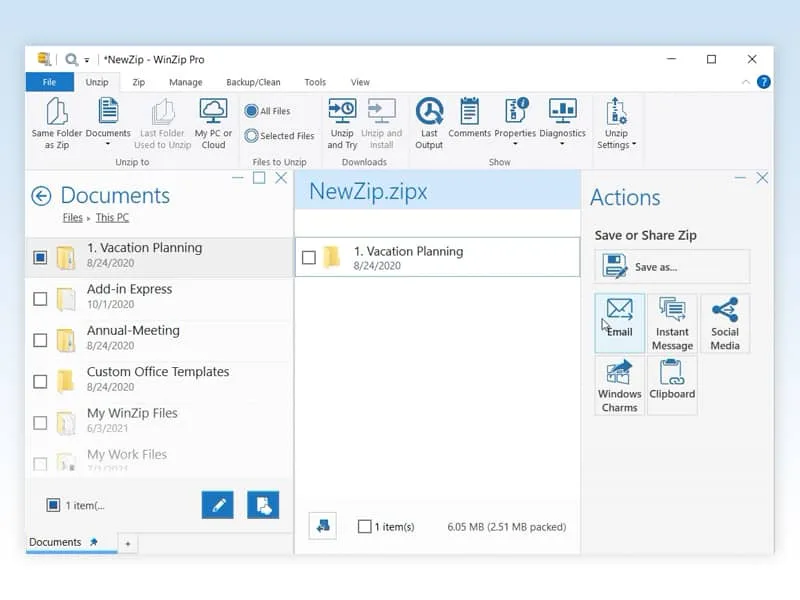
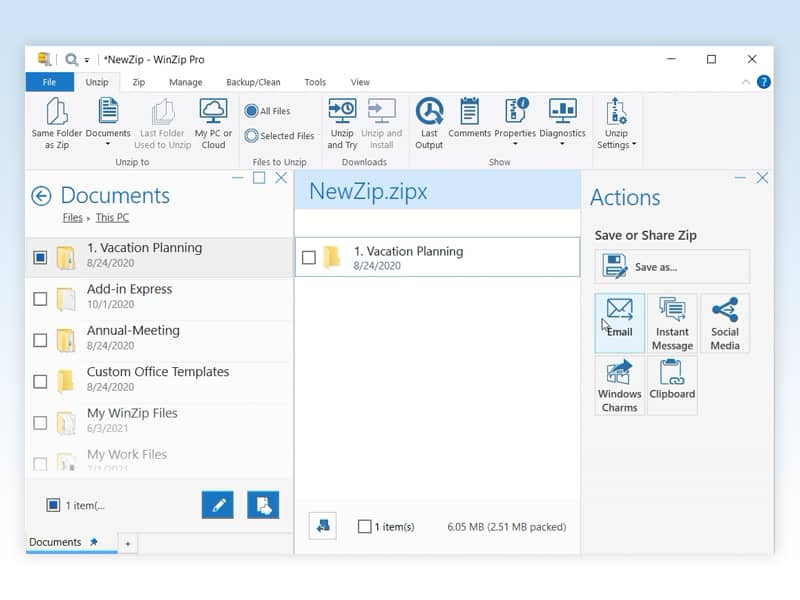
WinZip combines archive compression and extraction with file management. Use it to bundle files into a ZIP archive, open a received RAR or 7z archive, or encrypt files as you zip them. Its file browser also works with local folders, network locations and supported cloud services, bringing archive tasks and file sharing into one interface.
This entry links to the publisher's Windows EXE trial installer. WinZip lists Windows 10 and 11 with 64-bit support; single-user licenses require an active internet connection. The 21-day trial is not a free ongoing license. Check the edition before buying: the publisher reserves additional productivity tools, including batch conversion, for WinZip Pro.
What it offers
- Create ZIP archives and extract ZIP, ZIPX, RAR, 7z, TAR and GZIP files.
- Encrypt files while creating an archive.
- Browse and manage files on a PC, network or supported cloud service.
- Share files through email and supported cloud services.
Good to know
- The free trial lasts 21 days; continued use requires a paid license.
- Single-user licenses require an active internet connection. Additional productivity tools such as batch conversion are reserved for WinZip Pro.
Product images
Sources
References used for this listing. Retrieval dates do not indicate hands-on testing.
More in utilities
View category ↗
1.1.1.1 with WARP 2026.8.2115.0
Encrypt traffic from your Mac to Cloudflare’s network with WARP, or use DNS-only mode for encrypted DNS queries to the 1.1.1.1 resolver.
1.1.1.1 with WARP 2026.8.2115.0
Encrypt traffic between your Windows PC and Cloudflare, or use encrypted DNS only, with the free 1.1.1.1 with WARP app.

3uTools 9.12.005
Manage iPhone and iPad photos, music, apps and backups from Windows with 3uTools, a free utility that also includes device checks and firmware flashing tools.