

Development macOS
Wireshark for macOS
Capture and inspect network packets on your Mac with Wireshark, a free, open-source protocol analyzer for troubleshooting connections and examining saved traffic.
- Operating system
- macOS; check the publisher’s release-branch requirements for older systems
- Architecture
- Universal: Apple silicon (Arm64) and Intel
- Download package
- DMG disk image
The publisher provides a universal macOS package. Its current requirements page mixes general and branch-specific support statements; no exact minimum macOS version is asserted here.
Link checked · Download guidance
What is Wireshark?
Wireshark helps you investigate network problems by showing the packets behind a connection. Capture live traffic from an available interface or open an existing capture file, then use display filters to narrow the view. The packet browser brings together a packet list, decoded protocol fields and raw bytes, so you can move from a conversation overview to the contents of an individual packet. It is useful for network troubleshooting, debugging protocol implementations and learning how network protocols work.
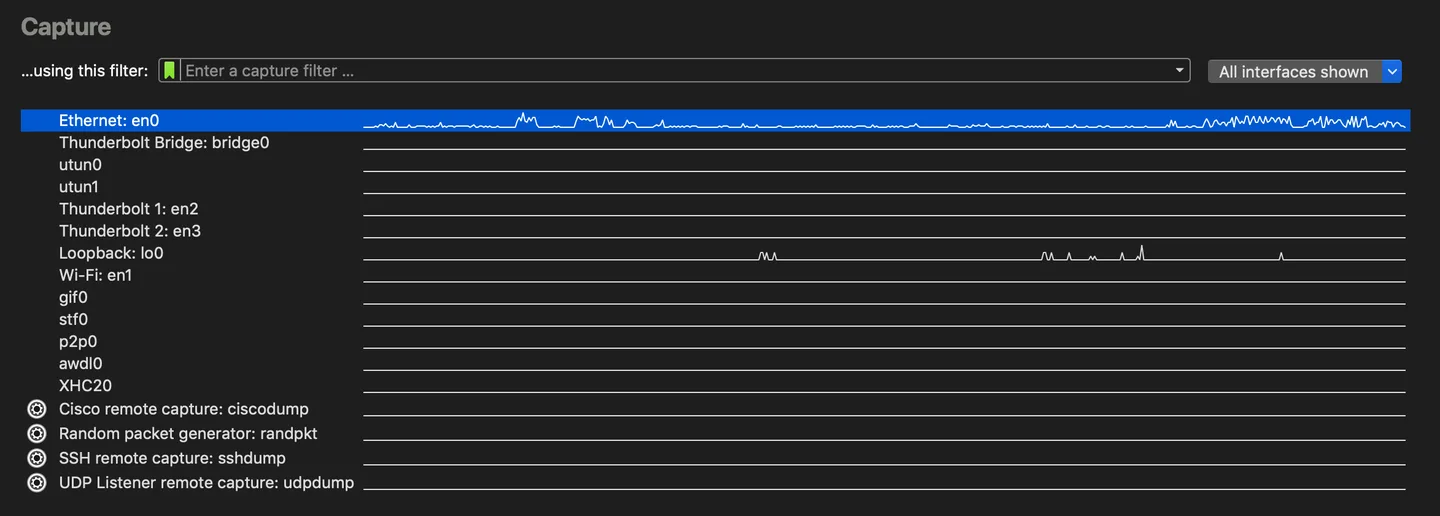
The Mac download linked here is the publisher’s Wireshark 4.6.9 universal disk image for Apple silicon and Intel Macs. The screenshot shows the macOS capture-interface section from the publisher’s user guide, including interface activity graphs; it is a documentation illustration, not a screenshot from a local installation or a verified image of this exact release.
Wireshark is an analysis tool, not an intrusion detection system: it does not automatically warn you about unauthorized activity. Available capture methods depend on your operating system and hardware. Large capture files also need additional memory and disk space, so plan around the traffic you intend to collect.
What it offers
- Capture live network traffic or analyze saved packet captures offline.
- Inspect decoded protocol fields and packet bytes in a three-pane packet browser.
- Narrow packet views with display filters and apply coloring rules to the packet list.
- Read and write supported capture formats, including pcap and pcapng.
- Export packet analysis to formats including CSV, XML and plain text.
Good to know
- Not an intrusion detection system; it does not automatically alert you to unauthorized network activity.
- Supported capture media depend on the operating system and hardware.
- Large capture files require additional memory and disk space.
Product images
Sources
References used for this listing. Retrieval dates do not indicate hands-on testing.
- Wireshark — publisher homepage and stable download listing ↗Retrieved
- About Wireshark — features ↗Retrieved
- Wireshark User’s Guide — Introduction ↗Retrieved
- Wireshark 4.6.9 Release Notes ↗Retrieved
- Wireshark User’s Guide — System Requirements ↗Retrieved
- Wireshark User’s Guide — Capture section of the welcome screen ↗Retrieved
- Wireshark Frequently Asked Questions ↗Retrieved
- Softonic Mac discovery URL — redirects to Windows product page ↗Retrieved
More in development
View category ↗
010 Editor 17.0
Inspect and edit binary files on Mac with 010 Editor, a paid text and hex editor with Binary Templates, file comparison and a 30-day trial.
010 Editor 17.0
Inspect and edit binary files with 010 Editor for Windows, a text and hex editor with Binary Templates, file comparison and scripting. Includes a 30-day trial.
10x Editor
Edit and navigate C++ projects on Windows with a built-in parser, workspace search and Visual Studio project support. A paid license is required after the 30-day trial.