

Utilities Windows
Wise Auto Shutdown for Windows
Schedule Windows to shut down, restart, log off or sleep with Wise Auto Shutdown, a free utility with timed tasks and a five-minute reminder.
- Operating system
- Windows XP through Windows 11, as listed by the publisher
- Architecture
- 32-bit and 64-bit Windows systems; installer architecture not separately identified
- Download package
- EXE installer
The publisher lists support for 32-bit and 64-bit systems. Compatibility and installation were not independently tested.
Link checked · Download guidance
What is Wise Auto Shutdown?
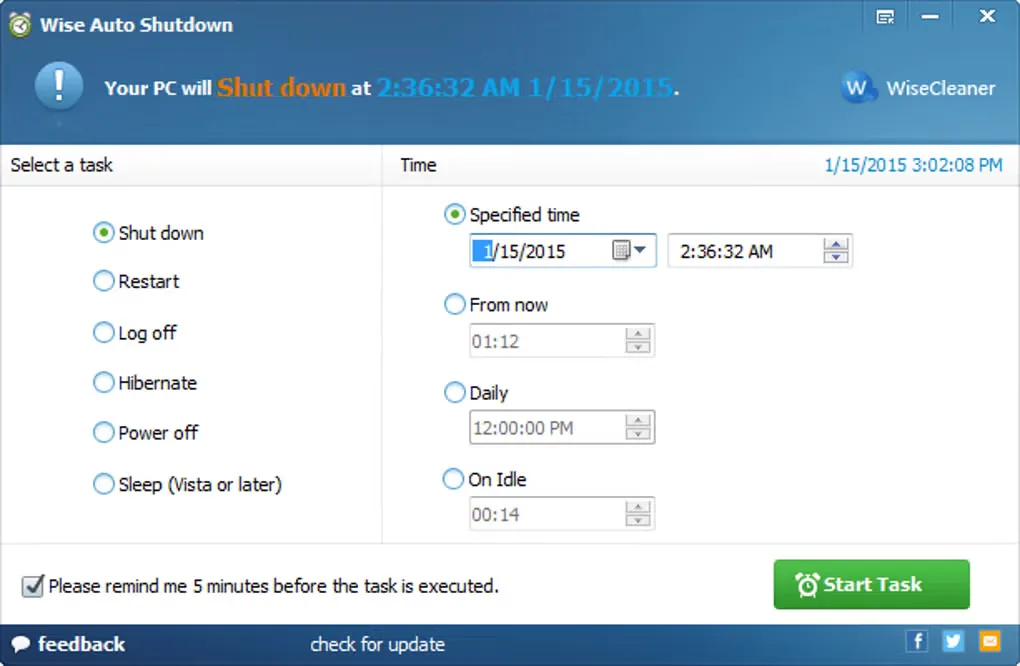
Wise Auto Shutdown schedules power and session actions on a Windows PC. Choose an action in the left panel, set its timing in the right panel, and start the task. It suits a regular end-of-day shutdown or a countdown when you want the computer to turn off later without returning to the keyboard.
The publisher lists shutdown, restart, log off, sleep, hibernate, screen lock and power off. Tasks can run at a specified date and time, after a countdown or on a daily schedule. Once a task starts, the program minimizes to the system tray; double-click its tray icon to reopen the window. An optional reminder appears five minutes before execution, with an opportunity to cancel or delay the action so you can finish and save your work.
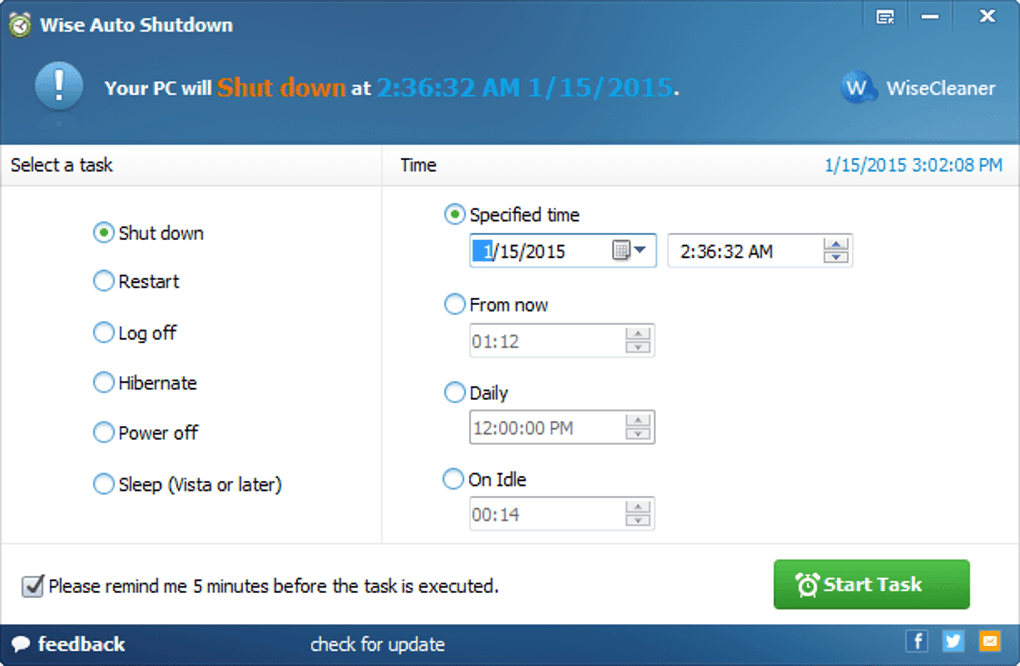
You can protect a scheduled task with a password, but canceling that protected task requires the correct password. The publisher currently lists version 2.1.2, while the Softonic discovery page lists an older release. The gallery screenshot also shows an older interface and is illustrative, not a capture of the current release.
What it offers
- Schedule shutdown, restart, log off, sleep, hibernate, screen lock or power off.
- Choose a specific date and time, a countdown or a daily schedule.
- Enable a five-minute reminder and cancel or delay the scheduled action.
- Reopen the scheduling window from the system tray.
- Optionally require a password to cancel a protected task.
Good to know
- Canceling a password-protected task requires the correct password.
- Save your work before a scheduled shutdown or logoff; the publisher recommends using the reminder to cancel or delay when you need more time.
Product images
Sources
References used for this listing. Retrieval dates do not indicate hands-on testing.
More in utilities
View category ↗
1.1.1.1 with WARP 2026.8.2115.0
Encrypt traffic from your Mac to Cloudflare’s network with WARP, or use DNS-only mode for encrypted DNS queries to the 1.1.1.1 resolver.
1.1.1.1 with WARP 2026.8.2115.0
Encrypt traffic between your Windows PC and Cloudflare, or use encrypted DNS only, with the free 1.1.1.1 with WARP app.

3uTools 9.12.005
Manage iPhone and iPad photos, music, apps and backups from Windows with 3uTools, a free utility that also includes device checks and firmware flashing tools.