

Utilities Windows
Wise Memory Optimizer for Windows
View RAM usage and run manual or automatic memory cleanup with Wise Memory Optimizer, a free Windows utility with standby-memory and defragmentation options.
- Operating system
- Windows 11 and 10; publisher also lists Windows XP and later
- Architecture
- Publisher lists 32-bit and 64-bit Windows; the installer architecture was not independently inspected.
- Download package
- EXE installer
Selected publisher setup package, not the separately described portable edition. Compatibility is publisher-stated, not installation-tested.
Link checked · Download guidance
What is Wise Memory Optimizer?
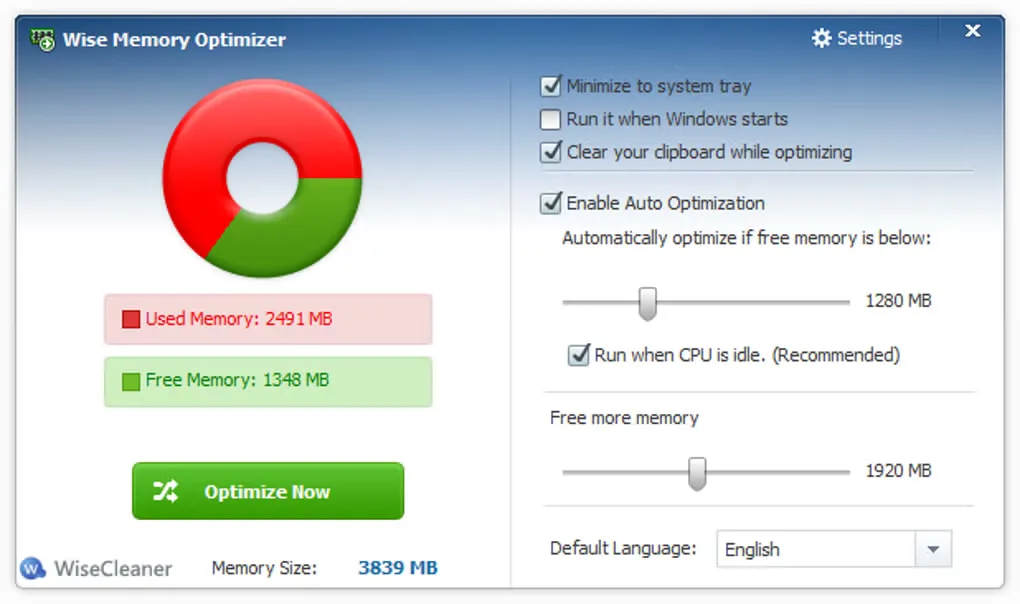
Wise Memory Optimizer displays memory usage and provides controls for freeing RAM, emptying standby memory and defragmenting memory. Its memory chart gives a quick overview before you choose an operation. Automatic optimization can run when available memory falls below a chosen threshold, with an option to wait until the CPU is idle.
This entry links to the publisher’s Windows setup package. WiseCleaner also describes a portable edition, but it is not the download selected here. The publisher lists support for 32-bit and 64-bit Windows, including Windows 10 and 11.
Memory cleanup is not a guaranteed performance improvement: effectiveness varies with the hardware, and no speedup was measured for this entry. The publisher also warns that Defrag RAM takes longer than a normal cleanup and temporarily raises in-use memory before releasing it. The gallery image illustrates the application’s memory chart and automatic-optimization settings; it is not a verified capture of the linked release.
What it offers
- Display used and available memory in a graphical overview.
- Choose Free up RAM, Empty Standby RAM or Defrag RAM.
- Trigger automatic optimization below a selected available-memory threshold.
- Use the CPU-idle option or start optimization from the notification-area menu.
Good to know
- Effectiveness varies with hardware; this entry does not establish a performance improvement.
- Defrag RAM takes longer than freeing memory and temporarily increases in-use memory before releasing it, according to the publisher.
Product images
Sources
References used for this listing. Retrieval dates do not indicate hands-on testing.
More in utilities
View category ↗
1.1.1.1 with WARP 2026.8.2115.0
Encrypt traffic from your Mac to Cloudflare’s network with WARP, or use DNS-only mode for encrypted DNS queries to the 1.1.1.1 resolver.
1.1.1.1 with WARP 2026.8.2115.0
Encrypt traffic between your Windows PC and Cloudflare, or use encrypted DNS only, with the free 1.1.1.1 with WARP app.

3uTools 9.12.005
Manage iPhone and iPad photos, music, apps and backups from Windows with 3uTools, a free utility that also includes device checks and firmware flashing tools.