

Utilities Windows
Wise Registry Cleaner for Windows
Scan Windows registry entries, review selected cleanup items, and manage registry backups with Wise Registry Cleaner Free. Cleaning other users' registries requires Pro.
- Operating system
- Publisher manual lists Windows 10, 8, 7, Vista and XP
- Architecture
- 32-bit and 64-bit Windows listed by publisher; installer architecture not inspected
- Download package
- EXE installer (Free edition)
The manual excludes macOS and Linux. Its listed Windows versions are a publisher support statement, not a compatibility test. The selected endpoint resolved to WRCFree_11.3.3.735.exe during HEAD verification.
Link checked · Download guidance
What is Wise Registry Cleaner?
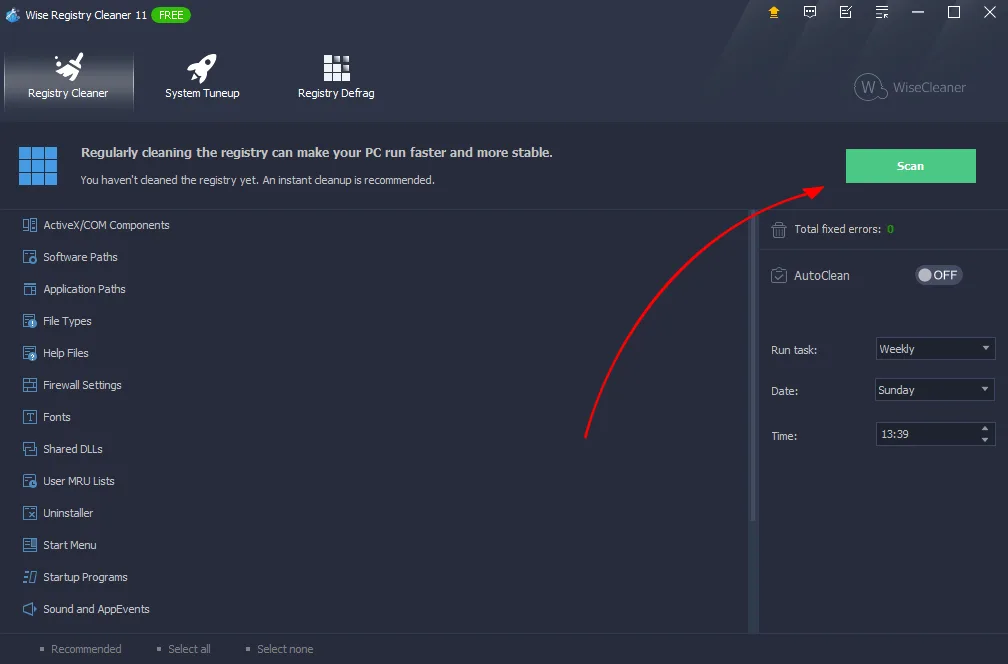
Wise Registry Cleaner is a Windows utility for finding obsolete or invalid registry entries and choosing which ones to remove. Its scan results can be expanded for inspection, and entries can be unchecked or added to an ignore list before cleanup. Fast and Deep Scan modes, category selection, and scheduled cleaning offer different ways to control the task.
The publisher documents automatic backups of entries selected for deletion, manual full-registry backups, and restoration from the program's menu. Separate System Tuneup and Registry Defrag sections cover Windows settings and registry defragmentation. These are registry-maintenance functions, not independently measured evidence of faster performance.
The Free edition does not include simultaneous cleanup of every user account: the publisher reserves that feature for Pro and requires administrative privileges. Review the selected changes and back up important data before proceeding; the publisher's EULA places responsibility for system and data backups on the user. The linked Windows EXE was checked with HEAD requests only, not downloaded, installed, or run.
What it offers
- Review scan results by category and uncheck entries or ignore selected entries before cleaning.
- Choose Fast Scan or Deep Scan, select scan categories, and exclude specified keywords or paths.
- Automatically back up entries before deletion; create and restore a full registry backup through the menu.
- Schedule automatic registry cleaning and access System Tuneup and Registry Defrag tools.
Good to know
- Cleaning all user accounts simultaneously requires a Wise Registry Cleaner Pro license and administrative privileges.
- Registry changes require care: the publisher's EULA makes users responsible for backing up their system and critical data. No performance improvement or installation outcome was independently verified.
Product images
Sources
References used for this listing. Retrieval dates do not indicate hands-on testing.
More in utilities
View category ↗
1.1.1.1 with WARP 2026.8.2115.0
Encrypt traffic from your Mac to Cloudflare’s network with WARP, or use DNS-only mode for encrypted DNS queries to the 1.1.1.1 resolver.
1.1.1.1 with WARP 2026.8.2115.0
Encrypt traffic between your Windows PC and Cloudflare, or use encrypted DNS only, with the free 1.1.1.1 with WARP app.

3uTools 9.12.005
Manage iPhone and iPad photos, music, apps and backups from Windows with 3uTools, a free utility that also includes device checks and firmware flashing tools.