
Utilities Windows
Wise Reminder
Set recurring reminders, organize tasks by due date and priority, and snooze alerts with Wise Reminder, a free task manager for Windows.
- Operating system
- Windows 7, 8.1, 10 and 11
- Architecture
- 32-bit and 64-bit editions supported by publisher
- Download package
- EXE installer
Requires .NET Framework 4.8 or later, 1 GHz CPU, 4 GB RAM and at least 32 MB of installation space. No separate architecture-specific package was established.
Link checked · Download guidance
What is Wise Reminder?
Wise Reminder keeps a list of things to do and displays reminder windows at the times you choose. It suits recurring chores, appointments and other tasks you want to track on a Windows PC. Tasks can carry a description, date, time and ringtone, while completed reminders remain available to review or reactivate.
The publisher describes version 2.0.2 with time-based task groups, priority tags and recurring schedules that can stop on an end date. You can delay individual alerts or snooze several together, and protect exported task lists with a password.
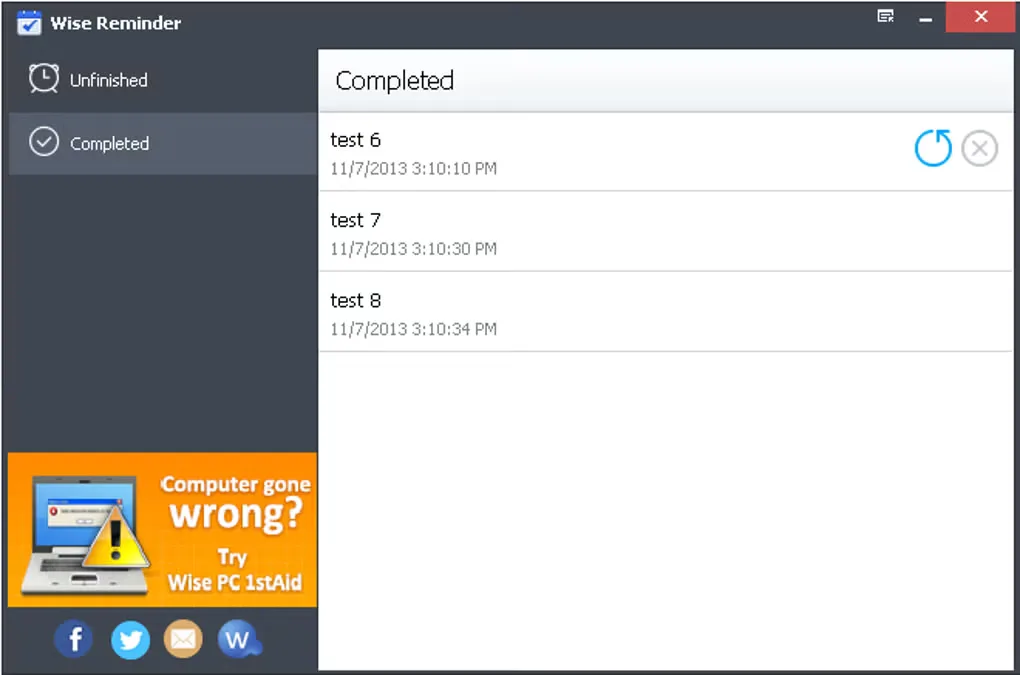
Check the runtime requirement before downloading: the publisher specifies .NET Framework 4.8 or later, 4 GB of RAM and Windows 7, 8.1, 10 or 11. The screenshot shows an earlier interface from the source gallery, not the redesigned 2.0 interface.
What it offers
- Create dated reminders with a task description, time and ringtone.
- Group unfinished tasks by time period and assign priority tags.
- Set recurring schedules, including workdays, weekends and custom intervals, with end-date controls.
- Snooze alerts individually or together and password-protect exported task lists.
- Review completed reminders and modify or reactivate them.
Good to know
- Requires .NET Framework 4.8 or later; the publisher specifies at least 4 GB of RAM.
- The screenshot shows an earlier interface; version 2.0 has a redesigned appearance.
Product images
Sources
References used for this listing. Retrieval dates do not indicate hands-on testing.
More in utilities
View category ↗
1.1.1.1 with WARP 2026.8.2115.0
Encrypt traffic from your Mac to Cloudflare’s network with WARP, or use DNS-only mode for encrypted DNS queries to the 1.1.1.1 resolver.
1.1.1.1 with WARP 2026.8.2115.0
Encrypt traffic between your Windows PC and Cloudflare, or use encrypted DNS only, with the free 1.1.1.1 with WARP app.

3uTools 9.12.005
Manage iPhone and iPad photos, music, apps and backups from Windows with 3uTools, a free utility that also includes device checks and firmware flashing tools.