
Utilities Windows
Witsy
Chat with AI models, work with local documents and run prompt shortcuts in Witsy, a Windows desktop assistant that uses your provider API keys or local Ollama models.
- Operating system
- Windows; minimum Windows version not established by the cited release metadata
- Architecture
- x64
- Download package
- EXE installer
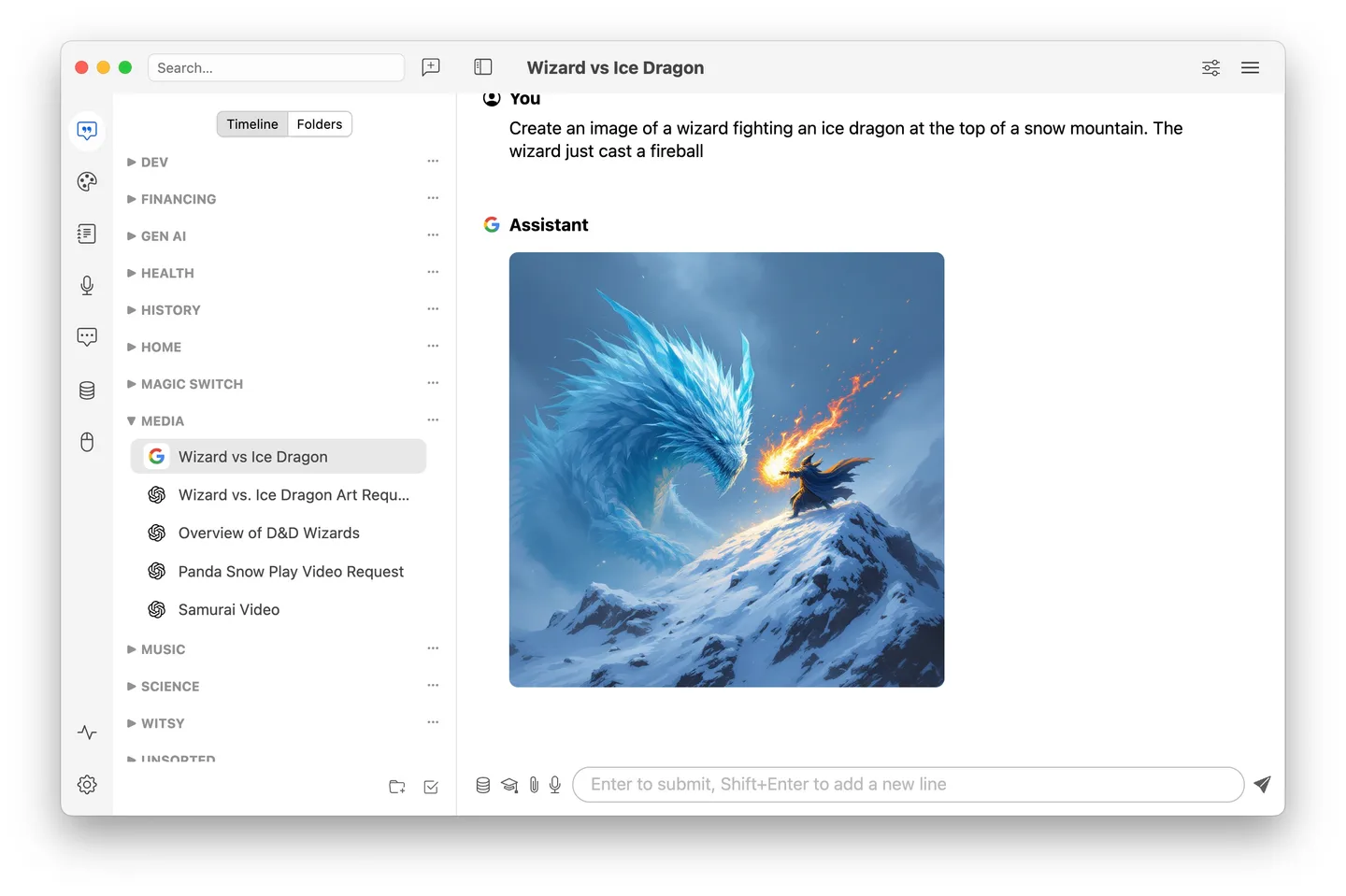
This link selects the win32-x64 Setup.exe asset. The release also lists a separate Windows ARM64 ZIP. Publisher screenshot illustrates the macOS UI, not a Windows capture.
Link checked · Download guidance
What is Witsy?
Witsy brings AI conversations, document questions and writing shortcuts into a desktop application. You can connect supported cloud providers or use models running locally through Ollama. Its chat interface keeps conversation history, supports image-capable models and can export conversations as PDFs.
For work outside the chat window, Prompt Anywhere generates text in another application, while AI Commands applies prompts to selected text. Document repositories provide a way to retrieve context from local files. MCP server support adds tools to supported workflows; the available results still depend on the model and services you configure.
Witsy is an open-source client, not a bundled AI subscription. Cloud models require your own provider API keys, with usage subject to the provider's pricing and terms. Local use requires a separate Ollama installation and downloaded models. The linked package is the Windows x64 EXE installer for version 3.5.2. The publisher's illustrative screenshot shows the macOS interface; Windows window controls and appearance differ.
What it offers
- Connect supported cloud AI providers or local Ollama models from one desktop client.
- Ask questions using context retrieved from local document repositories.
- Generate text with Prompt Anywhere or apply AI Commands to selected text in other applications.
- Connect MCP servers to extend AI workflows with tools.
- Keep conversation history and export chats as PDFs.
Good to know
- Cloud AI use requires your own provider API keys; provider usage charges and terms are separate from the application license.
- Local Ollama use requires installing Ollama separately and downloading suitable models.
- Capabilities depend on the selected model and configured services; the application does not include every provider or model as part of the download.
Product images
Sources
References used for this listing. Retrieval dates do not indicate hands-on testing.
More in utilities
View category ↗
1.1.1.1 with WARP 2026.8.2115.0
Encrypt traffic from your Mac to Cloudflare’s network with WARP, or use DNS-only mode for encrypted DNS queries to the 1.1.1.1 resolver.
1.1.1.1 with WARP 2026.8.2115.0
Encrypt traffic between your Windows PC and Cloudflare, or use encrypted DNS only, with the free 1.1.1.1 with WARP app.

3uTools 9.12.005
Manage iPhone and iPad photos, music, apps and backups from Windows with 3uTools, a free utility that also includes device checks and firmware flashing tools.