

Utilities Windows
WowUp for Windows
Find, install and update World of Warcraft addons with WowUp, a free, open-source addon manager for Windows. This download is the WowUp with Wago edition.
Version 2.24.1 · Direct publisher file
Link checked · Download guidance
What is WowUp?
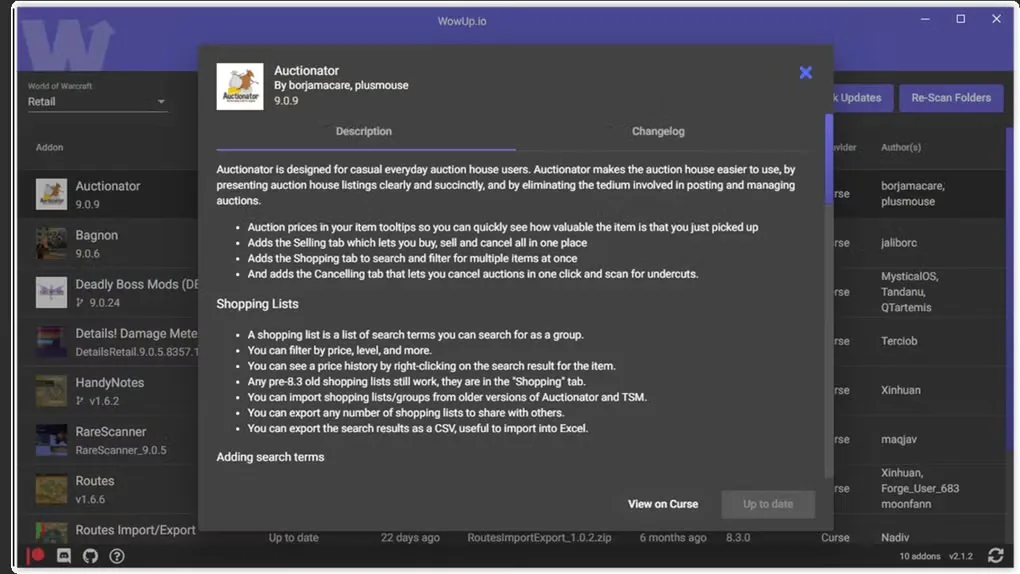
WowUp brings World of Warcraft addon discovery and maintenance into one desktop application. Its My Addons view lists installed addons and their update information, while the client selector lets you switch between separate WoW installations such as Retail and Classic. Update All applies available addon updates to the selected client, and Get Addons provides a place to search for new additions.
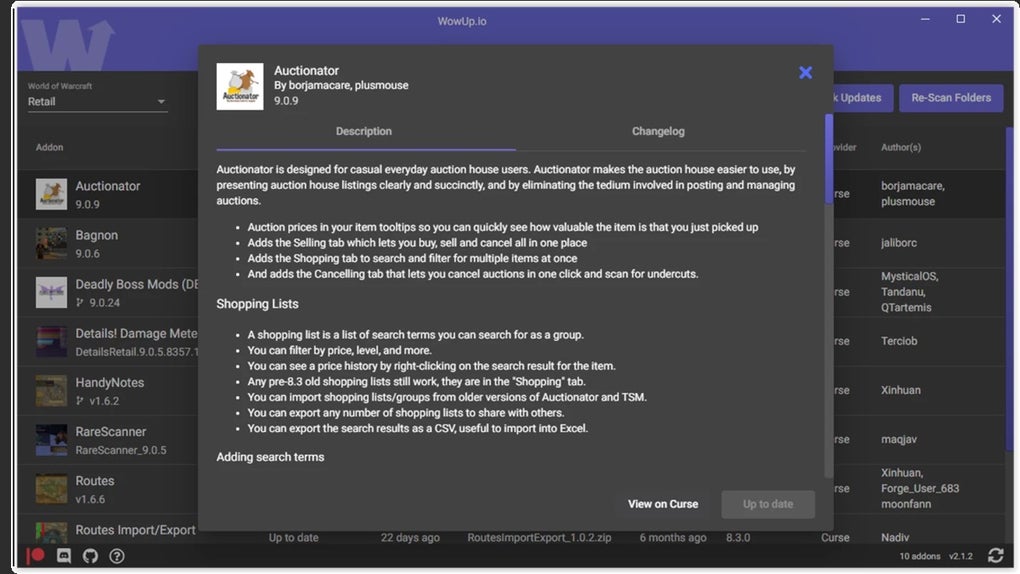
Addon details include descriptions, changelogs and image previews where available. You can also install addons from supported URLs. GitHub imports require a tagged release containing a packaged ZIP; an arbitrary repository is not enough.
The linked Windows EXE is WowUp with Wago 2.24.1, as offered on the publisher's homepage. The publisher lists WowUp with CurseForge separately, so this link should not be confused with that edition. There are also limits to automatic maintenance: addons imported from a direct ZIP URL cannot maintain updates and are marked ignored. Changes made to addon folders outside WowUp may require a manual re-scan because those folders are not scanned in the background.
What it offers
- Manage installed addons and view their update information in the My Addons list.
- Switch between World of Warcraft clients, including Retail and Classic.
- Update out-of-date addons for the selected client with Update All.
- Search for new addons and view descriptions, changelogs and previews where available.
- Import addons from supported URLs, including GitHub releases with a packaged ZIP.
Good to know
- Addons imported from a direct ZIP URL cannot maintain updates and are marked ignored.
- Addon folders are not scanned in the background; external changes may require a manual re-scan.
- GitHub imports require a tagged release with a packaged ZIP; not every repository is compatible.
Product images
Sources
References used for this listing. Retrieval dates do not indicate hands-on testing.
More in utilities
View category ↗
1.1.1.1 with WARP 2026.8.2115.0
Encrypt traffic from your Mac to Cloudflare’s network with WARP, or use DNS-only mode for encrypted DNS queries to the 1.1.1.1 resolver.
1.1.1.1 with WARP 2026.8.2115.0
Encrypt traffic between your Windows PC and Cloudflare, or use encrypted DNS only, with the free 1.1.1.1 with WARP app.

3uTools 9.12.005
Manage iPhone and iPad photos, music, apps and backups from Windows with 3uTools, a free utility that also includes device checks and firmware flashing tools.