
Development Windows
WSL UI
Manage Windows Subsystem for Linux distributions from a desktop dashboard: check running status, open terminals, export backups and edit WSL settings.
- Operating system
- Windows 10 or Windows 11 with WSL installed
- Architecture
- x64
- Download package
- EXE installer
Publisher markets Windows 10/11; an exact minimum Windows build for this EXE was not established. DNS tunneling and Windows Firewall settings require Windows 11 22H2 or later. Separate ARM64 and MSIX assets are available.
Link checked · Download guidance
What is WSL UI?
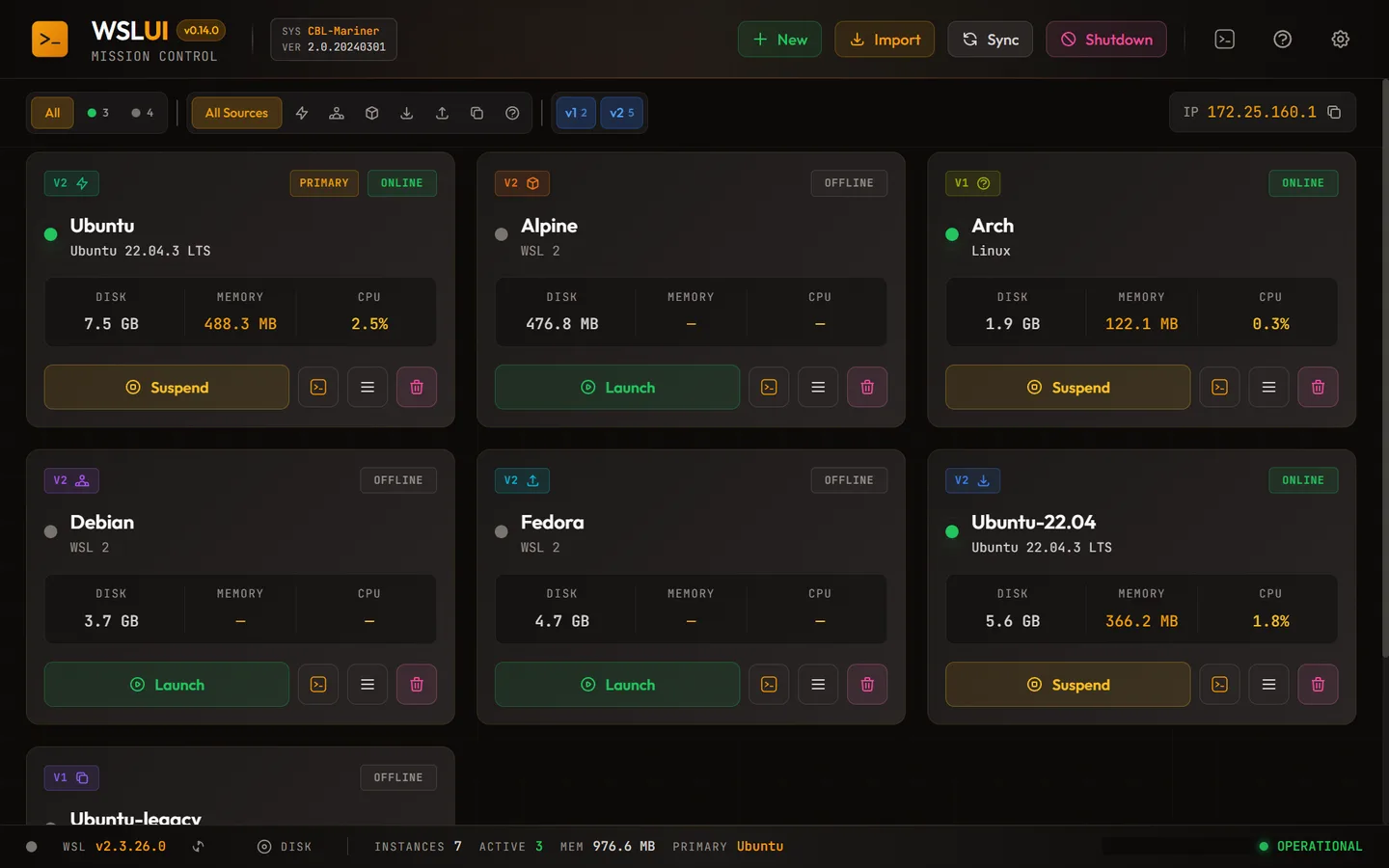
WSL UI gives Windows users a graphical control panel for their Linux distributions in Windows Subsystem for Linux. Its dashboard brings distribution status, WSL version and resource information into one view, with shortcuts to a terminal, Windows Explorer or a configured IDE. It suits developers who switch between several Linux environments and want their management controls in one place.
Use Export to save a distribution as a TAR backup, Import to restore one, or Clone to create a separate copy. The New distribution dialog supports Microsoft Store entries, container images, the LXC catalog and custom sources. Settings expose global .wslconfig options and per-distribution wsl.conf settings without requiring you to edit those files manually.
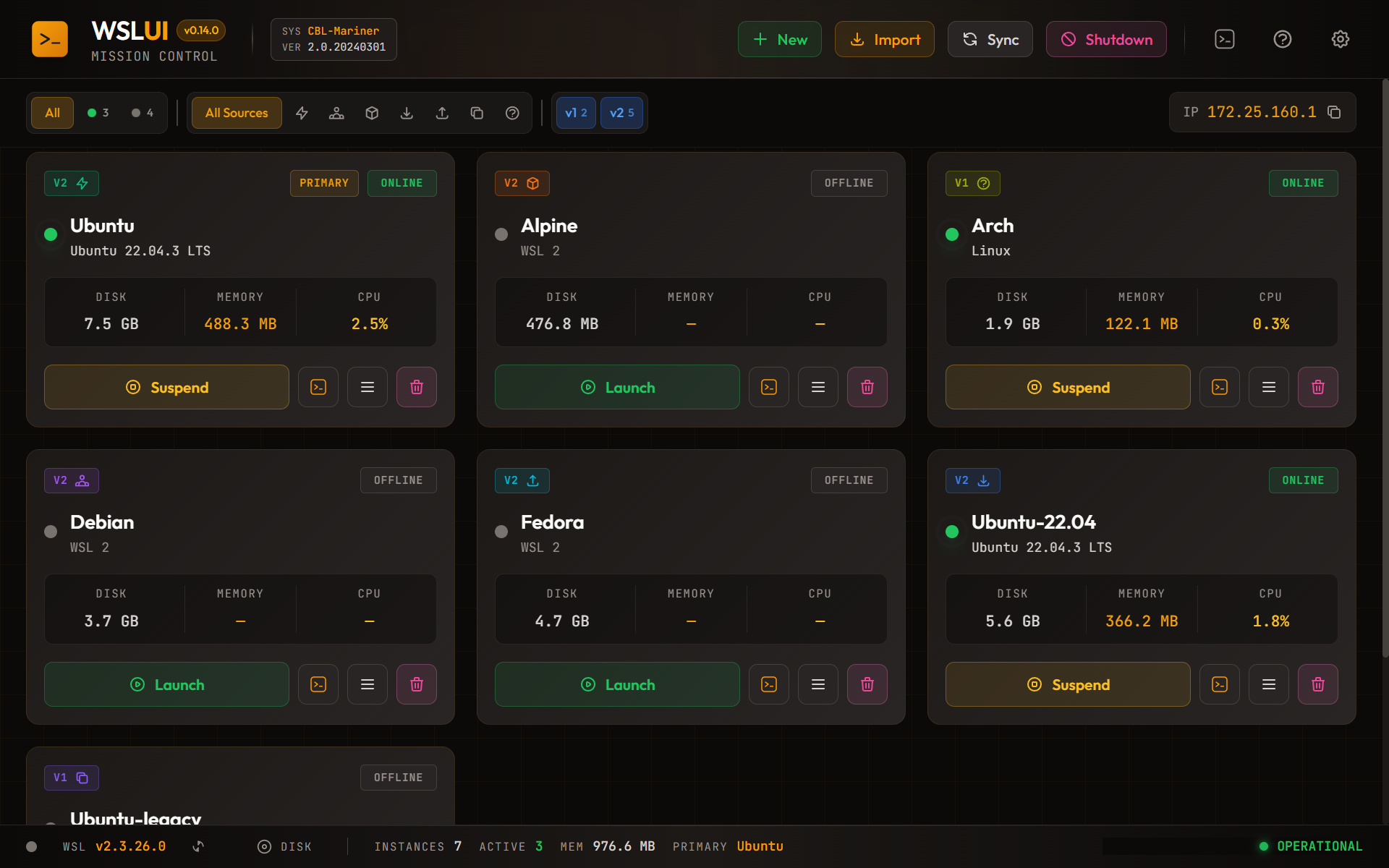
WSL must already be installed or enabled for distribution operations to work; this application is not a replacement for the Windows subsystem. Some settings need a full WSL shutdown before they take effect. Disk compaction requires administrator approval and shuts down WSL, so finish active Linux work before using it. The linked package is the publisher's Windows x64 EXE installer for version 0.21.0, not the separate MSIX sideload package. The publisher-supplied dashboard screenshot shows an older v0.14.0 interface and illustrates the layout rather than proving the exact appearance of this release.
What it offers
- View distribution running status, WSL version, and CPU, memory and disk information in one dashboard.
- Open a distribution in a terminal, Windows Explorer or a configured IDE from its quick actions.
- Export TAR backups, import saved distributions and clone an existing environment.
- Create distributions from Microsoft Store entries, container images, the LXC catalog or custom root filesystem sources.
- Edit global .wslconfig and per-distribution wsl.conf settings through a graphical interface.
Good to know
- Requires Windows Subsystem for Linux to be installed or enabled; WSL operations fail when the subsystem is absent.
- Some configuration changes require a full WSL shutdown. Disk compaction requires administrator privileges and interrupts all running WSL distributions.
- DNS tunneling and Windows Firewall settings require Windows 11 22H2 or later, according to the publisher's guide.
- This download targets x64 Windows. ARM64 and MSIX packages are separate; MSIX sideloading has an additional certificate-trust procedure.
Product images
Sources
References used for this listing. Retrieval dates do not indicate hands-on testing.
- WSL UI v0.21.0 — publisher README ↗Retrieved
- WSL UI — GitHub release metadata observed for v0.21.0 ↗Retrieved
- WSL UI v0.21.0 — user guide ↗Retrieved
- WSL UI v0.21.0 — troubleshooting prerequisites ↗Retrieved
- WSL UI (WSLUI) — Free GUI for Managing WSL Distributions ↗Retrieved
- WSL UI v0.21.0 — LICENSE ↗Retrieved
- WSL UI v0.21.0 — trademark policy and rights caveat ↗Retrieved
More in development
View category ↗
010 Editor 17.0
Inspect and edit binary files on Mac with 010 Editor, a paid text and hex editor with Binary Templates, file comparison and a 30-day trial.
010 Editor 17.0
Inspect and edit binary files with 010 Editor for Windows, a text and hex editor with Binary Templates, file comparison and scripting. Includes a 30-day trial.
10x Editor
Edit and navigate C++ projects on Windows with a built-in parser, workspace search and Visual Studio project support. A paid license is required after the 30-day trial.