
Development Windows
Xming
Display remote Linux and Unix X11 applications on a Windows desktop with Xming. This download is the legacy public-domain 6.9.0.31 release, not the newer donor-access edition.
Version 6.9.0.31 · Direct publisher file
Link checked · Download guidance
What is Xming?
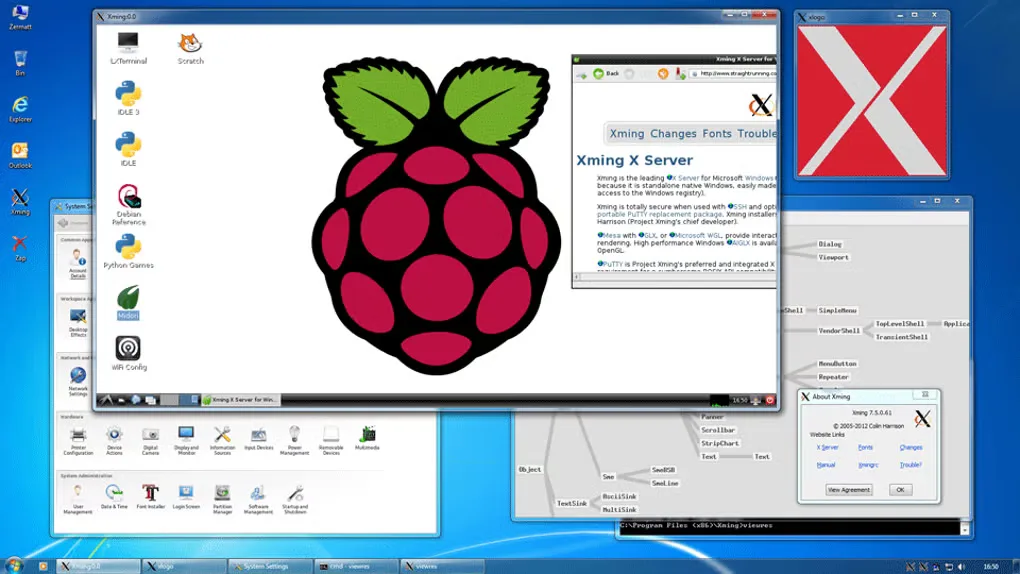
Xming is an X Window System server for Windows: the graphical application runs on a Linux or Unix host, while Xming provides its display and input on your Windows computer. It suits working with remote X11 tools without replacing the local desktop. The project includes a multiwindow mode and an XLaunch startup wizard; an SSH client such as PuTTY handles the remote connection and X11 forwarding.
The download here is Xming-6-9-0-31-setup.exe, the old public-domain server package on the publisher-linked SourceForge project. It is not Xming-fonts, which is a separate font add-on, and it is not the current website release. The publisher dates 6.9.0.31 to May 2007 and its public-domain availability to November 2007. Newer website builds have separate donor-access and licensing conditions.
Treat this as a legacy choice, not an up-to-date Windows 11 recommendation. The SourceForge description lists Windows 8, 7, Vista and XP, but the selected installer has not been run here and its compatibility with Windows 10 or 11 is unverified. Current website documentation warns that it may not describe old versions correctly. Configure SSH X11 forwarding for remote work rather than assuming an ordinary XDMCP connection is encrypted.
What it offers
- Display graphical X11 applications from a remote Linux or Unix system on Windows.
- Use the project's multiwindow mode to work with X application windows alongside the local desktop.
- Configure server startup with the XLaunch wizard.
- Pair the X server with an SSH client for remote X11 forwarding.
Good to know
- The linked public-domain server is version 6.9.0.31 from 2007; newer website releases are a separate donor-access distribution, not this download.
- Windows 10 and 11 compatibility is unverified for this exact legacy installer; current website build requirements must not be applied to it.
- Remote applications and the SSH connection require separate configuration; Xming does not turn a Windows installation into a Linux system.
- Some traditional X applications need the separate Xming-fonts package or a network font server; the server download is not that font package.
Product images
Sources
References used for this listing. Retrieval dates do not indicate hands-on testing.
More in development
View category ↗
010 Editor 17.0
Inspect and edit binary files on Mac with 010 Editor, a paid text and hex editor with Binary Templates, file comparison and a 30-day trial.
010 Editor 17.0
Inspect and edit binary files with 010 Editor for Windows, a text and hex editor with Binary Templates, file comparison and scripting. Includes a 30-day trial.
10x Editor
Edit and navigate C++ projects on Windows with a built-in parser, workspace search and Visual Studio project support. A paid license is required after the 30-day trial.