
Utilities Windows
XnView Shell Extension
Preview images and access conversion tools from the Windows Explorer right-click menu with XnShell, the free XnView Shell Extension.
- Operating system
- Windows; minimum version not specified by the product page
- Architecture
- 64-bit Windows
- Download package
- EXE setup
Separate 32-bit setup and ZIP packages are available from the publisher. Specific Windows releases and ARM64 support were not verified.
Link checked · Download guidance
What is XnView Shell Extension?
XnView Shell Extension, also called XnShell, brings image previews and image operations into the Windows Explorer context menu. It is useful when you want to inspect a picture while browsing a folder rather than switch to a separate image viewer. The publisher lists version 4.2.5 as freeware and provides separate 32-bit and 64-bit Windows packages.
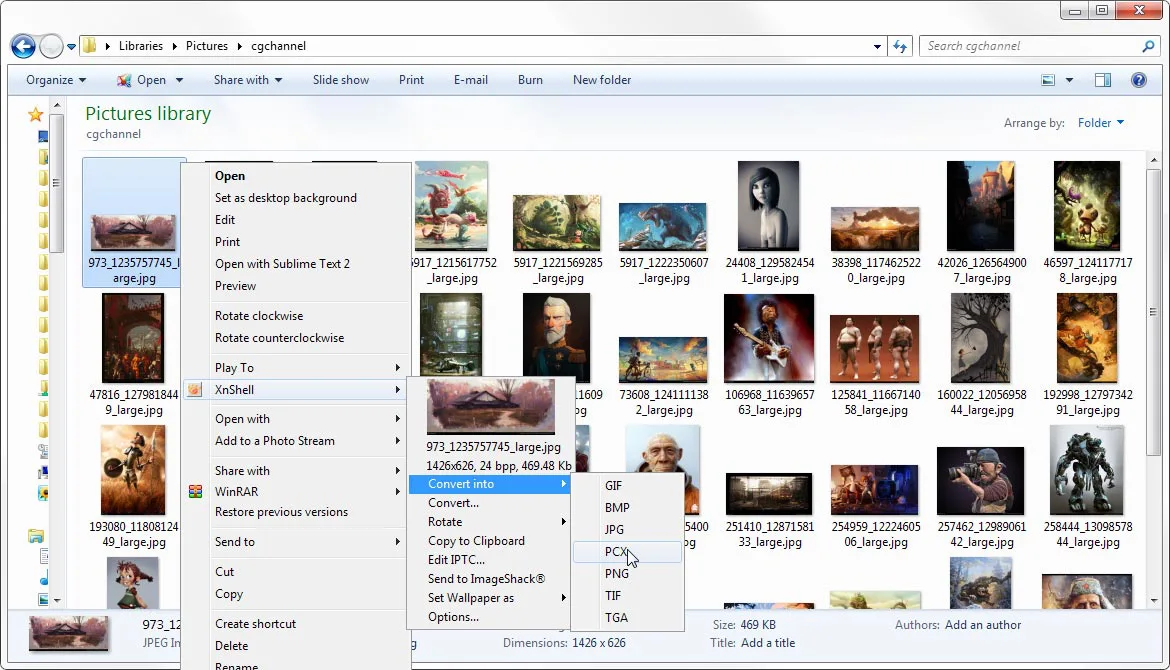
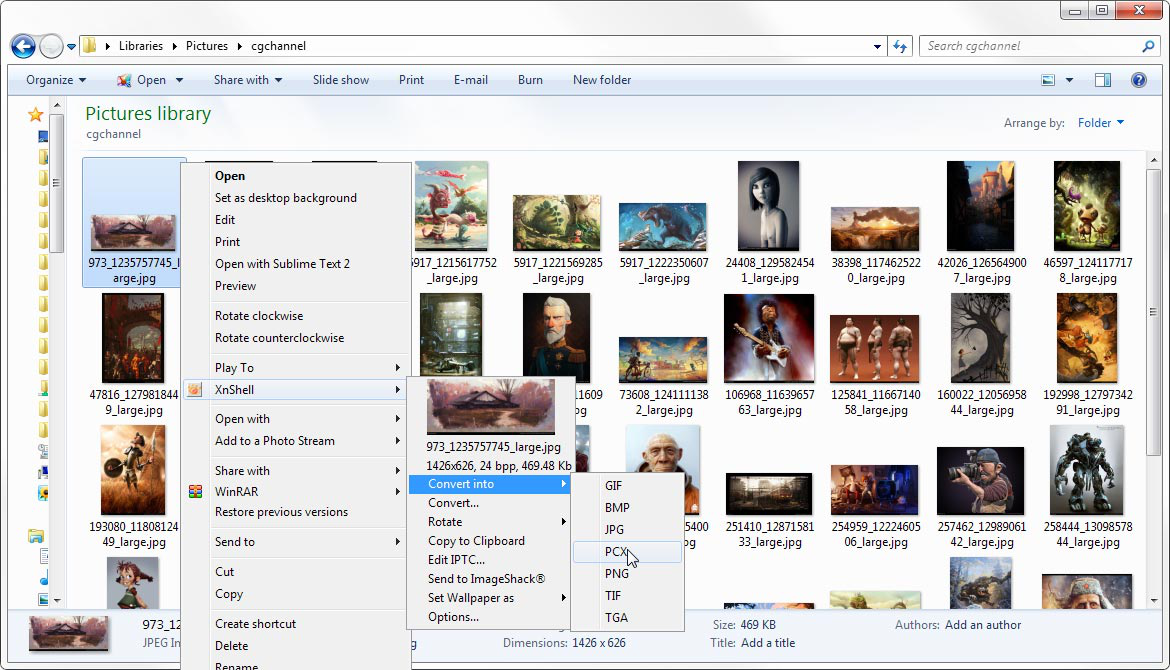
The publisher's screenshot shows a preview thumbnail alongside image dimensions, bit depth and file size. Its XnShell submenu includes conversion, rotation, clipboard copying and IPTC editing controls; the pictured quick-conversion menu offers GIF, BMP, JPG, PCX, PNG, TIF and TGA. This is a shell extension, not the full XnView image browser. The linked download is the 64-bit EXE setup; use the publisher's separate 32-bit package if you need that architecture. The screenshot illustrates the interface, not a verified capture of version 4.2.5, and the product page does not specify a minimum Windows version.
What it offers
- Preview pictures within the Windows Explorer context menu.
- See image dimensions, bit depth and file size beside the thumbnail, as shown in the publisher's screenshot.
- Access image conversion from the right-click menu; the publisher's pictured quick-conversion submenu lists GIF, BMP, JPG, PCX, PNG, TIF and TGA.
- Access rotation, Copy to Clipboard and Edit IPTC commands shown in the publisher's interface screenshot.
Good to know
- Designed for the Windows Explorer context menu rather than the full XnView image-browser workflow.
- This download is the 64-bit Windows installer; the publisher offers a separate 32-bit package and does not state a minimum Windows version on the product page.
Product images
Sources
References used for this listing. Retrieval dates do not indicate hands-on testing.
More in utilities
View category ↗
1.1.1.1 with WARP 2026.8.2115.0
Encrypt traffic from your Mac to Cloudflare’s network with WARP, or use DNS-only mode for encrypted DNS queries to the 1.1.1.1 resolver.
1.1.1.1 with WARP 2026.8.2115.0
Encrypt traffic between your Windows PC and Cloudflare, or use encrypted DNS only, with the free 1.1.1.1 with WARP app.

3uTools 9.12.005
Manage iPhone and iPad photos, music, apps and backups from Windows with 3uTools, a free utility that also includes device checks and firmware flashing tools.