

Utilities Windows
XYplorer for Windows
Manage Windows files with tabs, an optional dual-pane view, file search and previews. XYplorer also supports scripts for repetitive tasks; continued use requires a paid license after the 30-day trial.
- Operating system
- Windows 11, 10, 8.1, 8, 7, Vista, XP; Windows Server 2025, 2022, 2019, 2016, 2012, 2003 (publisher-listed)
- Architecture
- 64-bit (x64)
- Download package
- ZIP archive containing installer and uninstaller
64-bit Windows only. Extract the ZIP to access the installer; this is not the separate no-install package. 30-day trial; a paid license is required afterward.
Link checked · Download guidance
What is XYplorer?
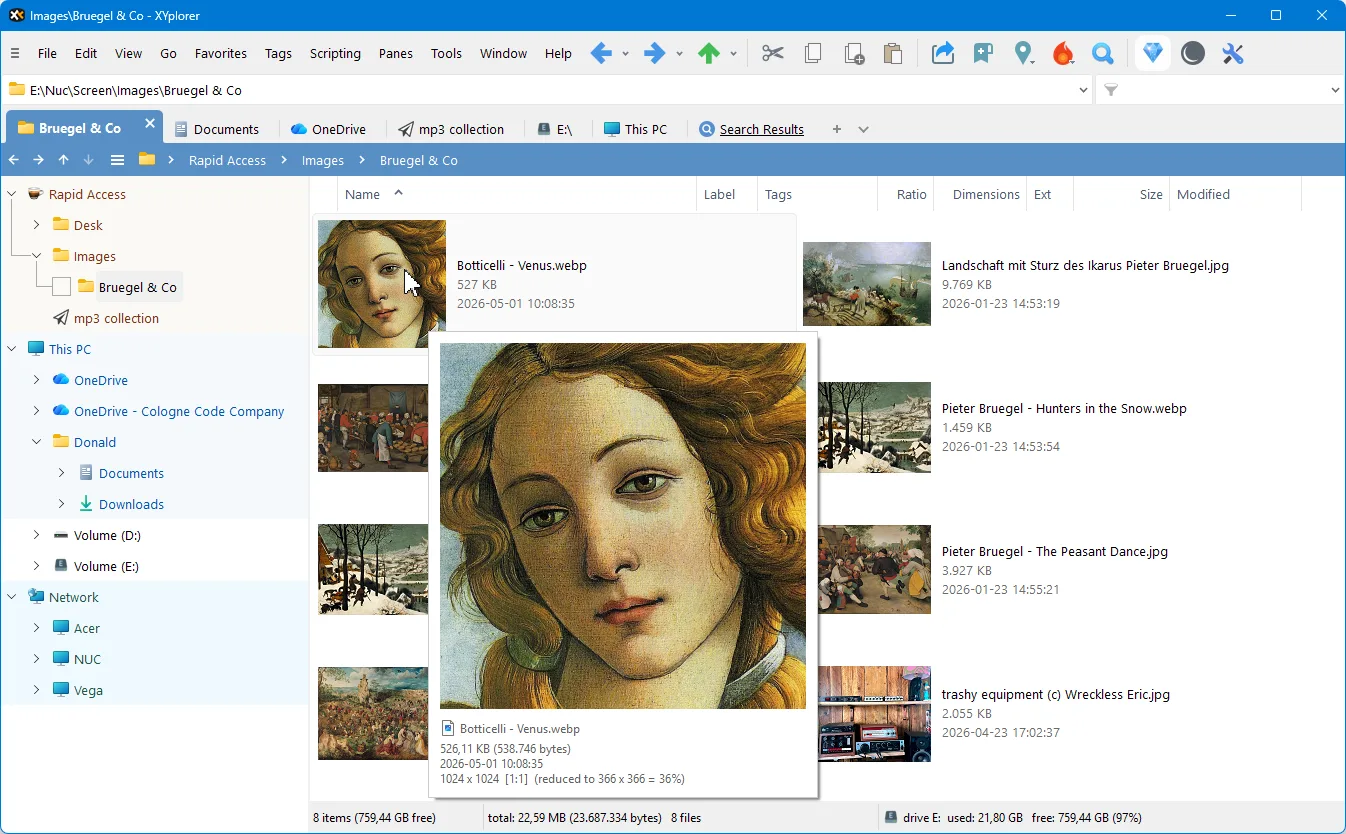
XYplorer is a Windows file manager for keeping several folders available while you browse, search and organize files. Tabs remember their individual settings across sessions, and an optional second pane lets you view two folders side by side. File previews and a customizable interface help you inspect content and arrange the workspace around your workflow. Built-in scripting supports automating repetitive tasks without installing plugins.
This download is the publisher's 64-bit ZIP archive containing an installer and uninstaller, not its separate no-install package. Extract the archive to access the installer. The publisher also offers a 32-bit edition separately; it is not the file linked here.
XYplorer is commercial software with a 30-day evaluation period. During the trial, image previews carry an XYplorer Trial mark and the main window title bar cannot be customized. A license is required to continue using the application after the trial.
What it offers
- Browse folders in tabs that retain their own configuration across sessions.
- Use an optional dual-pane layout to keep two folder views open side by side.
- Search for files and preview content within the file manager.
- Automate repetitive tasks with built-in scripting, without plugins.
- Customize fonts, colors and toolbar buttons.
Good to know
- The free evaluation lasts 30 days; continued use requires purchasing a license.
- Trial image previews display an XYplorer Trial mark, and the main window title bar cannot be customized.
- The linked package requires 64-bit Windows; users of 32-bit Windows need the separate 32-bit edition.
Product images
Sources
References used for this listing. Retrieval dates do not indicate hands-on testing.
- XYplorer — official Windows file manager overview ↗Retrieved
- XYplorer — official 64-bit download and trial limitations ↗Retrieved
- XYplorer — separate 32-bit download ↗Retrieved
- XYplorer — official company and legal information ↗Retrieved
- XYplorer — publisher homepage full application screenshot ↗Retrieved
More in utilities
View category ↗
1.1.1.1 with WARP 2026.8.2115.0
Encrypt traffic from your Mac to Cloudflare’s network with WARP, or use DNS-only mode for encrypted DNS queries to the 1.1.1.1 resolver.
1.1.1.1 with WARP 2026.8.2115.0
Encrypt traffic between your Windows PC and Cloudflare, or use encrypted DNS only, with the free 1.1.1.1 with WARP app.


3uTools 9.12.005
Manage iPhone and iPad photos, music, apps and backups from Windows with 3uTools, a free utility that also includes device checks and firmware flashing tools.