

Utilities Windows
Zimbra Desktop for Windows
Read and compose Zimbra email on Windows, keep messages available offline and archive older mail locally. Requires your organization’s Zimbra server and account.
- Operating system
- Windows 10 or newer
- Architecture
- 64-bit
- Download package
- EXE installer
Requires a Zimbra Server URL and account. Publisher documentation describes the modern client; older multi-provider client claims are not applied to this package.
Link checked · Download guidance
What is Zimbra Desktop?
Zimbra Desktop brings a Zimbra mailbox into a Windows desktop application. It is useful when you need to read downloaded messages or prepare replies without a continuous connection. Enter your organization’s Zimbra Server URL and sign in with your Zimbra account to connect; this modern client should not be confused with the older multi-provider Zimbra Desktop application.
The publisher’s guide describes local message storage, a selectable offline sync date and an Outbox that sends queued messages when connectivity returns. Local Folders and Auto-Archive can move older mail out of the server mailbox. Archived messages remain accessible in Zimbra Desktop but are no longer available through webmail, so archiving is not simply another synchronized view of the same server folder.
Offline access has boundaries: only downloaded mail is available, contacts and calendar access are limited, and advanced search and several sharing or folder operations require a connection. The guide also documents Windows PST mail import, which does not import contacts or calendars.
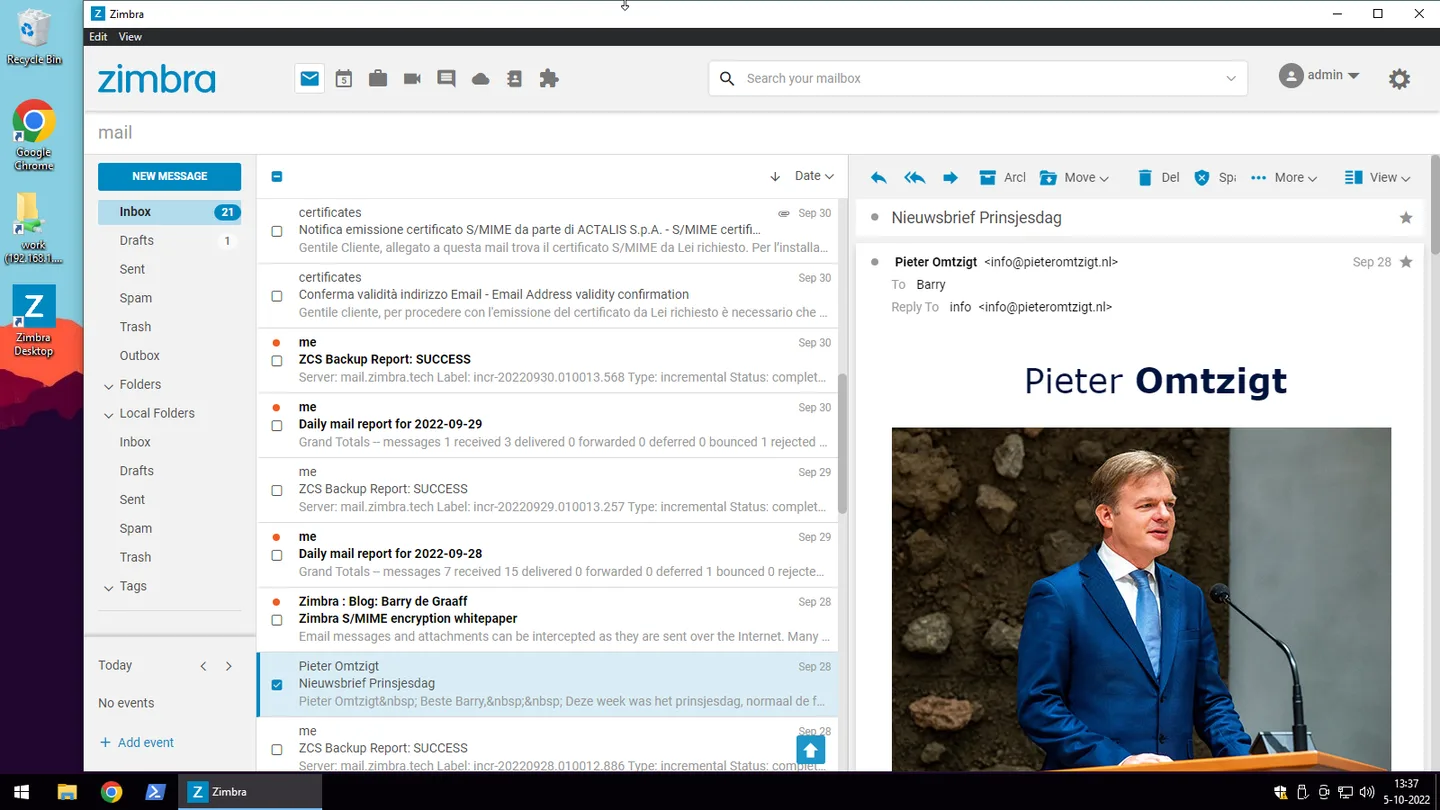
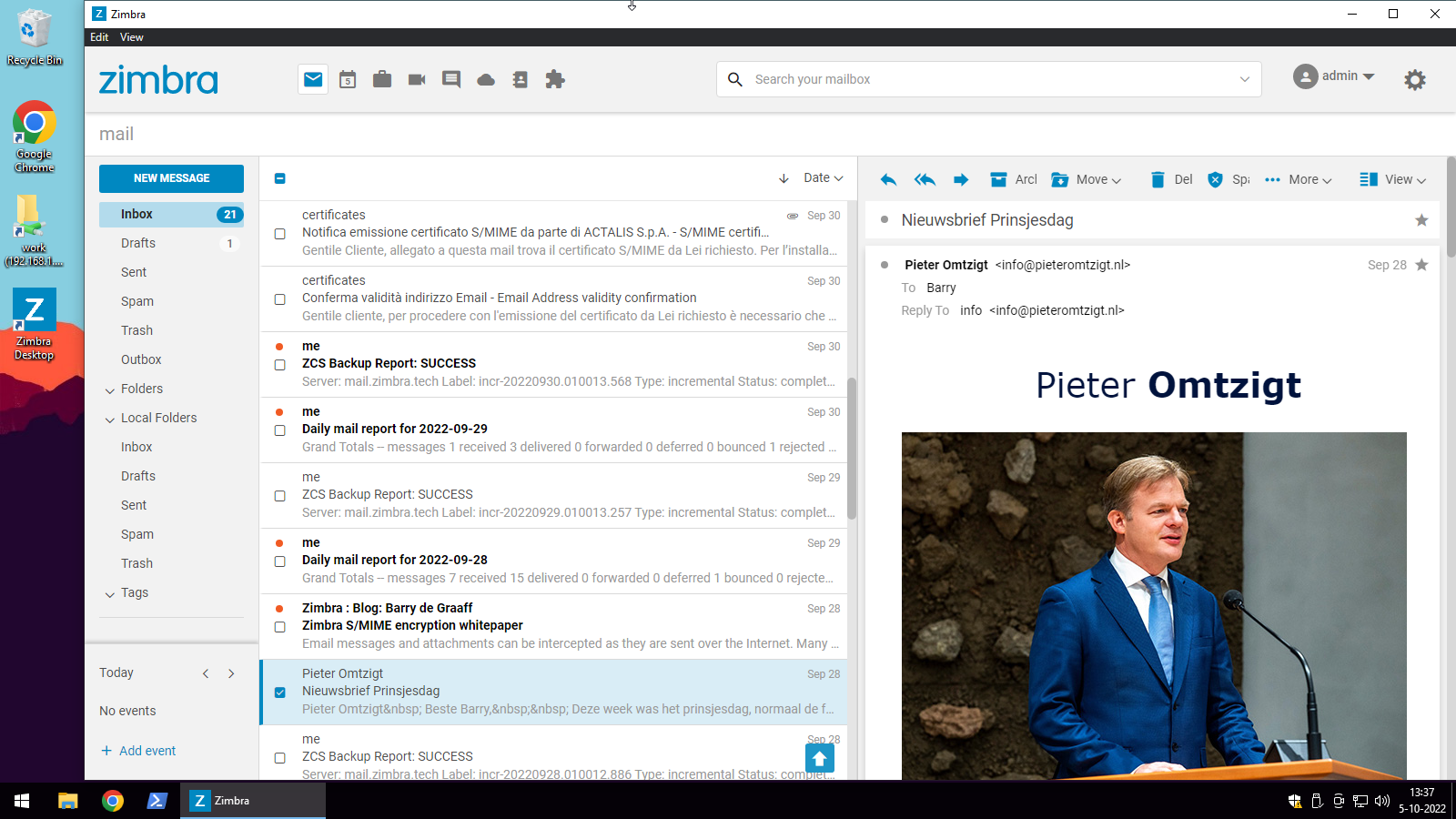
This entry links to the publisher’s Windows 64-bit EXE for version 4.50.0. Windows 10 or newer is required according to the linked user guide. The screenshot is a publisher illustration of the modern Windows client from 2022, not a capture of version 4.50.0. Current desktop licensing and pricing are not established by the download page; confirm account eligibility and applicable terms with your organization before use.
What it offers
- Read downloaded email and compose or reply offline; queued outgoing mail is sent when the connection returns.
- Choose an offline sync date to make older messages available in local storage.
- Use Local Folders and Auto-Archive to move older mail from the server mailbox to the desktop.
- Import mail from Outlook PST files on Windows, preserving the folder hierarchy.
- Send signed or encrypted mail with S/MIME when enabled by the administrator and configured with the required certificates.
Good to know
- Requires a valid Zimbra Server URL and account. The publisher’s 2023 reply identifies Network Edition as required; confirm current server and account eligibility with your administrator.
- Offline mode exposes only downloaded data; contacts, calendar and search functionality are limited, and outgoing messages wait for reconnection.
- Auto-archived messages move to local storage and are no longer accessible through webmail.
- PST import covers mail only, not contacts or calendars.
Product images
Sources
References used for this listing. Retrieval dates do not indicate hands-on testing.
- Zimbra Desktop - Download — Windows discovery and legacy gallery ↗Retrieved
- Zimbra Desktop Download — publisher catalog ↗Retrieved
- User Guide for Zimbra Modern Desktop ↗Retrieved
- Introducing Zimbra Desktop Modern — Barry de Graaff, November 23, 2022 ↗Retrieved
- Licenses and Terms of Use — scope check ↗Retrieved
More in utilities
View category ↗
1.1.1.1 with WARP 2026.8.2115.0
Encrypt traffic from your Mac to Cloudflare’s network with WARP, or use DNS-only mode for encrypted DNS queries to the 1.1.1.1 resolver.
1.1.1.1 with WARP 2026.8.2115.0
Encrypt traffic between your Windows PC and Cloudflare, or use encrypted DNS only, with the free 1.1.1.1 with WARP app.

3uTools 9.12.005
Manage iPhone and iPad photos, music, apps and backups from Windows with 3uTools, a free utility that also includes device checks and firmware flashing tools.