
Multimedia & graphics Windows
Apolo
Compress and convert images locally to WebP, AVIF, JPEG XL, JPEG and PNG, with visual comparisons before export. This download is the Windows x64 installer.
- Operating system
- Windows 10 and Windows 11
- Architecture
- x64 (Intel / AMD)
- Download package
- EXE installer
Version 1.0.0. Separate ARM installer available. Publisher states the application is unsigned; Windows SmartScreen may warn.
Link checked · Download guidance
What is Apolo?
Apolo is a free, open-source desktop image optimizer from Webcafeína. It converts and compresses images on your computer without uploading them, making it useful for preparing lighter website images or processing a folder of photos. Supported formats include WebP, AVIF, JPEG XL, MozJPEG, PNG and QOI; the publisher also lists HEIC input.
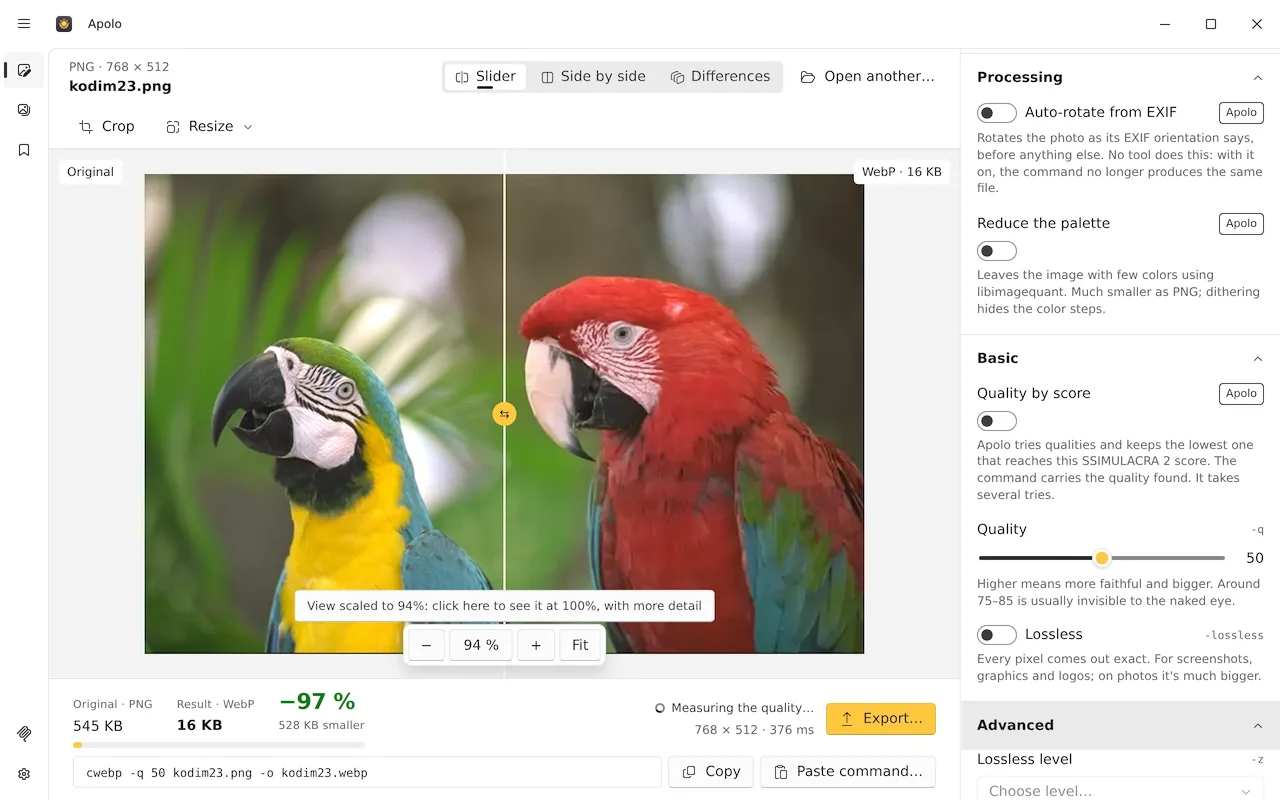
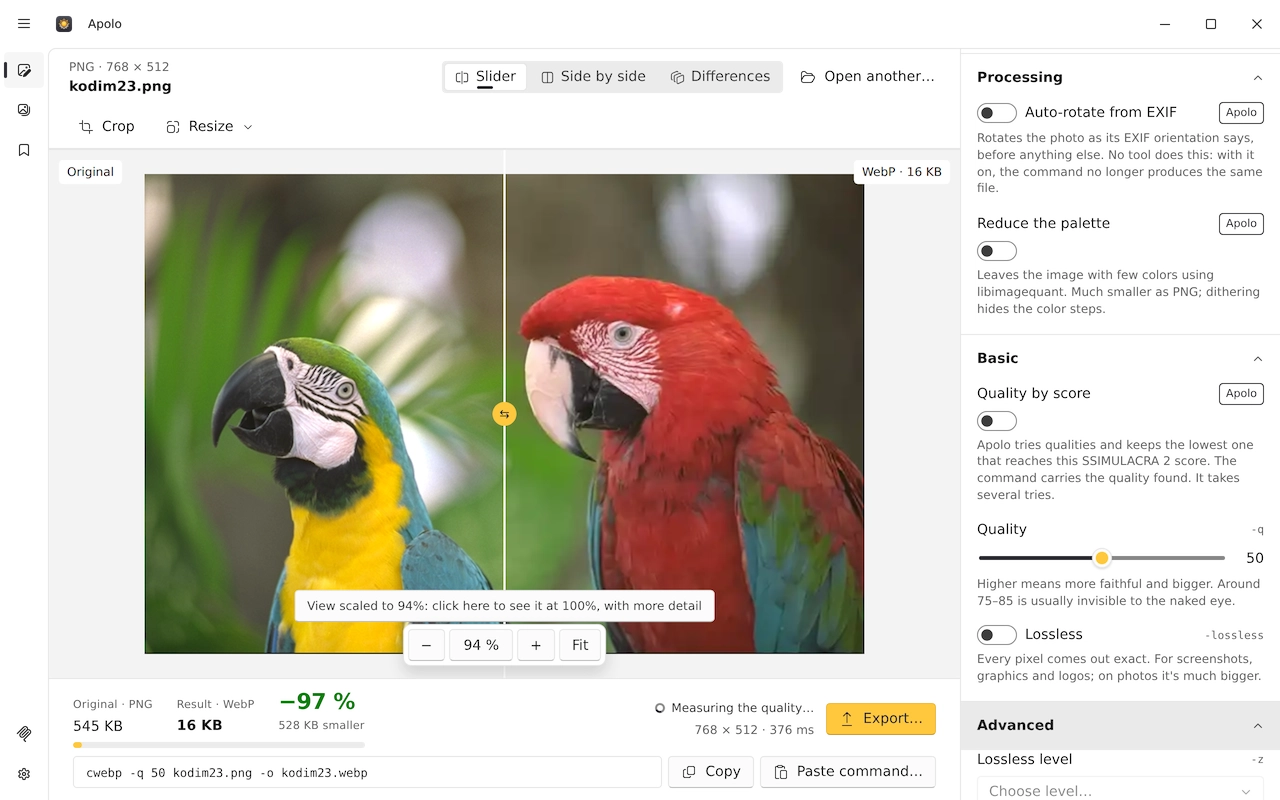
Use the comparison slider, side-by-side view or difference map to inspect a result before exporting. Apolo reports SSIMULACRA 2 scores and offers a target-score mode that searches for a suitable quality setting per image. Batch processing handles folders, multiple output formats and resizing. A built-in MCP server also exposes optimization to compatible AI-agent tools; this is an image optimizer, not an AI image generator.
The linked version 1.0.0 package is for Windows 10 or 11 on x64 processors. Windows ARM has a separate installer. The publisher states that Apolo is unsigned, so Windows SmartScreen may display a warning. Download verification here checked HTTP headers only; the installer was not downloaded, executed or tested.
What it offers
- Compress and convert to WebP, AVIF, JPEG XL, MozJPEG, PNG and QOI; open HEIC images.
- Compare original and output using a slider, side-by-side view or difference map.
- Inspect SSIMULACRA 2 scores or use a target score to guide quality selection.
- Process folders in parallel, produce several formats and resize batches.
- Copy encoder commands or connect compatible AI-agent tools through the built-in MCP server.
Good to know
- The publisher says the Windows application is unsigned; SmartScreen may display a warning. A successful header check is not a security assessment.
- This installer targets x64 Windows 10 and 11; Windows ARM requires the separate ARM package.
Product images
Sources
References used for this listing. Retrieval dates do not indicate hands-on testing.
More in multimedia & graphics
View category ↗
JPEGView 1.3.46
View photos and adjust sharpness, color balance, perspective and exposure in JPEGView, a free, open-source image viewer and basic editor for Windows.

XnView MP 1.12.2
Browse, organize and batch-convert photos with XnView MP for Windows. Free for the uses listed by the publisher; company use requires a purchased license.

Paint.NET 5.1.12
Edit photos, combine images in layers and adjust colors with Paint.NET, a Windows image editor available as a free Classic download or a paid Store edition.

XnView Classic 2.52.7
Browse photos, resize images and convert or rename files in batches with XnView Classic, the Windows-only edition of XnView.
Converseen 0.15.2.9
Convert, resize, rotate and rename batches of images with Converseen, a free, open-source image processor for Windows 10 and 11.