
Utilities Windows
Axife Mouse Recorder
Record and replay mouse movements and keystrokes on Windows, edit macros and schedule repetitive tasks with Axife Mouse Recorder. This download selects the Standard edition.
- Operating system
- Windows 7, Windows 8 and Windows 10 (publisher-listed)
- Architecture
- Installer architecture unspecified; publisher lists 64-bit Windows support
- Download package
- EXE installer — Standard edition
Windows 11 compatibility unverified. Publisher download table lists Standard 7.3 and Mini 7.2; the homepage shows 7.2 and Softonic lists 6.0.2. No installer execution performed.
Link checked · Download guidance
What is Axife Mouse Recorder?
Axife Mouse Recorder records mouse and keyboard actions so you can replay a repeated desktop routine without entering each step again. The publisher describes a Record, Stop and Play workflow, with a macro editor for adjusting the recorded action sequence. Playback speed, repeat loops and an interval timer let you control how a sequence runs.
The selected download is Axife Standard, listed as version 7.3 on the publisher’s download page. Both Mini and Standard include recording, editing, custom hotkeys and scheduling; Standard adds file and process operations, window and control management, color processing, event triggers and smart recording. These edition differences matter if a basic recorded sequence is not enough for your task.
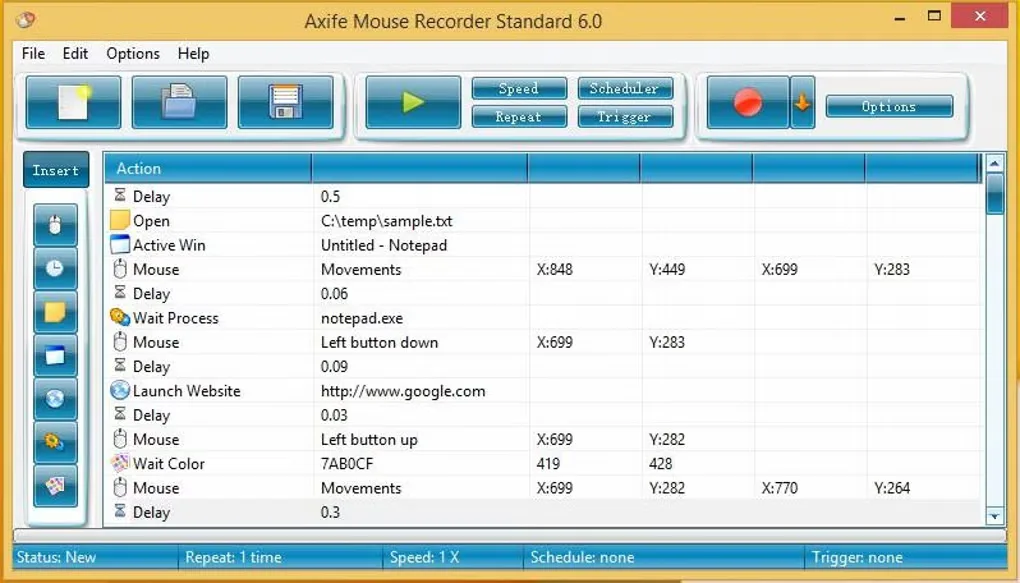
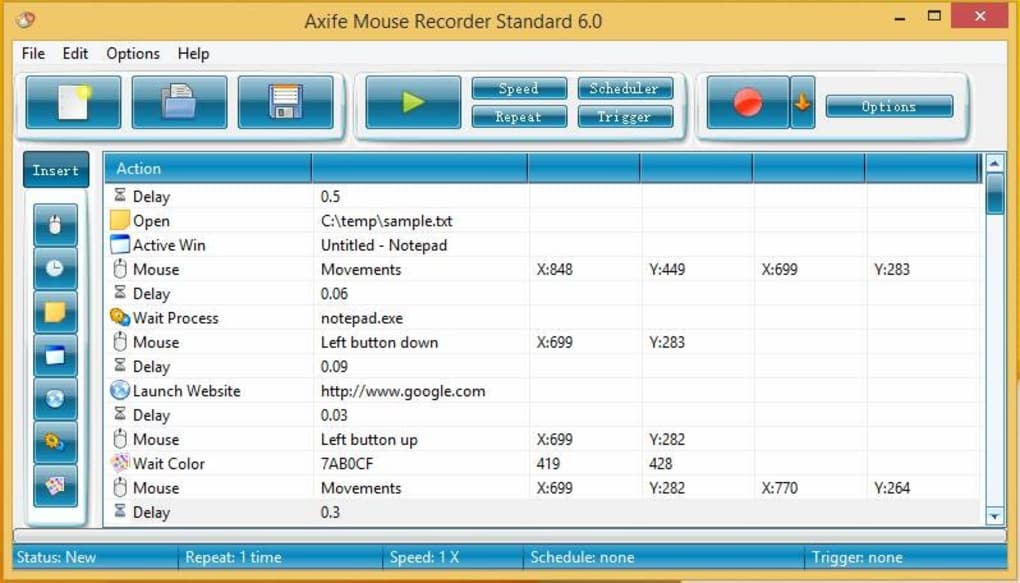
Axife is commercial software: the publisher sells single-user licenses, while Softonic labels its older 6.0.2 listing as a trial. The publisher names Windows 7, 8 and 10, including 64-bit systems; Windows 11 compatibility is not established by the inspected sources. The gallery image shows the older Standard 6.0 interface, not a tested view of the 7.3 installer.
What it offers
- Record and replay keyboard and mouse actions through Record, Stop and Play controls.
- Edit macros and open or save script files.
- Adjust playback speed, repeat count and the interval between repeats.
- Use custom hotkeys and a task scheduler.
- Standard adds file/process operations, window/control management, color processing and event triggers.
Good to know
- Commercial software with paid licenses; Softonic’s trial label belongs to its older 6.0.2 listing, not proof of the current Standard trial terms.
- Publisher compatibility information names Windows 7, 8 and 10; Windows 11 support and the selected installer’s architecture are unverified.
- The retained gallery screenshot depicts Standard 6.0; its appearance may differ from the publisher-listed 7.3 download.
Product images
Sources
References used for this listing. Retrieval dates do not indicate hands-on testing.
- Axife Mouse Recorder - Download ↗Retrieved
- Axife - Mouse Recorder - Macro Recorder ↗Retrieved
- Axife - Download ↗Retrieved
- Axife - Overview ↗Retrieved
- Axife - Edition Comparison ↗Retrieved
- Axife - Purchase ↗Retrieved
More in utilities
View category ↗Mini Mouse Macro
Record mouse movements, clicks and keystrokes, then replay or loop them to automate repetitive Windows desktop tasks with Mini Mouse Macro.
Easy Macro Recorder 4.9
Record mouse actions and keystrokes as Windows macros, edit their commands and replay repetitive tasks with Easy Macro Recorder, a paid utility with a trial version.
Macro Scheduler
Record clicks and keystrokes, edit automation scripts and schedule repetitive Windows tasks with Macro Scheduler, a commercial tool with a 30-day Standard trial.

TinyTask 1.77
Record mouse movements, clicks and keystrokes, then replay the sequence with TinyTask, a free portable Windows macro recorder.
Jitbit Macro Recorder 5.9.0
Record and replay keyboard and mouse actions on Windows with Jitbit Macro Recorder. Edit the sequence, add loops and conditions, or trigger saved macros with hotkeys. A trial is available; paid editions have different features.