
Utilities Windows
PDF Arranger
Merge PDFs, extract selected pages and rearrange a document visually with PDF Arranger, a free, open-source application available for Windows.
Version 1.14.0 · Direct publisher file
Link checked · Download guidance
What is PDF Arranger?
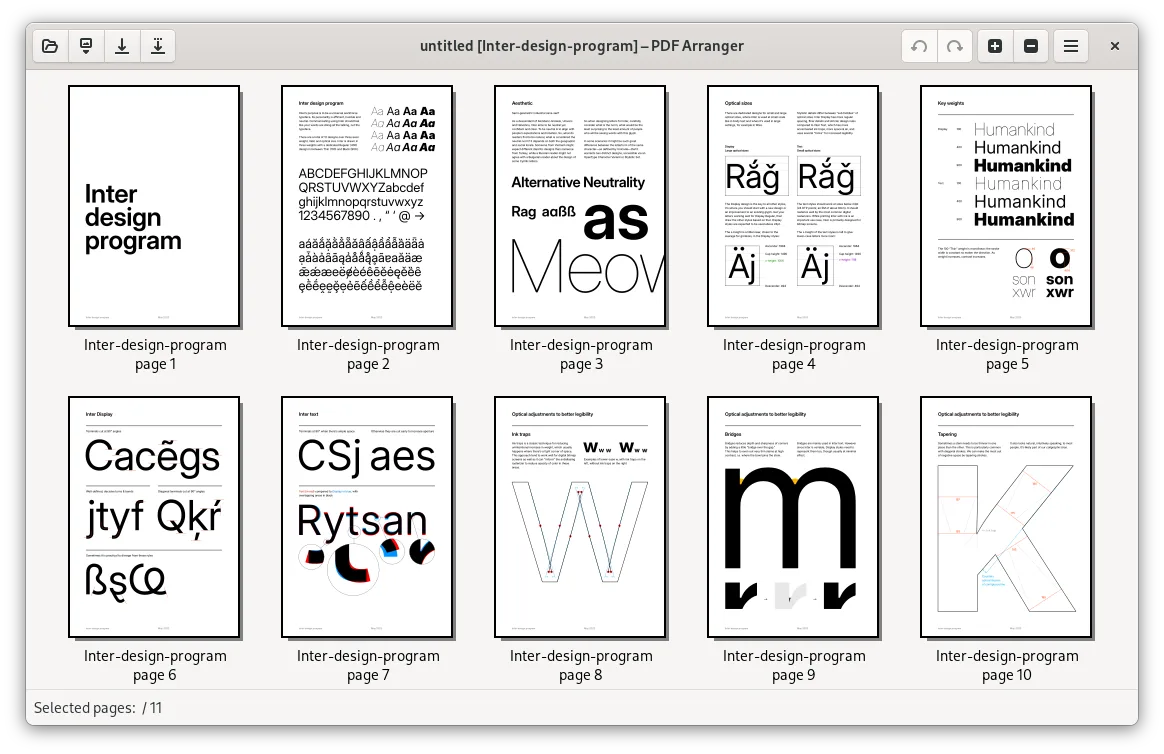
PDF Arranger works with PDF pages in a thumbnail workspace. Open one document or import several, drag pages into the order you need, remove unwanted pages and save the combined result. Export selected pages when you need a separate document rather than another copy of the whole file. It is a useful fit for assembling documents from existing PDFs or separating a long document into smaller files.
Page operations include rotation in 90-degree steps, margin cropping, resizing, blank-page insertion and booklet generation. The publisher's manual also documents undo and redo, text search, metadata editing and image export. These are documented capabilities, not results of an installation or hands-on test for this entry.
Bookmarks and links need particular care. The manual describes preservation options, but warns that operations such as merging pages, hiding margins, generating or splitting booklets, and applying an overlay or underlay lose document properties. Changing the size of a page containing links also causes loss. Preserve an original copy when those properties matter.
The linked Windows package is the publisher's 1.14.0 MSI installer, not its separate portable ZIP. The screenshot is the project's published GTK desktop illustration; it demonstrates the page workspace, not a verified Windows 1.14.0 installation. The sources inspected here do not establish a minimum supported Windows version for this installer.
What it offers
- Open multiple PDFs and reorder pages with drag and drop or copy and paste.
- Save the assembled document or export selected pages to one or more PDF files.
- Rotate, crop, resize, duplicate and delete pages, or insert blank pages.
- Generate or split booklets, edit metadata and undo or redo page operations.
- Search PDF text and export pages as PNG or JPEG images.
Good to know
- Bookmarks, links and other document properties can be lost during the page operations listed in the publisher's manual, including page merging, booklet operations, hiding margins and overlays or underlays.
- A minimum Windows version and the selected MSI's architecture were not independently established from the inspected sources.
- The publisher screenshot illustrates the GTK desktop interface; its Windows appearance and release version are not verified.
Product images

Sources
References used for this listing. Retrieval dates do not indicate hands-on testing.
- PDF Arranger — publisher repository and README ↗Retrieved
- PDF Arranger User Manual — version 1.14.0 ↗Retrieved
- PDF Arranger 1.14.0 — publisher release ↗Retrieved
- PDF Arranger 1.14.0 — publisher release assets ↗Retrieved
- PDF Arranger 1.14.0 — Windows packaging metadata ↗Retrieved
- PDF Arranger — GNU General Public License version 3 ↗Retrieved