
Utilities Windows
PDF Combine
Merge PDF files offline on Windows, arrange their order and add bookmarks, a table of contents or page numbers with CoolUtils PDF Combine.
- Operating system
- Windows 7, 8, 10 and 11 listed by the publisher
- Architecture
- Not specified in the inspected publisher evidence
- Download package
- EXE installer
The purchase section lists Windows 7/8/10/11. A broader badge also lists legacy systems and Citrix; exact minimum requirements and compatibility of this installer on those systems were not verified.
Link checked · Download guidance
What is PDF Combine?
PDF Combine is a Windows desktop utility for turning separate PDF files into one document without uploading them to an online merger. It suits assembling a report, collecting scanned documents or preparing a set of PDFs for sharing. The publisher describes batch merging by folder and grouping files by common parts of their names, plus command-line operation for repeatable jobs.
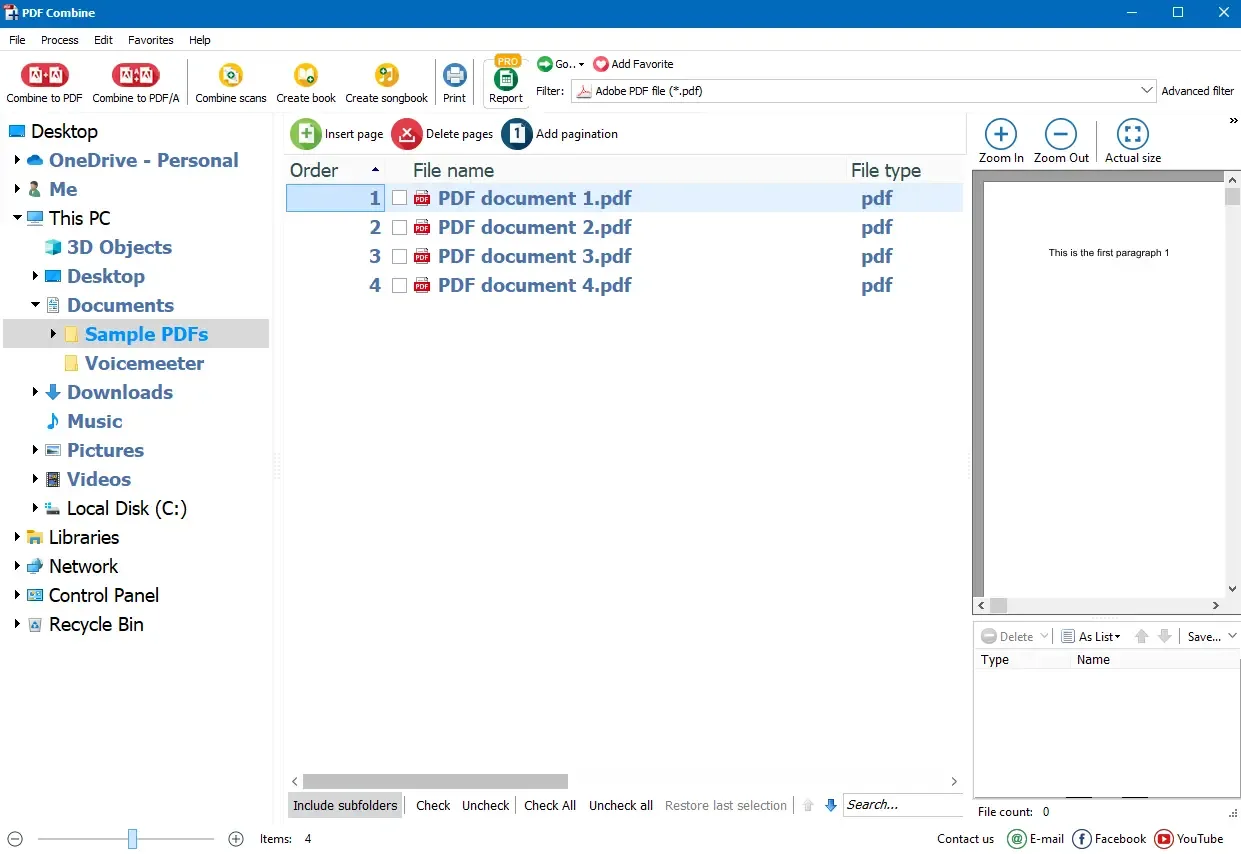
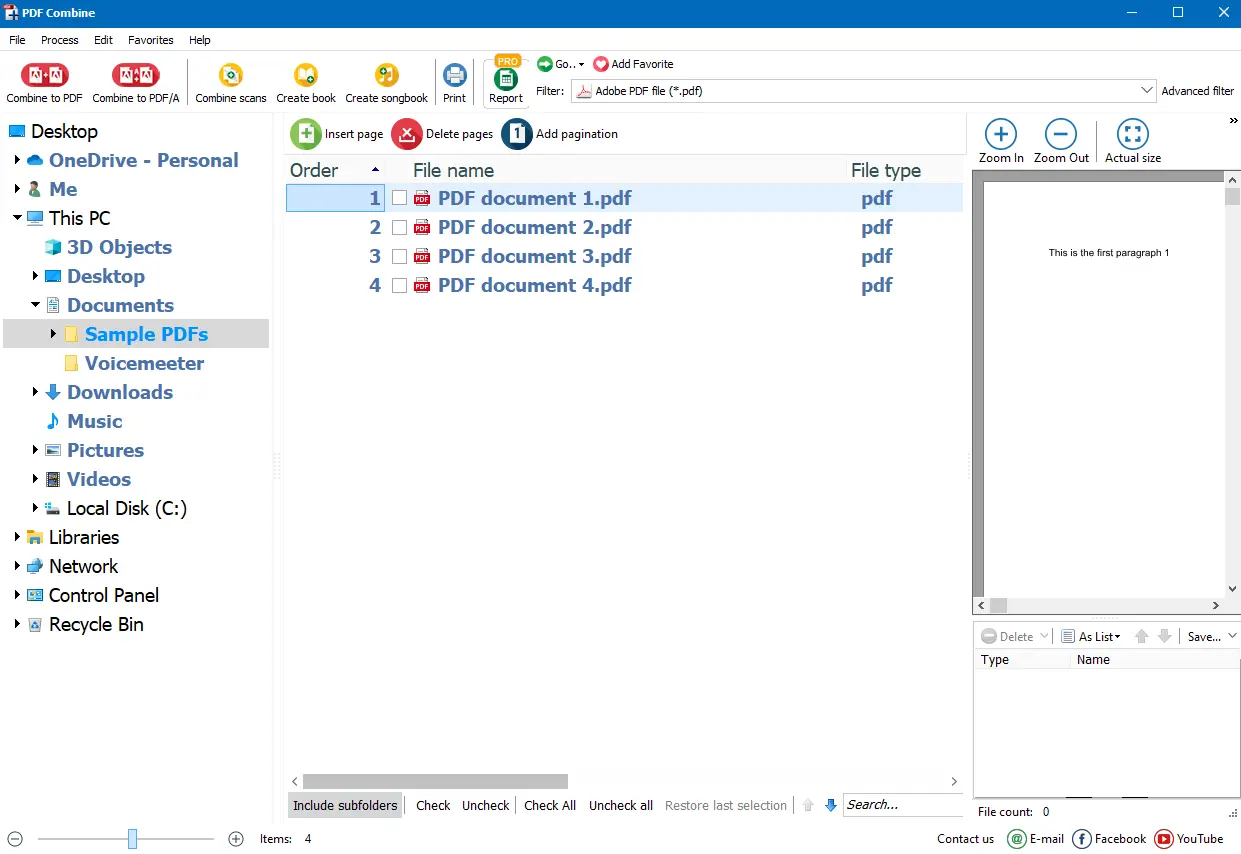
The basic workflow starts in the folder tree: select the PDFs, check the files to include and drag them into the required order. Choose Combine to PDF, set the destination in the wizard, review the optional output settings and press Start. Bookmarks and a clickable table of contents can make a long merged document easier to navigate; cover pages, page numbering and headers or footers provide additional organization.
This is a commercial application with a 30-day evaluation, not a permanently free desktop merger. The standard PDF Combine product merges PDF inputs. CoolUtils directs users who need to convert and merge Word, Excel, images or other mixed formats to the separate PDF Combine Pro product. The selected link is the publisher's Windows EXE installer; its response headers were checked without downloading or running the installer.
What it offers
- Merge PDF files offline, including batches selected from folders.
- Reorder selected files by dragging them before combining.
- Create bookmarks and a clickable table of contents from file names, titles or custom text.
- Add a cover page, page numbers, headers or footers to the merged document.
- Run merging jobs through the graphical interface or command line.
Good to know
- The evaluation lasts 30 days; continued use requires a paid license.
- Mixed-format conversion and merging is assigned to the separate PDF Combine Pro product, not the standard PDF-only merger.
- The exact current installer version and CPU architecture were not established by the publisher evidence; no build-specific compatibility is claimed.
Product images
Sources
References used for this listing. Retrieval dates do not indicate hands-on testing.
More in utilities
View category ↗
PDFsam Basic 6.0.6
Split, merge, rotate and extract PDF pages offline with PDFsam Basic, a free, open-source desktop tool. This download is the Windows x64 MSI installer.
Total PDF Converter
Convert PDFs to Word, Excel, CSV, HTML and images in batches on Windows. Total PDF Converter works locally and offers a 30-day trial before a paid license is needed.
PDF Arranger 1.14.0
Merge PDFs, extract selected pages and rearrange a document visually with PDF Arranger, a free, open-source application available for Windows.
PDFTK Builder 3.10.0
Merge, split, reorder and rotate PDF pages with PDFTK Builder, a free Windows interface for PDFTK that also adds stamps, backgrounds and page numbers.
FM JPG To PDF Converter Pro 2.03
Combine JPG, PNG and other bitmap images into single-page or multi-page PDFs on Windows, with batch processing, layout previews and page-margin controls.