
Utilities Windows
PDF Compressor
Reduce scanned and text PDF file sizes in batches on Windows, with adjustable quality, output-folder controls and a command-line mode. Unrestricted Pro use is paid.
- Operating system
- Publisher lists Windows XP, Vista, 7, 8, 10 and 11
- Architecture
- Publisher lists 32-bit and 64-bit Windows; package architecture not independently inspected
- Download package
- EXE download
The official requirements include Windows 10 and 11 despite contradictory older Softonic prose. HEAD verification confirms the download endpoint, not installation, runtime compatibility or executable contents.
Link checked · Download guidance
What is PDF Compressor?
PDF Compressor from PDFCompressor.net is a Windows utility for reducing PDF attachment and document sizes. It accepts scanned PDFs and text PDFs, supports batches, and offers a command-line mode for supplying files and compression settings. Adobe Acrobat is not required, according to the publisher.
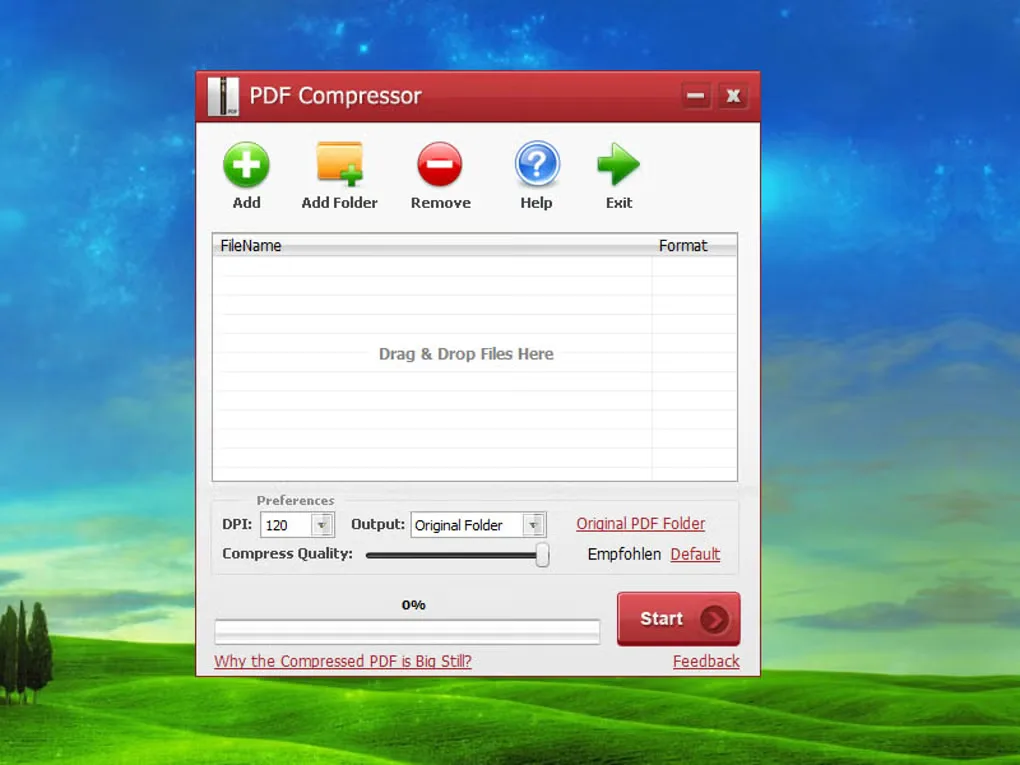
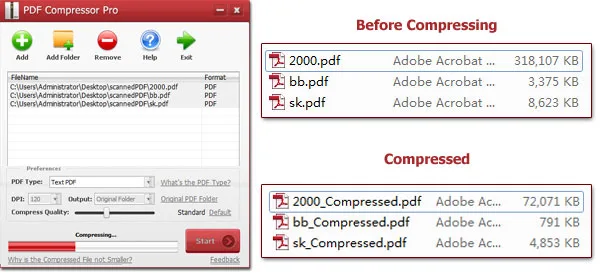
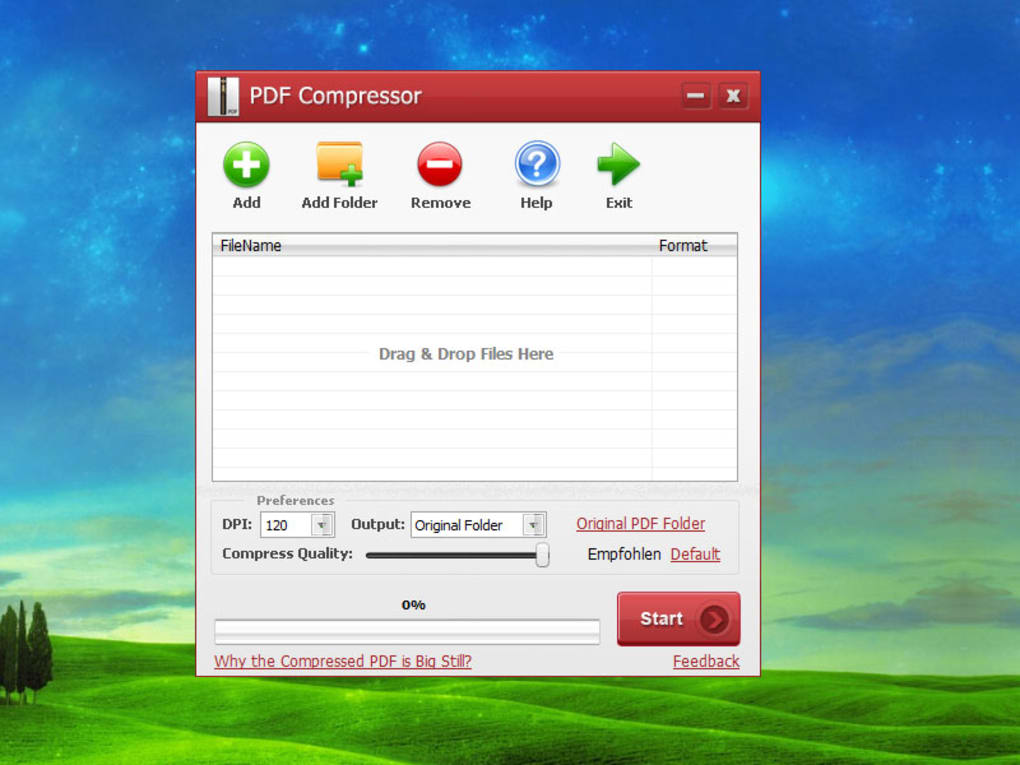
The publisher's workflow starts by adding files and choosing Scanned PDF or Text PDF. Scanned documents have DPI and quality controls; text documents have Best Quality, High Quality, Standard and Smallest Filesize modes. Choose Original Folder to create files with an _compressed suffix, or Customize to send results to another folder. Overwrite Original replaces the source document, so keep separate originals until the output has been checked.
Smaller output is not a promise of unchanged visual quality: the publisher describes a quality-versus-size choice. Its paid Pro upgrade removes limitations and advertises watermark-free output; do not assume the unrestricted program is free. The current publisher requirements list Windows 10 and 11 alongside older systems, but the downloaded package has not been installed or tested here. A current version number and release date are not confirmed by the publisher pages used for this entry.
What it offers
- Process scanned PDFs or text PDFs, including batches of documents.
- Adjust scanned-document DPI and compression quality, or select one of four text-PDF quality modes.
- Save suffixed copies beside the originals or choose a separate output folder.
- Supply PDF type, input filenames, DPI, compression rate and output folder through the documented command-line mode.
- Compress PDFs without requiring Adobe Acrobat, according to the publisher.
Good to know
- Unrestricted, watermark-free use requires the paid Pro upgrade; the publisher's upgrade page does not fully specify the evaluation limits or duration.
- Quality and file size are a trade-off; the publisher's example reductions are not guaranteed results for every document.
- Overwrite Original replaces the source PDF. Use separate output copies if you need to preserve the original.
- Publisher-listed Windows compatibility has not been installation-tested here; a current version number and release date remain unconfirmed.
Product images
Sources
References used for this listing. Retrieval dates do not indicate hands-on testing.
More in utilities
View category ↗
Cisdem PDF Compressor
Reduce PDF file sizes on Windows with batch compression, three size presets and custom image-quality settings. A trial is available; full features require a paid license.
4n6 Document Compressor
Reduce the size of Word, PDF, Excel and PowerPoint files in batches with a Windows desktop utility. The demo compresses only a few files; unlimited use requires a paid license.
NXPowerLite Desktop 11.0.1
Reduce PDF, Microsoft Office and image file sizes offline with NXPowerLite Desktop for Windows, preserving their formats and optimizing Outlook attachments.


Mass Image Compressor 4.2.2
Compress, resize, convert and watermark batches of images or whole folders with Mass Image Compressor, a free, open-source Windows utility.
FM JPG To PDF Converter Pro 2.03
Combine JPG, PNG and other bitmap images into single-page or multi-page PDFs on Windows, with batch processing, layout previews and page-margin controls.