
Utilities Windows
Perpetual Notes
Write and search rich-text notes with Perpetual Notes, a free Windows app that keeps notes in RTF files and lets you choose your own cloud service for syncing.
- Operating system
- Windows 7, 8, 10 and 11 (publisher-listed)
- Architecture
- Not specified on the official product page
- Download package
- ZIP archive
Version 5.00 requires .NET 4.7.2. The archive was verified by HEAD only; its contents and installation behavior were not inspected.
Link checked · Download guidance
What is Perpetual Notes?
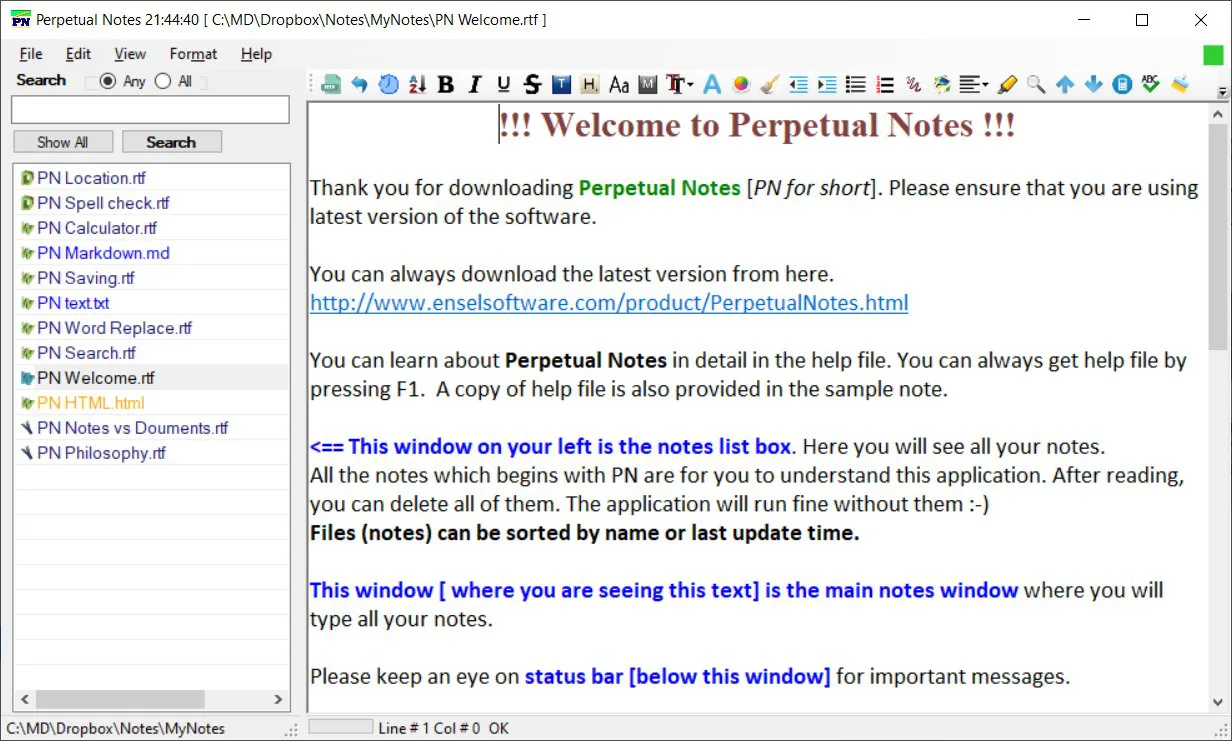
Perpetual Notes brings a note list, search and a rich-text editor into one Windows application. It suits meeting notes, research drafts, project information and other writing that needs more formatting than a plain-text file. The publisher lists support for bold and italic text, bullets, tables and embedded images, with integrated search across notes. No account signup is required.
RTF is the main note format, so the documents can also be read by other applications that support it. The publisher additionally lists TXT, CSV, Markdown and HTML support. This is a file-based approach to keeping notes: if you want to sync them across devices, you choose your own cloud platform rather than relying on a bundled synchronization service.
The official product page lists version 5.00 for Windows 7, 8, 10 and 11 and requires .NET 4.7.2. The linked package is a ZIP archive. Ensel Software's homepage says its author has moved away from Windows software development; the product remains listed, but ongoing development should not be assumed. The download link was checked with HEAD only, not installed or tested.
What it offers
- Write RTF notes with bold and italic text, bullets, tables and images.
- Search across notes from the same application used to edit them.
- Work with RTF, TXT, CSV, Markdown and HTML as listed by the publisher.
- Use the app without signing up for an account.
- Choose your own cloud platform if you want to synchronize note files.
Good to know
- Version 5.00 requires .NET 4.7.2; Windows compatibility is publisher-listed, not independently tested here.
- Synchronization depends on a cloud platform you choose; a bundled cloud service is not promised.
- The developer says they have moved away from Windows software development, so continued updates should not be assumed.
Product images
Sources
References used for this listing. Retrieval dates do not indicate hands-on testing.
More in utilities
View category ↗Vit Registry Fix 14.9.4
Scan the Windows registry for invalid entries, back up changes and manage startup items with Vit Registry Fix. The publisher offers a paid license and notes a DEP compatibility limitation.
Chaos Manager 2.26
Organize appointments, contacts and topic-based notes with Chaos Manager, a free Windows organizer whose published 2.26 release dates to 2010.
iDailyDiary 4.51
Keep dated journal entries with formatted text, pictures and searchable pages in iDailyDiary for Windows. The linked Free edition is limited to personal, non-commercial use.

AkelPad 4.9.9
Edit plain-text files with Unicode encoding support, column selection and search-and-replace in AkelPad, a free open-source Windows editor.
Yana 1.0.16
Organize local notes in nested collections, search their contents and keep rich text alongside code snippets with Yana, a free Windows notebook app.