
Utilities Windows
QNapi
Find subtitles for movie files with QNapi, a free Windows utility that searches multiple subtitle databases, supports batch matching and converts subtitle formats.
Version 0.2.3 · Direct publisher file
Link checked · Download guidance
What is QNapi?
QNapi searches online subtitle databases for subtitles matching a movie file. Its publisher lists NapiProjekt, OpenSubtitles and Napisy24 as sources. Use it for individual videos or scan a directory to match subtitles for several films, with a choice of subtitle language and matching results when more than one is available.
The program also offers subtitle-format conversion and character-encoding changes. Supported output formats listed by the publisher include SRT, mDVD, TMP and MPL2. The Windows download linked here is the publisher's 0.2.3 EXE installer; a separate portable ZIP is available from the project site.
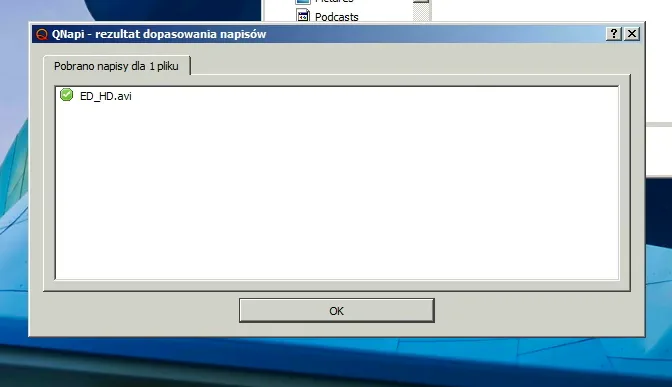
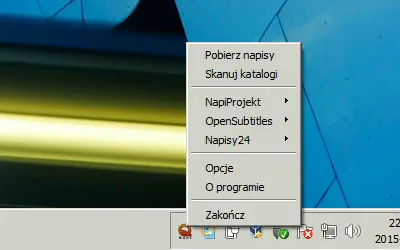
Version 0.2.3 dates to May 19, 2017. Current subtitle-provider availability and compatibility with modern Windows releases have not been tested for this entry. The screenshots are historical Windows examples from the publisher's 0.1.7 gallery, with Polish labels; they are not captures of 0.2.3 running today. The 0.2.3 release notes announce English and Italian translations.
What it offers
- Search multiple subtitle databases for matches to a particular movie file.
- Scan directories to match subtitles for multiple films.
- Choose a subtitle language and select among multiple matching results.
- Convert subtitles to SRT, mDVD, TMP or MPL2 and change character encoding.
Good to know
- The offered Windows release, 0.2.3, dates to May 2017; modern Windows compatibility and current subtitle-provider operation are untested for this entry.
- Online subtitle matching depends on external databases and the availability of a suitable match.
Product images
Sources
References used for this listing. Retrieval dates do not indicate hands-on testing.
More in utilities
View category ↗Tp-Note 1.27.3
Turn clipboard text into local Markdown notes with Tp-Note for Windows. Use templates, synchronized filenames and a browser preview alongside your text editor.
Data Crow 5.1.4
Catalog books, movies, music, games and software in a local database with Data Crow, a free, open-source collection manager with custom fields and online lookups.
KeyboardTest 4.0 (Build 1003)
Check keyboard key presses, release events, scan codes and LEDs with PassMark KeyboardTest for Windows, a commercial utility available as a trial.
PDF Explorer 1.5.66.2
Catalog PDF and CHM collections, search document text and metadata, and extract images with PDF Explorer for Windows. The publisher offers a 30-day trial.

CSV Editor Pro 34.0
Edit, filter and clean CSV tables on Windows with CSV Editor Pro. Work across tabbed files, find duplicate rows and use regular-expression search in a paid application with a 21-day trial.