
Utilities Windows
Tp-Note
Turn clipboard text into local Markdown notes with Tp-Note for Windows. Use templates, synchronized filenames and a browser preview alongside your text editor.
- Operating system
- Windows; minimum OS version not specified in the consulted publisher sources
- Architecture
- x64 (64-bit)
- Download package
- MSI installer
Selected package: tpnote-1.27.3-x64.msi. A separate Windows x86-64 standalone ZIP is also listed. Graphical editing and preview use a text editor and browser.
Link checked · Download guidance
What is Tp-Note?
Tp-Note creates individual note files rather than keeping your writing in a database. It takes text from the clipboard, fills a customizable template and saves a Markdown document with a descriptive YAML header and filename. It suits collecting web extracts, annotating files or keeping notes beside the documents they describe. HTML copied to the clipboard can be converted to Markdown.
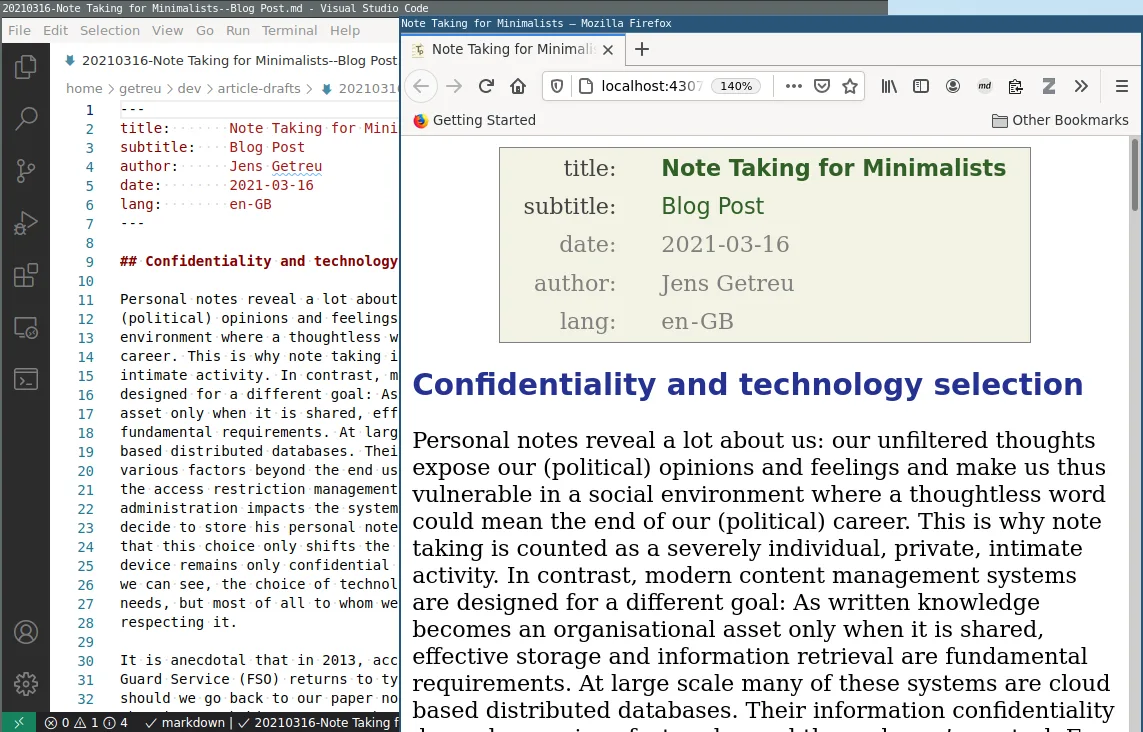
The writing interface is your text editor, not a separate integrated Tp-Note notebook. Tp-Note launches the editor and renders the note in a web browser through its internal server. The browser view updates as the file changes. For notes with metadata, Tp-Note synchronizes the filename with the title and subtitle before and after editing. It can also view ordinary Markdown files without a YAML header; adding a header is a separate operation.
The linked package is the publisher's Windows x64 MSI for version 1.27.3. The publisher also offers a standalone Windows ZIP and a winget installation route. Its Windows installation instructions describe a New Tp-Note entry in the desktop context menu. The publisher warns that the Windows installer is unsigned and may trigger a Windows protection warning. Exact minimum Windows versions are not specified in the sources used here. The screenshot is the publisher's editor-and-browser workflow illustration, not a verified capture of this Windows release.
What it offers
- Create local Markdown notes from clipboard text using customizable templates.
- Convert copied HTML into Markdown for note content.
- Synchronize note filenames with title and subtitle metadata.
- Edit in a text editor while viewing rendered Markdown in a web browser.
- View ordinary Markdown files without first adding a YAML header.
Good to know
- Editing and graphical preview use an external text editor and web browser rather than an integrated notebook interface.
- The publisher describes the Windows installer as unsigned and warns that Windows may display a protection message.
- Custom configuration files may need updating between releases; incompatible files are skipped with an error while remaining configuration is used.
Product images
Sources
References used for this listing. Retrieval dates do not indicate hands-on testing.
More in utilities
View category ↗
Zettlr 4.9.0
Write Markdown documents, link research notes and manage citations with Zettlr, a free, open-source writing app for Windows.

QOwnNotes 26.10.13
Write and organize plain-text Markdown notes with QOwnNotes for Windows, a free, open-source editor with preview, tags and optional Nextcloud or ownCloud integration.

Zotero 10.0.6
Collect references, organize research and create citations with Zotero, a free, open-source reference manager for Windows.
ResophNotes 1.8.1
Write and organize plain-text notes on Windows with tags, keyboard shortcuts and Markdown preview. ResophNotes is free, but its developer warns that Simplenote synchronization may stop working.
Perpetual Notes 5.00
Write and search rich-text notes with Perpetual Notes, a free Windows app that keeps notes in RTF files and lets you choose your own cloud service for syncing.