
Utilities Windows
Quick Screen Recorder
Record a screen area to AVI with Quick Screen Recorder, a free, open-source Windows utility with cursor capture and system-sound or microphone recording.
- Operating system
- Windows 7, 8.1 and 10, as listed by the publisher
- Architecture
- Not specified in the publisher installation instructions
- Download package
- MSI installer
Requires .NET Framework 4.7.2. Windows 11 compatibility is not established by the official README. No installer execution or compatibility testing performed.
Link checked · Download guidance
What is Quick Screen Recorder?
Quick Screen Recorder is ModuleArt's desktop recording utility for capturing a screen area to an AVI file. It supports multiple monitors, cursor capture and an audio input from system sounds or a microphone. That makes it a focused option for recording a desktop demonstration without a complex production workflow.
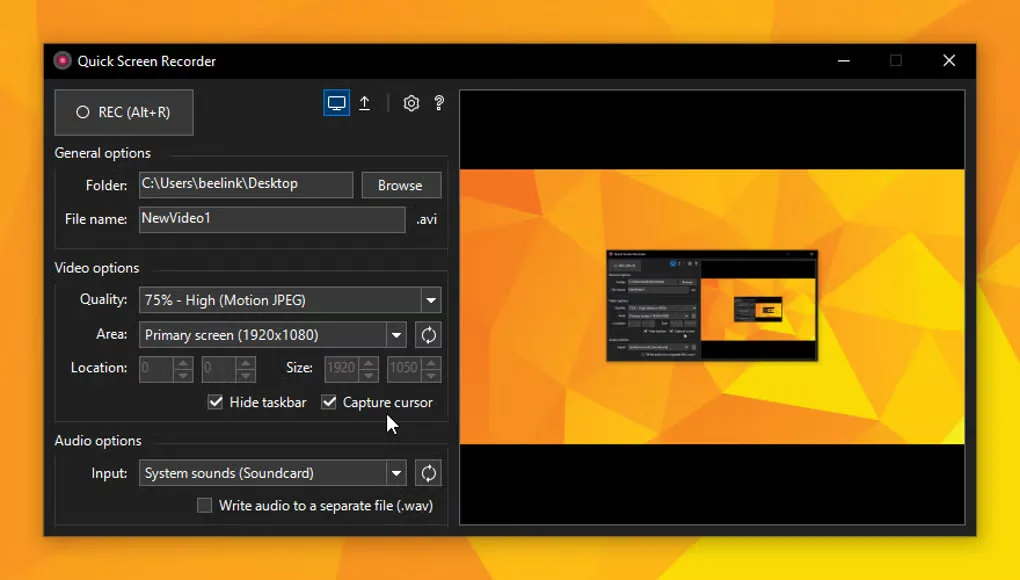
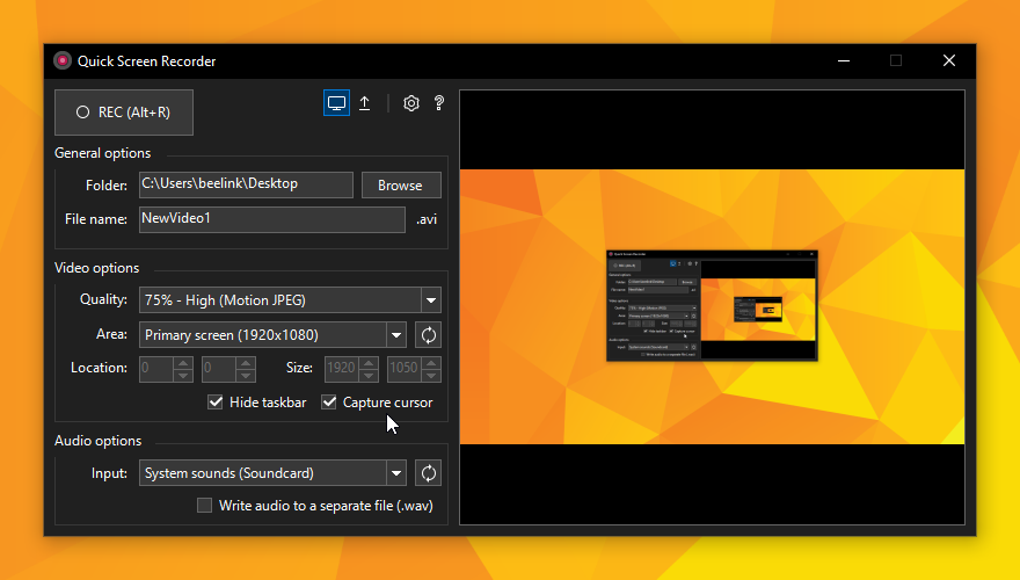
The published interface groups the output folder and file name, video quality and capture area, and audio input beside a preview. Decide which part of the desktop and which audio source belong in the recording before starting. AVI is the documented output format; the publisher does not document MP4 export in the README.
The official installation instructions list Windows 7, 8.1 and 10 and require .NET Framework 4.7.2. Windows 11 compatibility is not established by those instructions. This entry links to the publisher's v1.2.1 MSI release from May 2020, not a newly released or independently tested build.
What it offers
- Record a selected screen area to an AVI file.
- Use multiple monitors as part of the capture setup.
- Include the mouse cursor in a recording.
- Record system sounds or a microphone as the audio input.
Good to know
- AVI is the documented recording format; MP4 export is not established by the official README.
- Requires .NET Framework 4.7.2; the official installation instructions list Windows 7, 8.1 and 10, not Windows 11.
Product images
Sources
References used for this listing. Retrieval dates do not indicate hands-on testing.
More in utilities
View category ↗
CareUEyes 2.7.0.0
Adjust screen color temperature and brightness, manage multiple monitors and schedule screen breaks with CareUEyes for Windows. The publisher offers a 7-day trial.

ScreenshotX 1.1
Capture an area or window, center the content, add a background and blur sensitive details with ScreenshotX, a freeware screenshot tool for Windows.
Mednafen 1.32.1
Emulate classic consoles on Windows with Mednafen, a command-line emulator with remappable controls, save states and game rewinding.

SD Memory Card Formatter 5.0.4
Format SD, SDHC, SDXC and SDUC memory cards on Windows with the SD Association’s utility, developed by Tuxera. Choose Quick or Overwrite format and set a volume label.
SysTools SQL Recovery 14.0
Scan damaged SQL Server MDF and NDF files, preview recoverable database objects, and export selected data with SysTools SQL Recovery for Windows. The demo has export limits.