
Utilities Windows
QuizFaber
Build browser-based quizzes with multiple-choice, true/false, matching and gap-fill questions. QuizFaber is free for non-commercial use; commercial use needs author permission.
- Operating system
- Windows 11, 10, 8 and 7
- Architecture
- Not specified by the publisher on the download page
- Download package
- English EXE installer
Selected package is Windows-only. A separate portable ZIP is also listed; Linux use requires Mono. Publisher catalog last modified: 27 January 2023.
Link checked · Download guidance
What is QuizFaber?
QuizFaber is a Windows quiz editor for creating HTML quizzes without writing HTML or JavaScript. It suits teachers preparing practice exercises or assessments: choose a question format, enter questions and answers, add supporting images, audio or video, and generate pages that students open in a browser. The publisher describes responsive output for phones and tablets as well as desktop screens.
The editor supports multiple-choice and multiple-answer questions, true/false statements, open responses, gap filling and word matching. Quiz settings include a time limit, answer hints and explanations, and immediate or end-of-quiz evaluation. Layout, font and color controls let you adjust the presentation rather than accept a single fixed template.
Choose question types with grading in mind. Open responses require teacher marking and are excluded from the automatically calculated final mark. Gap-fill answers can also be sensitive to exact wording, spaces and punctuation. QuizFaber is freeware for non-commercial use, not unrestricted commercial freeware: the license requires authorization from Luca Galli for commercial use.
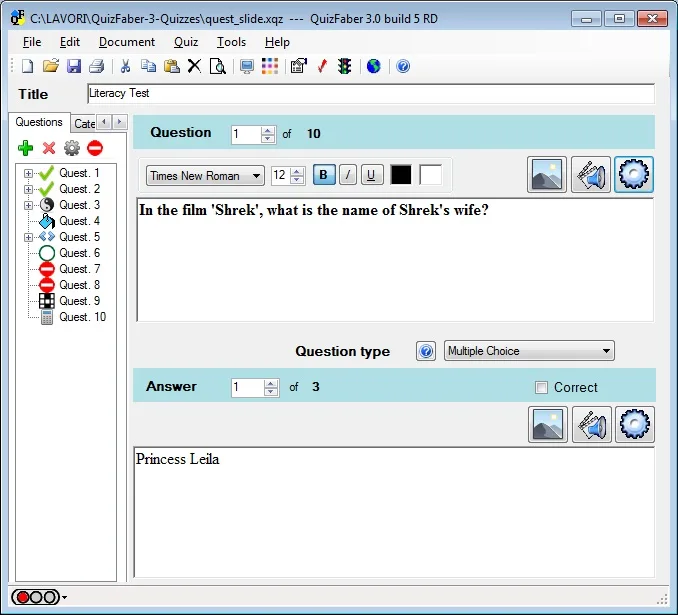
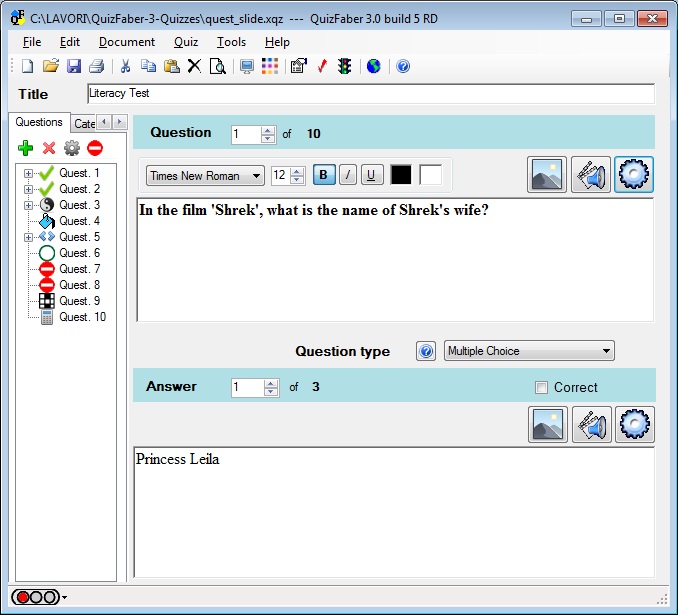
The official download catalog lists the English 4.1.9 Windows installer and a last-modified date of 27 January 2023. That catalog date is not treated here as a separately verified release date. The accompanying publisher screenshot shows the older QuizFaber 3.0 build 5 RD editor; it illustrates the editing workflow, not the exact appearance of version 4.1.9.
What it offers
- Create HTML quizzes without writing HTML or JavaScript.
- Use multiple-choice, multiple-answer, true/false, open-answer, gap-fill and word-matching question formats.
- Add images, sounds and videos to questions or answers.
- Set a quiz time limit, supply hints and explanations, and choose immediate or final evaluation.
- Customize quiz layouts, colors and fonts; generate responsive pages for desktop and mobile browsers.
Good to know
- Commercial use requires authorization from Luca Galli; the free-use license is limited to non-commercial purposes.
- Open-answer questions need teacher marking and are excluded from the automatically calculated final mark.
- Gap-fill grading can reject extra spaces, punctuation differences or other deviations from the expected answer.
Product images
Sources
References used for this listing. Retrieval dates do not indicate hands-on testing.
- Download - QuizFaber ↗Retrieved
- Features - QuizFaber ↗Retrieved
- Licence - QuizFaber ↗Retrieved
- Screenshots - QuizFaber ↗Retrieved
- Overview - QuizFaber ↗Retrieved
- Types of Question - QuizFaber ↗Retrieved
More in utilities
View category ↗Lumi - Interactive Content with H5P 1.0.0
Create, edit and preview interactive H5P learning materials offline with Lumi, a free, open-source desktop editor. This entry links to the Windows x64 single-user installer.

BitTorrent Classic
Download and seed torrents on Windows with BitTorrent Classic, a desktop client with bandwidth limits, scheduling and RSS automation. The free Basic edition includes ads.
HTTrack WebSite Copier 3.51-0
Save websites for offline browsing with WinHTTrack, the free Windows interface for HTTrack. Set capture rules, resume interrupted mirrors and update local copies.

ClickCharts
Draw flowcharts, organization charts and mind maps with ClickCharts for Windows. Use templates, symbols and connectors, then export diagrams as PDF or images.

PDF24 Creator 11.31.1
Create PDFs from printable documents, merge or extract pages, compress files and recognize scanned text with this free offline Windows toolkit.