
Utilities Windows
Remo Repair RAR
Attempt to repair damaged RAR archives on Windows and preview their contents before buying. The free demo cannot save repaired files.
- Operating system
- Windows 10, 8.1, 8, 7 and earlier per visible publisher text; Windows 11 additionally listed in product metadata
- Architecture
- Publisher metadata lists 32-bit and 64-bit Windows; installer architecture not independently inspected
- Download package
- EXE installer
Version 1.0.0.12 is from publisher product metadata. No installation or repair test performed; publisher screenshot may depict an older interface.
Link checked · Download guidance
What is Remo Repair RAR?
Remo Repair RAR is a Windows utility for damaged RAR archives that fail to extract or report CRC, checksum or header errors. It is aimed at repairing an existing archive, not recovering a deleted archive from a drive. The publisher describes a read-only repair process that leaves the source archive unchanged. These are publisher-described capabilities, not independently tested recovery results.
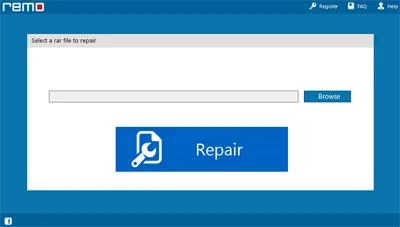
The documented workflow starts with Browse: select the damaged RAR file, choose Repair, then inspect the recovered contents with Preview. Saving is a separate step. After purchasing and activating a license, choose Next, select a destination and use Save. The free demo lets you evaluate the preview but does not save the repaired content, so a free download is not a free completed repair.
The publisher lists support for large archives of 4 GB or more, split archives and password-protected RAR files. Encrypted archives still require the correct password; this is not a password-removal tool. It does not repair ZIP or ZIPX files, and WinRAR does not need to be installed for the repair utility itself to work.
Windows support needs qualification: the visible compatibility section names Windows 10, 8.1, 8 and 7 plus earlier versions, while embedded publisher product metadata also names Windows 11 and 32-bit/64-bit systems. No Windows 11 installation or repair was tested here. The screenshot is the publisher's illustrated interface, not a capture of the downloaded build.
What it offers
- Publisher-described repair for RAR corruption associated with CRC, checksum and header errors.
- Preview recovered archive contents before deciding whether to purchase a license.
- Publisher-listed support for archives of 4 GB or more and split or multi-volume RAR archives.
- Repair password-protected RAR archives when the correct password is available.
- Read-only source handling according to the publisher; WinRAR installation is not required.
Good to know
- The free demo cannot save repaired content; saving requires purchase and license activation.
- RAR-specific: ZIP and ZIPX repair are not supported, and deleted-file recovery is a separate product task.
- Password-protected archives require the correct password.
- Windows 11 appears in publisher metadata but not the visible compatibility list; compatibility and repair outcomes were not independently tested.
Product images
Sources
References used for this listing. Retrieval dates do not indicate hands-on testing.
More in utilities
View category ↗
WinRAR 7.23
Create RAR and ZIP archives, unpack downloaded files and encrypt archives with WinRAR for Windows. The trial permits up to 40 days of use before a license is required.

Ashampoo ZIP FREE 1.0.7
Create ZIP archives and extract RAR, 7-Zip and other formats with Ashampoo ZIP FREE, a Windows archiver with right-click Explorer integration.

Bandizip 7.47
Create ZIP and 7Z archives, extract RAR files and split large archives with Bandizip for Windows. The free Standard edition includes advertisements.
GetDataBack Pro 5.78
Find and preview lost files on hard drives, SSDs and USB storage with GetDataBack Pro for Windows. A paid license is required to copy recovered files.

AllDup 4.5.72
Find duplicate files by content or file properties, compare similar photos and music, and review matches before removing them with AllDup for Windows.