
Utilities Windows
SimpleCodeGenerator
Generate QR codes from URLs or formatted text, copy them to the clipboard, or export image files with NirSoft's free portable Windows utility.
- Operating system
- Windows XP through Windows 11, according to NirSoft
- Architecture
- 32-bit and 64-bit Windows supported; publisher does not identify the executable's machine architecture
- Download package
- ZIP archive containing standalone SimpleCodeGenerator.exe
No installation process or additional DLL files required. Compatibility is publisher-stated, not independently tested.
Link checked · Download guidance
What is SimpleCodeGenerator?
SimpleCodeGenerator turns a URL or other QR-code string into an image you can display on screen, paste into another application, or save as PNG, GIF, JPG, TIFF or BMP. It suits creating a code for a document or sharing a link with someone who will scan it on a phone. NirSoft lists Windows XP through Windows 11 and support for both 32-bit and 64-bit systems. The ZIP contains a standalone executable that needs no installation or additional DLL files.
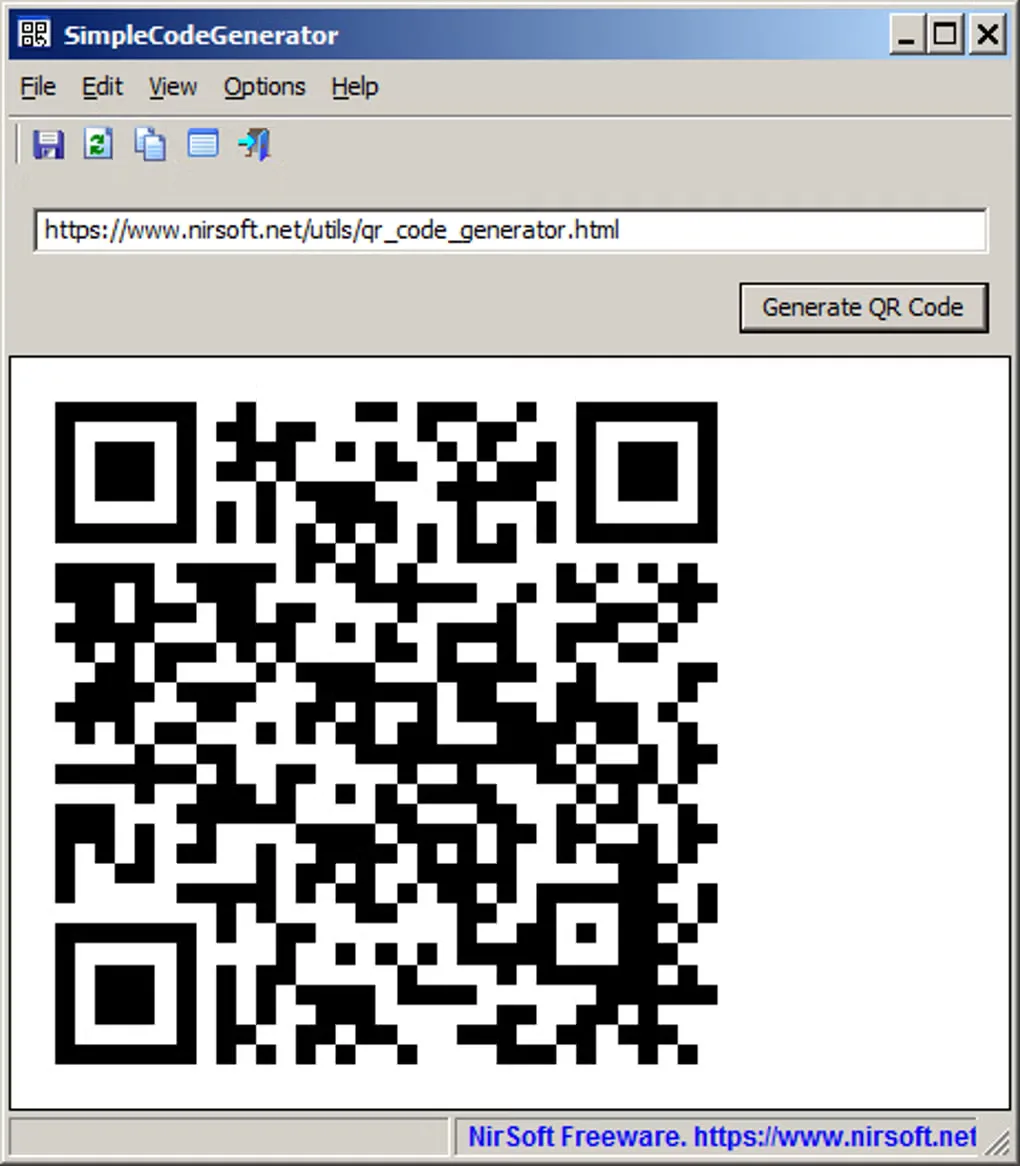
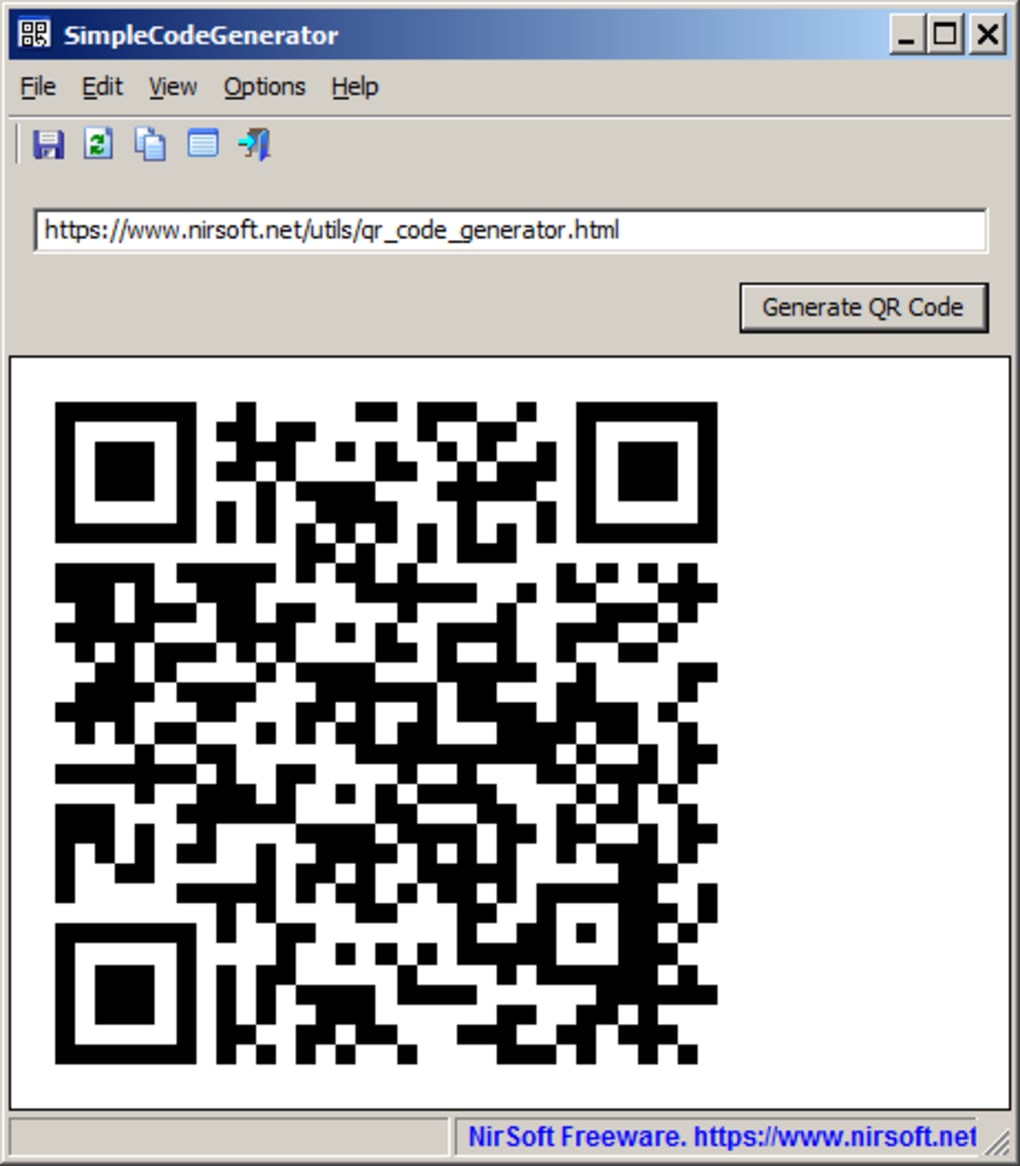
Enter the URL or QR string below the toolbar and choose Generate QR Code, or press F5. F2 copies the generated image; Ctrl+S exports it. Multiple Lines Mode, enabled with F7, accepts strings such as vCards. Error-correction settings and QR version limits provide control over the generated code, while command-line options can save images without opening the interface.
The input must already use the correct QR-code string format for actions such as adding a contact or connecting to Wi-Fi. This is not a substitute for composing that data correctly, and scanning the resulting image requires a separate QR-reader application or device. The publisher's screenshot shows the basic Windows interface; it does not establish the appearance of every current setting.
What it offers
- Display generated QR codes on screen, copy images to the clipboard, or export PNG, GIF, JPG, TIFF and BMP files.
- Enable Multiple Lines Mode for multiline input such as vCard strings.
- Select Low, Medium, Quartile or High error correction and set QR-code version limits between 1 and 40.
- Generate image files or clipboard output from the command line; load input from ANSI/ASCII, UTF-8 with BOM or UTF-16 with BOM files.
- Run the standalone executable without installation; version 1.17 adds an Always On Top option.
Good to know
- Contact, Wi-Fi and other action codes require a correctly composed QR-code string; the utility accepts that string as input.
- Scanning a displayed or exported QR code requires a separate QR-reader application or device.
Product images
Sources
References used for this listing. Retrieval dates do not indicate hands-on testing.
More in utilities
View category ↗
KeePass 2.61.1
Store passwords in an encrypted database, generate new passwords and fill login forms with KeePass, a free, open-source password manager for Windows.
WebBrowserBookmarksView 1.13
Find and export bookmarks from Chrome, Firefox and other supported browsers in one Windows utility, with folder details, quick filtering and QR codes for opening links on a phone.
DriverView 1.51
List currently loaded Windows drivers with DriverView, NirSoft's free standalone utility. Inspect driver addresses, versions and company details, then export the list.

NormCap 0.6.0
Copy text from a selected screen region with NormCap, a free, open-source OCR tool for Windows that also reads QR codes and barcodes.
TweakNow QR Code Maker 4.3.0
Create QR codes for links, text, contact details and Wi-Fi with TweakNow QR Code Maker for Windows. Add a logo, export PNG, SVG or WebP, or copy the result to the clipboard.