
Utilities Windows
WebBrowserBookmarksView
Find and export bookmarks from Chrome, Firefox and other supported browsers in one Windows utility, with folder details, quick filtering and QR codes for opening links on a phone.
- Operating system
- Windows XP through Windows 11, according to the publisher
- Architecture
- 32-bit and 64-bit Windows systems supported
- Download package
- ZIP archive containing a standalone EXE
No installation or additional DLL files required. Publisher does not identify an ARM64-native build on this page.
Link checked · Download guidance
What is WebBrowserBookmarksView?
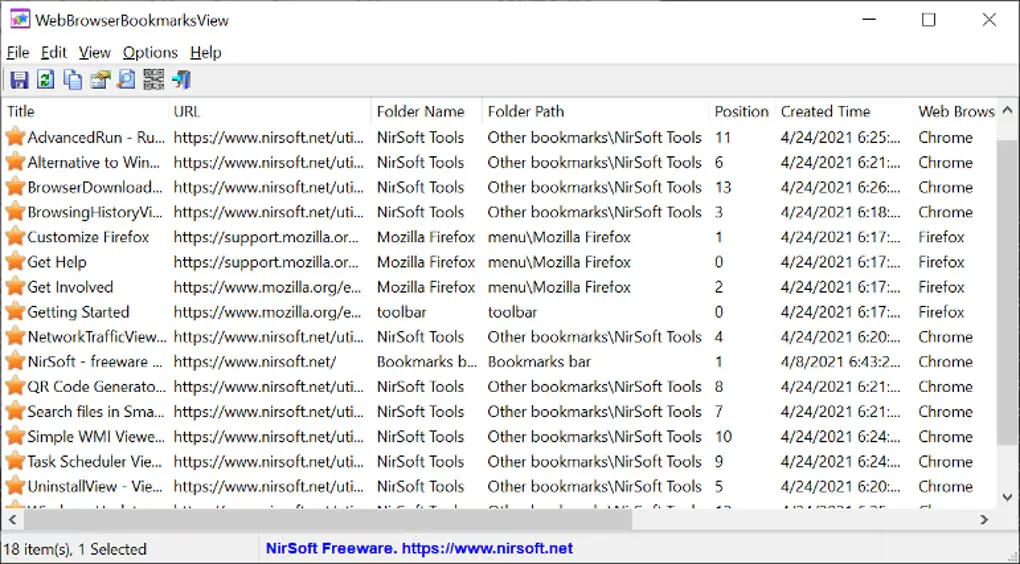
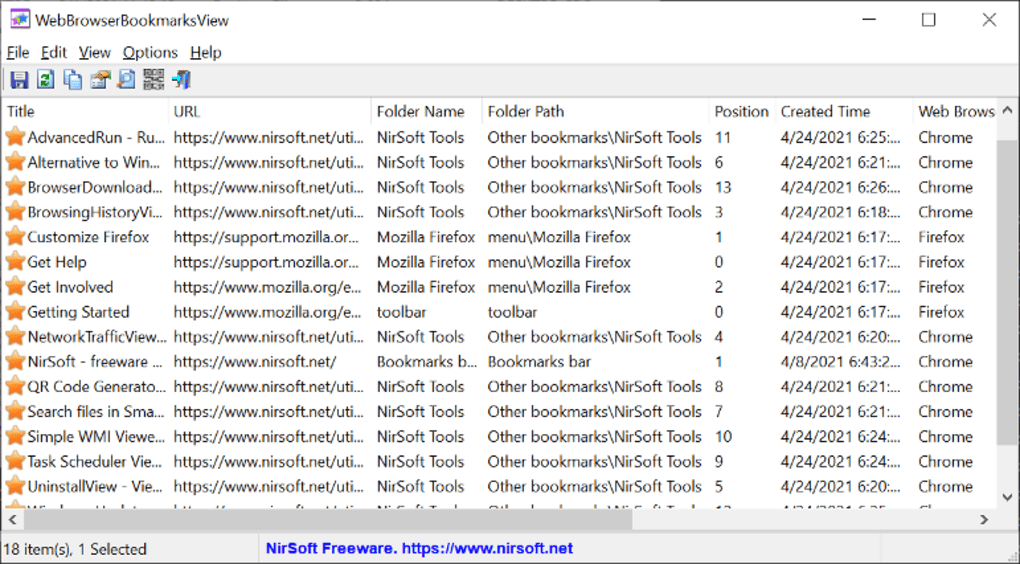
WebBrowserBookmarksView brings bookmarks from supported browser profiles into a single table. It is useful when a saved link could be in Chrome, Firefox or another browser: view its title, URL, folder name and folder path without checking each browser separately. NirSoft lists automatic detection for Chrome, Firefox, Edge, Opera, Brave, Pale Moon, SeaMonkey, Waterfox and Vivaldi.
The standalone Windows program requires no installation. Run WebBrowserBookmarksView.exe to scan bookmarks on the current system. Press Ctrl+Q to filter the table, or use Advanced Options (F9) to select another data source, including an external drive or a remote network computer. Remote access requires administrator access; an unlisted Chrome- or Firefox-based browser may need its profile folder entered manually.
Export the list to CSV, tab-delimited text, HTML or XML, or copy rows to a spreadsheet. Command-line save options also include JSON. For a single link, select a bookmark and press F2 to display a QR code that a phone can scan. The details available are not identical across browsers: the publisher identifies the Modified Time field as Firefox-only.
What it offers
- View bookmark titles, URLs, folder paths, creation times and source browser details in one table.
- Automatically detect bookmarks from Chrome, Firefox, Edge, Opera, Brave, Pale Moon, SeaMonkey, Waterfox and Vivaldi.
- Search the list with Ctrl+Q and choose word or string matching options.
- Export bookmarks to CSV, tab-delimited text, HTML or XML; command-line options also support JSON.
- Load other user profiles, an external drive or an accessible remote computer through Advanced Options.
- Display a selected bookmark as a QR code for scanning with a phone.
Good to know
- Viewing bookmarks on a remote network computer requires administrator access.
- The Modified Time field is available only for Firefox bookmarks.
- Unlisted Chrome- or Firefox-based browsers may require manual profile-folder selection; the publisher suggests trying them rather than guaranteeing support.
Product images
Sources
References used for this listing. Retrieval dates do not indicate hands-on testing.
More in utilities
View category ↗
ChromeHistoryView 1.53
View, filter and export Chrome browsing history on Windows with ChromeHistoryView, a free standalone utility from Nir Sofer.
Neat Download Manager 1.4
Manage file downloads on Windows with pause and resume, file-type filters, bandwidth limits and optional browser integration in the free Neat Download Manager.
BrowserDownloadsView 1.51
View Chrome and Firefox download history on Windows, export download records, and calculate hashes for files that still exist on disk.

NVDA 2026.3
Read Windows applications through speech or a refreshable braille display with NVDA, a free, open-source screen reader from NV Access.

ActivityWatch 0.14.1
Automatically track time spent in Windows applications with ActivityWatch, a free, open-source tracker that stores activity locally and displays it in a browser dashboard.