
Utilities Windows
SingularityApp
Organize tasks, projects and habits with SingularityApp for Windows. Basic works on one device; paid plans add cross-device sync and calendar planning.
- Operating system
- Windows 10 64-bit or later
- Architecture
- x64
- Download package
- EXE installer
The publisher labels this Windows x64. No 32-bit or native ARM64 package is established by the sources used here.
Link checked · Download guidance
What is SingularityApp?
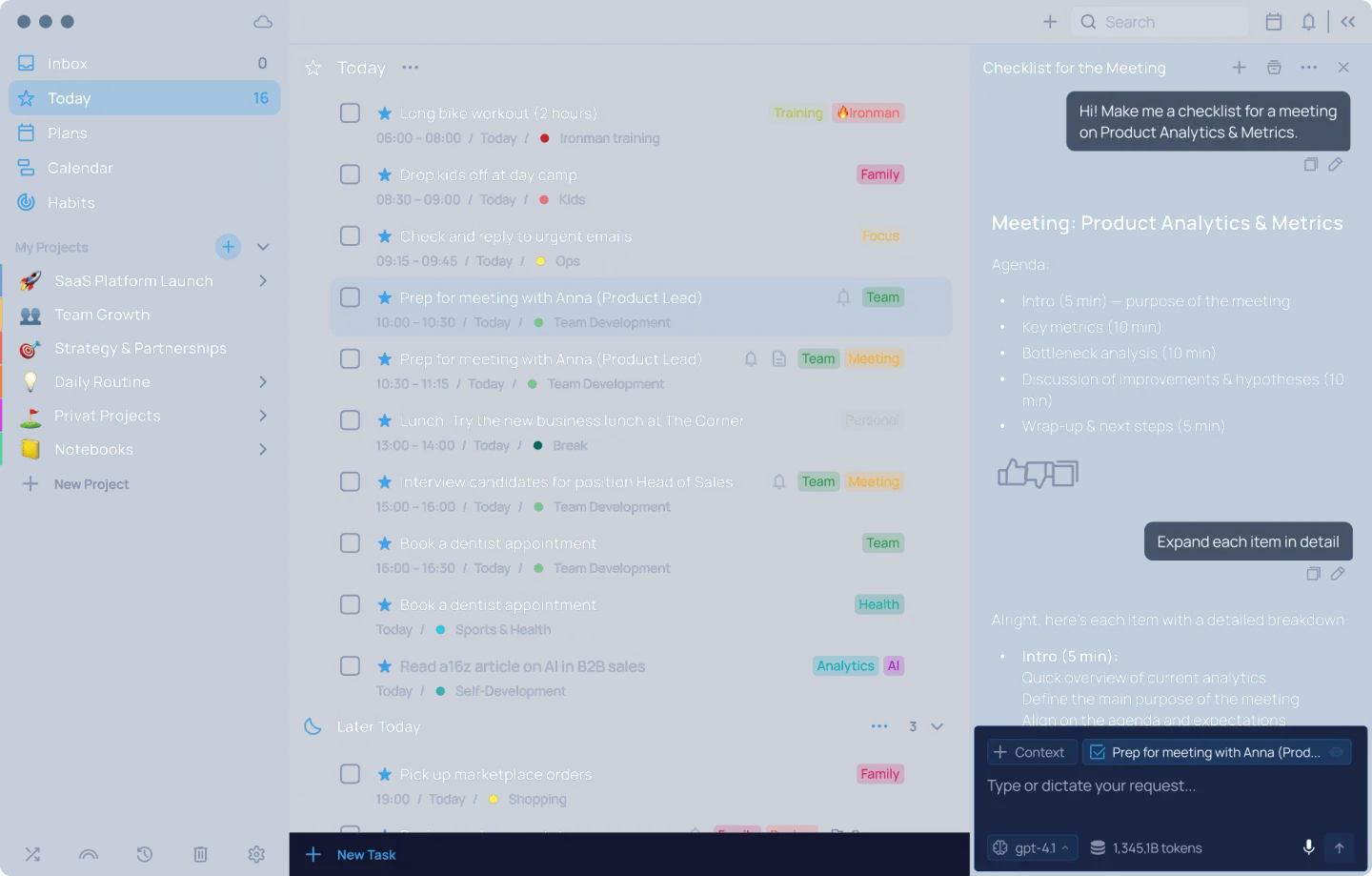
SingularityApp brings task lists, projects, reminders and a habit tracker into a desktop planner. It suits keeping daily commitments alongside longer projects: tasks can recur, tags distinguish different kinds of work, and the built-in Pomodoro timer provides a separate focus tool. The publisher supplies a Windows x64 EXE installer for Windows 10 64-bit or later.
The plan matters more than the download. Free Basic is intended for one device and includes up to 10 projects, five sections per project, three habits and one reminder per task. It includes local backups and a Pomodoro timer, but cross-device synchronization is a paid-plan feature.
Pro adds synchronization, unlimited projects, sections and habits, and a calendar view with Google Calendar integration. Elite adds project Kanban boards and notes with images and a richer editor. Choose Basic for a local personal task list; check the paid feature list before relying on synchronization, calendar planning or project boards. The publisher offers a 14-day Elite trial, so trial access should not be mistaken for permanent Basic entitlement.
What it offers
- Organize tasks into projects with sections, tags, reminders and recurring schedules.
- Track habits and use a built-in Pomodoro timer for focused work.
- Keep local backups on the device with Basic.
- Use cross-device sync, unlimited projects and Google Calendar integration with Pro or Elite.
- Use Kanban boards inside projects and notes with images with Elite.
Good to know
- Free Basic is for one device and is limited to 10 projects, five sections per project, three habits and one reminder per task.
- Cross-device sync and calendar view require Pro or Elite; project Kanban boards and notes with images require Elite.
- The linked Windows installer requires Windows 10 64-bit or later; it is not a 32-bit Windows package.
Product images
Sources
References used for this listing. Retrieval dates do not indicate hands-on testing.
- SingularityApp: AI-Powered Planner to Conquer the Chaos ↗Retrieved
- Plans — SingularityApp ↗Retrieved
- Download App — SingularityApp ↗Retrieved
More in utilities
View category ↗LeaderTask
Plan tasks and projects on Windows with LeaderTask's calendar, Kanban boards and offline task management. A free plan is available with paid upgrades.
Notezilla 9.0.43
Keep sticky notes on your Windows desktop, attach them to documents or websites, and add reminders and checklists. Notezilla is paid software with a 30-day trial.
Mindwtr 1.3.7
Capture tasks, organize projects and choose next actions with Mindwtr, a free, open-source GTD task manager for Windows that works offline without an account.


Mozilla Firefox 159.0
Browse the web with Firefox, a free Windows browser with tracker blocking, tab groups, extensions and reader mode. This download is the English (US) 64-bit installer.
Kelivo 1.3.2+81
Chat with multiple AI providers, organize assistants and connect file workspaces with Kelivo, an open-source client for Windows 10 and 11.